🎧 Elevate your voice, own your stream — sound like a pro, anywhere.
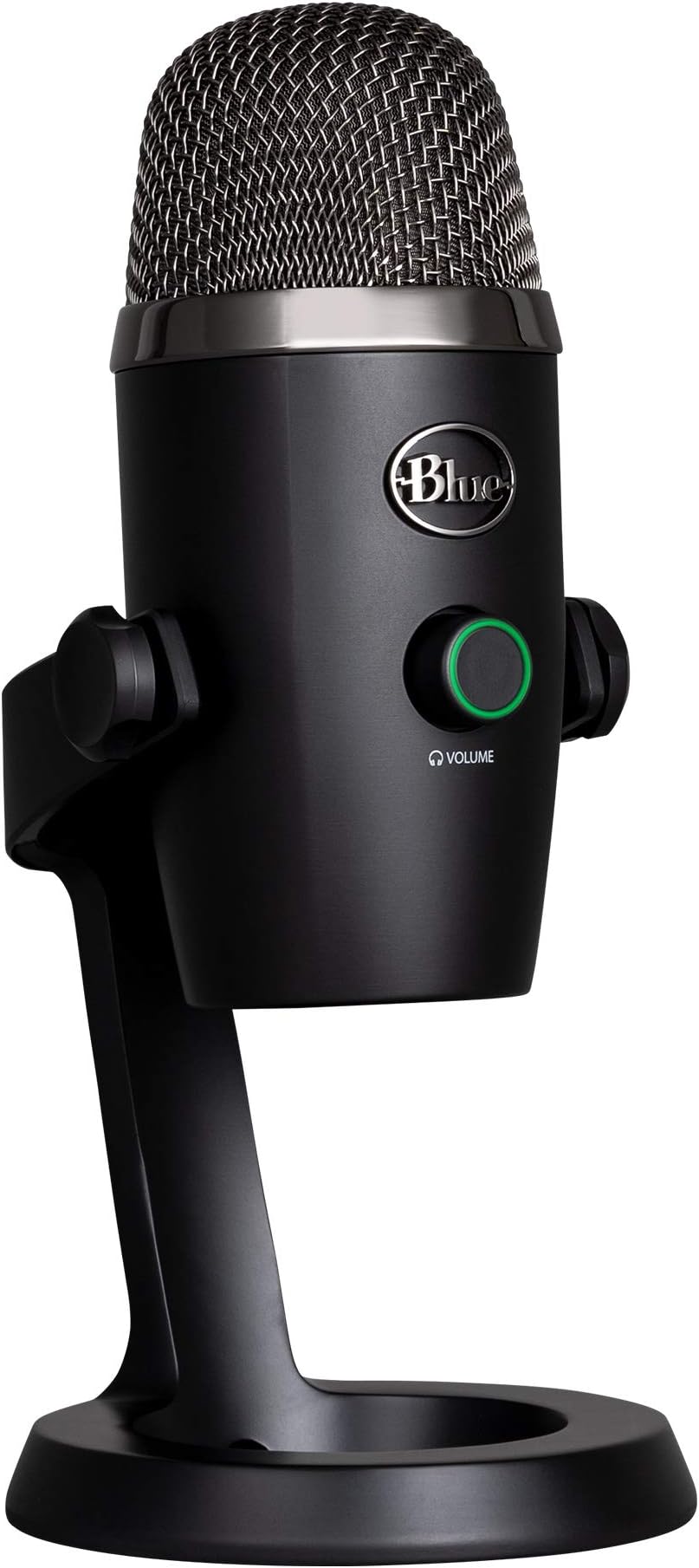
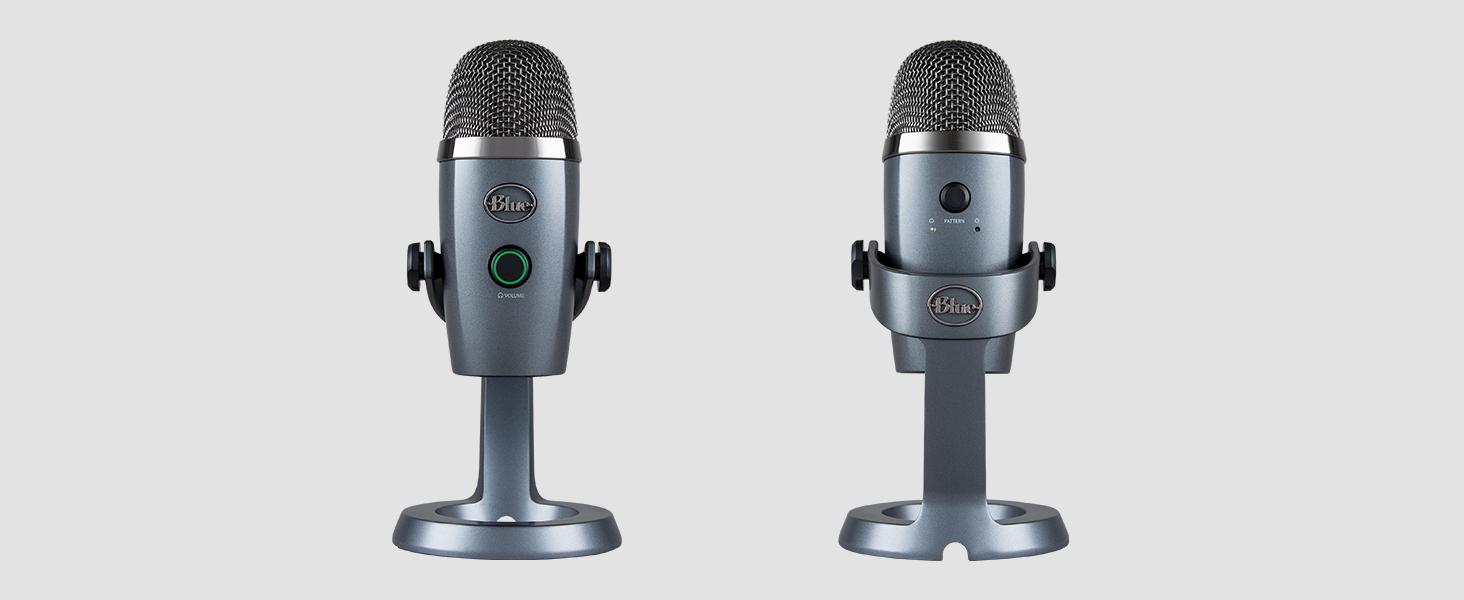
The Logitech Blue Yeti Nano USB Microphone is a compact, professional-grade condenser mic designed for creators who demand broadcast-quality sound. Featuring dual custom capsules, dual pickup patterns, and zero-latency headphone monitoring, it offers versatile, plug-and-play performance for podcasting, streaming, gaming, and remote work on both PC and Mac. Its sleek blackout finish and intuitive onboard controls make it the go-to mic for millennials seeking premium audio with minimal setup.


| ASIN | B07QLNYBG9 |
| Audio Sensitivity | 120 Decibels |
| Batteries | 1 Lithium Ion batteries required. |
| Best Sellers Rank | #1,558 in Musical Instruments ( See Top 100 in Musical Instruments ) #24 in Multipurpose Condenser Microphones |
| Customer Reviews | 4.6 4.6 out of 5 stars (11,742) |
| Date First Available | June 30, 2019 |
| Global Trade Identification Number | 00836213001639 |
| Hardware Platform | PC |
| Item Weight | 1 pounds |
| Item dimensions L x W x H | 4.29 x 3.78 x 8.37 inches |
| Item model number | 988-000400 |
| Manufacturer | Blue |
| Material | Metal And Plastic |
| Microphone Form Factor | Omnidirectional Microphone |
| Number of Batteries | 1 Lithium Ion batteries required. |
| Number of Channels | 2 |
| Power Source | Usb Microphone,Usb Condenser |
| Product Dimensions | 4.29 x 3.78 x 8.37 inches |
| Signal-to-Noise Ratio | 80 dB |
| UPC | 836213001639 |
D**A
Great quality for price!
Was searching for a good quality, not overly expensive microphone for podcasting. This was very highly rated, so we gave it a try. Great sound quality, easy to use and not overly expensive. Doesn’t take up too much room and lightweight so easy to move around or travel with. Only caution is it’s sensitive to background noise. I need to have a sound box or barrier by my laptop fan as it will pick up that noise.
D**N
Honest review from graphic design expert
Many people say that the shure sm7b would outrank any mic. Why not a Scarlett? Hmm. What a tough decision. The solution is here, folks! It’s a usb mic with AWESOME sound quality. It has been tested to be better than my $400 headphones mic and my $260 earbuds. I have the Bose 700 noise cancellation headphones And AirPod pros This yeti mic is better in microphone quality than these 2 combined. Of course you’ll need a computer to fit the mics power. If you are just on discord all day talking, a yeti mic will only do you good if you have enough ram (in certain context) for all you people out there that do not know what ram is. It’s a component used for, well, helping your computer process things. (Assuming the viewer has no knowledge) if you want to do animations and are considering buying this mic, make sure you have at least 8 gigs of ram for gods sake. You cannot do anything with 4 gigs of ram, let’s face it. If you have 8 gigs of ram and a good i3 cpu, you can use this mic up to full potential. If you have a chronebook, honestly I do not know why you’d need a mic like this, but it should work for them. (I cannot say for sure on older chromebooks) I use my yeti on windows. Works like a charm! No different than the $400 mics in my opinion. Obviously, there is a difference. But compared to the price and what you get, yeti is by far the best in my opinion. If you are just starting out in the music industry or you do gaming on a mid end pc, this is the way to go. Have tons of friends that use it that say all good things about it. Let’s go over the logistics. Package was in GREAT condition! Worked perfectly Not damaged Arrived on time (like always) you know, I’ve never ever had a problem ONCE with it arriving late. With any items. I use Amazon a lot too! Super super easy setup, you just plug the micro usb into the mic and plug the other end of the usb to the USB port on your computer. Well, that should be it. 5 stars all the way. I do animations on Adobe, programming in css and html & JavaScript while on business calls, plus creating audios for the music industry and this has never failed me. 👍👍👍
J**6
Perfect for enhancing WFH audio experience!
After a full year of WFH (with no signs of that changing any time soon), I finally started listening back to meeting recordings and realized how poor my audio quality was using my internal laptop mic with my desk setup. I don't like wearing headphones and especially hate those N*SYNC style mic/headphone combos, so I picked this up to plop on my desk instead. I get a lot of comments from co-workers how much louder and clearer my audio is, and believe it or not I feel like productivity in meetings has gone up considerably as a result. Much easier to get your point across when people can actually HEAR you! Works like a charm with MS Teams - plug and play on my Mac with 0 issues whatsoever. I also installed the Sherpa app to fine tune the gain if I need to. Despite some reviews, I am able to use this without headphones just fine, never had any feedback issues in Teams. I have my input as the Yeti Nano, and output as my Mac's speakers set as my default I/O setting in Teams & Finder. The cardoid setting works great to limit background & keyboard noise, I keep it in front of me angled slightly up/to the left of my keyboard. Added bonus, it looks super cool and adds a nice visual element to my desk, I feel like I'm Letterman sometimes (not really, but hey any happiness you can get mid-pandemic is key). Can't wait to bring this into the office if/when we ever go back. I'm sure this will work great for conference room audio in the omni-directional mode, we were using Jabra's previously which were spotty at best. BTW my use is relatively limited and just for improving Teams/conference call audio. I haven't done any extensive testing for podcasting, music, etc...so I can't speak to those use cases, but I can tell you it does what I need it to do great.
J**5
Great sound, Lousy software
Pros: + Equally good sound to Blue Yeti for half the size + Volume knob and lighting looks cool and works well + Don't miss the extra sound settings as only ever used cardioid or full surround Cons: - Need the Blue Sherpa software to control the gain, but... - Installed the software (Windows 10, 64 bit) and it recognized the mic the first time and the controls worked, but after a re-boot, it would no longer recognize the mic ("Uh-oh! It appears you don't have any devices connected..."). But the mic is still working, light is lit, but I can't control the gain without going several clicks deep into Windows setting. Blue tech support was not helpful. Followed all their instructions including uninstall/reinstall, installing Logitech's hub software also, and has never worked since. Mic is still excellent sounding, but lack of control is a hassle. I found several posts of others having this issue and no resolution. YMMV. - REALLY MISS THE HARDWARE CONTROL GAIN KNOB ON THE BLUE YETI Overall I highly recommend, as it is at it's core an excellent quality microphone and delivers professional sounding recordings and webinar broadcasts. Just know you may need to really play deep in Windows settings to tune it to your specs.
L**.
Simple, small, affordable, and SUPER EFFECTIVE!
I love this microphone! I literally just plug it into my USB port and put in my headphones and I'm good to go. It's small enough to fit in my backpack when I travel. I once used it for a live taping while I was outside under the flight path of a major airport, and there was NO BACKGROUND NOISE at all. Just now, I was in a Zoom meeting and the the other person couldn't even hear the smoke alarm that was going off in my house. Amazing! Worth every penny, especially for podcasting and webinars.
M**A
Comprei o Blue Yeti Nano da Logitech e fiquei realmente impressionado com a qualidade do som. Uso principalmente para gravações de podcast e algumas lives, e o áudio sai super limpo, com zero ruído. A função BLUE VO!CE é um diferencial enorme, dá pra ajustar a voz do jeito que você quiser, parece até estúdio profissional. A conexão USB plug and play facilita demais, em segundos já estava tudo funcionando no meu PC, e também testei no Mac sem nenhum problema. Curti muito o fato de ter captação cardióide e omnidirecional, dá pra adaptar conforme a necessidade. Além disso, o microfone é compacto, bonito e bem construído — esse acabamento cinza é muito bonito. Recomendo demais, especialmente pra quem quer subir o nível do conteúdo sem complicação.
V**A
Había visto que muchos profesionales del podcast utilizaban la marca Blue, así que tenía claro que quería decantarme por un micrófono de ellos. Tras estudiarlo mucho me decanté por el yeti nano ya que por el tipo de programas que grabo, no necesito más. Estoy muy contenta porque el sonido que recoge es muy nítido y trabaja perfectamente con los ajustes de GarageBand. Lo recomiendo sin ninguna duda y volvería a adquirirlo.
A**5
Adquirí el micrófono para reuniones en ZOOM usando Windows. Por eso aparte de la famosa calidad me importaba su ecualizador Blue VOICE adicional para efectos de sonido en tiempo real. Sin embargo mi experiencia con el software no ha sido liviana. Actualmente el Yeti Nano (dependiendo de su versión de Firmware) es soportado por 2 aplicaciones originales gratuitas: --- SHERPA (parece discontinuada, no se promociona en web oficial pero todavía se puede descargar, sin embargo solo con funcionalidad básica). ---LOGITECH G HUB (con funcionalidad completa, pero menos intuitivo, crudo y con algunos fallos). De caja el Yeti Nano trae Firmware versión 4.6 compatible con SHERPA – aplicación que a priori tiene BLOQUEADAS 2 funcionalidades avanzadas: actualización de Firmware y ecualizador Blue VOICE. El mensaje de SHERPA avisa que estas 2 funcionalidades solo se pueden desbloquear en LOGITECH G HUB. La funcionalidad básica de Yeti Nano con SHERPA es impecable (pero todo esto también lo hace Windows) y como desde inicio me importaba Blue VOICE, decidí a probar LOGITECH G HUB. Lo primero que indica LOGITECH G HUB al arrancar con micrófono conectado – es que el Firmware de Yeti Nano (4.6) se debe actualizar. No es posible probar Yeti Nano con LOGITECH G HUB sin primero actualizar Firmware a versión 4.10. Y una vez actualizado ya no hay vuelta atrás – versión 4.10 no es compatible con SHERPA que deja de reconocer el micrófono (tampoco es posible downgrade). Según mis impresiones, LOGITECH G HUB es una aplicación más compleja y menos automatizada que SHERPA. Lo que SHERPA hacia de manera automática, en LOGITECH G HUB hay que ajustar a mano. Esta es la razón por cual algunos usuarios sufrían cortes durante el uso de micrófono con Blue VOICE. Para detectar dichos cortes hay que usar “Prueba de Micrófono”, y para eliminarlos: en “Limpieza de Señal” desmarcar “Bloqueador”, o dejarlo marcado pero bajando a valor de aprox. -50 (dependiendo de nivel de ganancia y proximidad al micrófono a la hora de hablar). Los fallos de LOGITECH G HUB que alcancé notar: 1. Problemas durante instalación en una de las PCs (lo probé en 2). Debido a que la conexión de internet se interrumpió justo durante la primera ejecución de software – todos los intentos de instalación posteriores se trababan y no avanzaban. Después de probar varios tips sin éxito, pude solucionar problema solo reinstalando Windows 10 – cosa que nunca me pasó antes. 2. Fallo en hacer LOG IN a tu cuenta (remitiéndote a la web, se logra LOG IN en la web, pero no se sincroniza con aplicación en PC y sigue trabado sin permitir descargas adicionales ni otras acciones con la cuenta). 3. Dejando LOGITECH G HUB activo en inicio automático de Windows – se produce sonido raro cada vez que arranca PC (se corrige solo desactivando la aplicación en inicio automático). 4. A veces cambia la frecuencia del micrófono a 44100Hz, con que el micrófono parpadea en Naranja presentando error (en vez de estar en Verde fijo). Se corrige cambiando la frecuencia a 48000Hz a mano en propiedades avanzadas del micrófono en dispositivos de grabación de Windows. 5. En Windows hasta el nombre de LOGITECH G HUB se reduce ridículamente por la misma aplicación a “LGHUB”, que se me figura con el HUB de compañía LG. Según algunos comentarios, poniendo los mismos valores en SHERPA y LOGITECH G HUB, el Yeti Nano ofrece mayor calidad de sonido con SHERPA. No alcancé realizar tal comparación, y ahora para esto me hacen falta 2 Yeti Nano con diferentes versiones de Firmware, aparte SHERPA ya está capada para funcionalidad avanzada. A pesar de inconvenientes probé satisfactoriamente los efectos Blue VOICE con Yeti Nano y LOGITECH G HUB en Windows. Cualquier cambio que aplicaba – tenía efecto. Al probar todo en ZOOM y escuchándome de otro lado de conexión por auriculares – el resultado me agradó, ya que la calidad de sonido es mejor que con el micrófono de Laptop, aunque comparando con una grabación off-line, las interferencias de conexión algo degradan el resultado. También noté que LOGITECH G HUB a diferencia de actual SHERPA introduce nuevas funcionalidades y mejoras, como la “Prueba de Micrófono” – posibilidad de verificar como sonará tu voz en futura conexión/grabación, gracias a la muestra de sonido pre-grabada (puesta en repeat) – que sirve para ir calibrando efectos y escuchando cambios en tiempo real (es donde se pueden detectar posibles cortes a corregir). CONCLUSIÓN: Según mi experiencia el Yeti Nano es un producto Premium extraordinario, pero con el software original no tan Premium actualmente. Aunque conseguí hacer que todo funcione, la configuración en LOGITECH G HUB me pareció tarea complicada que requiere de usuario conocimientos de fundamentos teóricos del sonido. Me parece raro que Logitech, al complicar la gestión de sus micrófonos Blue hasta nivel casi científico, por fuerza la integró en aplicación para Gamers (personas que no requieren de experimentos con sonido). Es posible que tal integración junto con obligación de usar exclusivamente LOGITECH G HUB sea resultado de marketing precipitado. Espero que los fallos actuales de LOGITECH G HUB por lo menos se corrijan. Mi experiencia con el Servicio de Soporte de Blue ha sido exitosa. Me confirmaron la garantía de producto (2 años) y me explicaron que la diferencia en 1 digito de Número de Serie en caja y en el mismo micrófono es algo normal para productos de Logitech ya que manejan 2 Niveles de Números de Serie: el Nivel 8 en producto (para que usuario final lo registre en web para garantía) y el Nivel 9 en empaque (para logística).
J**Y
Spelnia swoje zadanie ale wymaga dokupienia filtra pop
J**S
Hace tiempo que soy seguidor de los micrófonos BLUE y había tenido un Snowball pero no me había convencido del todo. Tampoco quería el Yeti ya que me parecía demasiado completo para lo que necesitaba (narración). Este queda entre los dos anteriormente mencionados y simplemente tiene una buena recepción de sonido sin ocupar tanto espacio.
Trustpilot
2 months ago
4 days ago