Buy anything from 5,000+ international stores. One checkout price. No surprise fees. Join 2M+ shoppers on Desertcart.
Desertcart purchases this item on your behalf and handles shipping, customs, and support to Vietnam.
🚀 Unlock your storage potential with lightning-fast, hassle-free drive access!
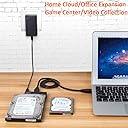
The WEme USB 3.0 to SATA Converter Adapter transforms your 2.5" and 3.5" SATA HDDs and SSDs into high-speed external drives. Supporting up to 18TB capacity and transfer speeds up to 5Gbps with UASP acceleration, it offers plug-and-play convenience without driver installation. Included power adapter ensures compatibility with power-demanding 3.5" drives, making it an essential tool for data migration, backups, and expanding your storage arsenal.


| ASIN | B00MVRS38G |
| Best Sellers Rank | #301 in Enclosures |
| Brand | WEme |
| Color | SATA |
| Compatible Devices | Desktop, Laptop |
| Connector Type | USB Type A |
| Current Rating | 2 Amps |
| Customer Reviews | 4.6 out of 5 stars 4,132 Reviews |
| Finish | Hdmi |
| Finish Type | Hdmi |
| Input Voltage | 240 Volts |
| Item Dimensions | 5.8 x 4.1 x 1.9 inches |
| Item Weight | 0.45 Pounds |
| Item dimensions L x W x H | 5.8 x 4.1 x 1.9 inches |
| Manufacturer | WEme |
| Mfr Part Number | WEMEMST-002 |
| Model Number | SATA |
| Nominal Power | 480 Watts |
| Number of Items | 1 |
| Number of Ports | 2 |
| Package Quantity | 1 |
| Power Plug Type | No Plug |
| Smart Home Compatibility | Not Smart Home Compatible |
| UPC | 700598714654 |
| Unit Count | 1.0 Count |
| Warranty Description | 30 day free return and refund |
M**D
Quickly and easily copy an old drive to a new system.
My old notebook died abruptly and I need to copy its drive to my new notebook. This device made that easy. I pulled the 2.5" SATA drive out of the old notebook, plugged it in to this adapter, plugged the cable into my new notebook, and I was able to copy all my old data to the new notebook. No fuss, no muss. It just worked quickly and easily.
J**M
little adapter which worked as described
I didn't buy this usb adapter for hard drive connectivity issues but for optical drive. However I have a use for several SSD and physical hard drives I have whenever there's a need for them. The major motivation behind buying this adapter is coming from what I recently experienced after I finished making my new desktop. My desktop doesn't have any internal optical drive and I did it on purpose because I wanted to use all available reserved bays inside the case for new and used SSD and physical hard drives I had and I new in advance that the use of an optical drive like DVD drive is not that critical nowadays and I can simply buy an external optical drive to connect with any available USB 3 or even 2, but I ended up being so wrong about that. What I experienced in reality that what is available in the market as external optical drive doesn't work with my operating system (Windows 10 64 bit) or I have to pay for a very well known brand which is simply over 100 dollars so I decided to find a practical way which is also cheaper and i did my research and I found this adapter. I wasn't quite sure until I made connections with what I have already had which is two internal optical drive that I used to use in my older computers and there we go. It worked !! And it worked without a bit of any issue. It's important to mention out for those who doesn't know that it takes higher power for an optical drive to be able to recognize by your computer as a functional device and this little adapter made it possible. Very well designed, quiet affordable and hundred percent functional. I highly recommend it to anyone specially those who are experiencing what I did.
S**O
Worked great! Saved my butt
My harddrive was dying and wouldn't get detected by the OS. So I purchased a new harddrive and it came with a copy of Acronis. However, it failed to mention that I would also need a USB to SATA connector if I wanted to try a transfer. I wasn't sure it was even going to work so I just went to local stores including the most well-known department stores and electronics stores and despite touting all the latest crApple products and every adapter known to man they didn't have a single USB to SATA cable in stock. Turns out they are only sold online. Thanks. ANYWAY so Amazon comes through again, I look online and sure enough they have a bountiful selection and I wasn't even going to order one because I wasn't sure it would even work but Prime said 1-day shipping. So you can't beat that. If it would get here tomorrow, I could live one day without a desktop. So, I waited, it arrived, and I connect everything and nothing. The drive boots up and starts whirring but nothing on-screen. Oh well, the harddrive fails to connect. However, the IT guy in me says oh wait, I know the front USB ports are sometimes wonky so let me try one in the back. I do so and boom miraculously with this cable Acronis picks up my old harddrive and I was able to transfer everything out within about 30 minutes I had done a complete clone of a 2tb drive. Well, the story's not completely over, so then I open up partition manager and try to remove one of the partitions that I don't need and accidentally end up erasing part of what I just cloned. However, since the drive was now added as a normal external drive like any USB drive was, I was able to go to My Computer, and just copy over the files and folders that I wanted to keep using the data cable. It took about 4 hours total, and that includes my time of navigating file structures and choosing just what I wanted. I call that a huge win for this product which worked great!
C**O
Works, but you may have to deal with "invalid dynamic disk" issue
This adapter works. I tested it with one western digital hdd that is more than 10 years old. There is one potential issue, however. When I first plugged the hdd in, it did not show up in my file explorer. Disk management can see it, but listed it as an "invalid dynamic disk". I know the hard drive works because when connected directly to my desktop using SATA cable and power, it shows up just fine. At first, I thought the adapter is defective. Then a search on Google showed me a way to fix it. A free software "testdisk" helped me. This software is very powerful but can be a little hard to use since it has no windows interface, only works in a DOS interface (command line based). As long as you can get pass this, the software can convert the dynamic disk back to basic disk without touching the data on the disk with ease. You basically need to write the partition structure to the disk using the "write" function. There are quite a few walk-through videos on youtube. After this fix and a reboot, my hdd now shows up in file explorer just fine with everything on the disk. Hope this helps someone if also running into the "invalid dynamic disk" problem. Technically, this "testdisk" software can work with any disk having such issues.
P**O
Get rid of those old hard drives you have laying around
I'm so glad I bought this USB to SATA adapter! I had a bunch of old hard drives laying around, and I wanted to see if I could get any data off of them. I was worried that it would be difficult or time-consuming, but this adapter made it so easy. I simply plugged the adapter into my computer and then plugged the hard drive into the adapter. My computer immediately recognized the hard drive, and I was able to access all of the files on it. I was able to transfer all of the data to my new computer in just a few minutes. The adapter is very well-made and easy to use. It's also very affordable. I highly recommend this adapter to anyone who needs to read or write data to an old hard drive. Here are some additional pros of this USB to SATA adapter: It supports both 2.5" and 3.5" hard drives. It has a fast data transfer rate. It's compatible with both Windows and Mac computers. Overall, I'm extremely satisfied with this USB to SATA adapter. It's a great way to get data off of old hard drives, and it's very affordable. I highly recommend it to anyone who needs one.
A**R
Work great with my internal optical drives.
I have a tower of optical drives that I wanted to connect to a USB hub. These worked great. I'm very happy with the data throughput, power delivery, physical connection, and build quality. There are a couple of things I didn't like about the package. 1) The cables were much longer than I needed. Since these were used in a tower case with a USB hub inside the case, I only needed 1ft cables. The cables supplied were 32 inches, which is probably a good length for other applications. 2) I had to pay for power adapters which I didn't need because I was able to use the power supply inside the tower case. I initially bought a different adapter that didn't come with power adapters but could still accept external power. Because they didn't have power supplies, they were about half the price. However, they didn't work at all. So, I returned those and bought these instead. I am very happy with these. Now I just have to figure out what to do with 8 power adapters.
B**6
OMG I finally got rid of my old drives I've been carrying around
Super easy to use, super useful, and love that I can fit it in a small box to put with all my other gadgets I only use once in a while. I've been carrying around a ton of old drives from old towers and laptops and failed external drives. I migrated them all to a new, more stable set of drives. It worked great - no new software, no complications. Because it was a straight pass through to appear as a drive (I have Windows 7) there were a couple old drives that had failed that I got to see and pull data from. Those drives were from external WDD enclosures and essentially the bit of hardware they use had failed. I pulled the drives, hooked them up, and tada - data back now. Thanks! One note: I did have a super old IDE drive I couldn't use with this and had to get a different mechanism - although I shouldn't have bothered because the drive was corrupted beyond recovery. This is for SATA type drives only. WORKS GREAT!!! I like it has power so I could power up the larger drives from my old towers.
K**E
Workable
💯💪 connections
D**S
Does what it says on the tin
Connects great, works perfectly. Was able to access the entire contents of an internal HDD, on my laptop. One drawback is the cables are a little inflexible and short, making it awkward to find a comfortable placement for the HDD right next to the laptop.
J**A
Muy útil
Me sirvió para mi disco duro
R**B
Impressive!
I bought it for smaller internal HD that arent worth permanent. But I got the idea and was willing to take risk to try and use it for my old internal DVD-RW ROM too and it works beautifully! I have been playing old games on CD or DVD-ROM all weekend thanks to this valuable device! Worth!
D**U
Easy to setup and use! Great value!
I upgraded to a refurbished windows 11 laptop from my desktop that maxed out at windows 10, but I didn't want to buy a new Bluray Burner, so I kept the one from my desktop, but needed a way to connect it via USB to my laptop. This device made it all possible, and it worked out of the box. I just connected the power, then connected the cable to my Bluray burner, plugged in the USB to the laptop and it worked! No drivers to install or anything extra. I'd recommend it.
B**Z
Cumple con la función esperada
lo usé para conectar un disco duro de una Mac vieja que se dañó pero pude extraer el disco duro y recuperar cerca de 25,000 fotos que no tenía respaldo una Mac mini M1 conectándolo via cable USB... al 1er intento no lo reconoció, pero al segundo intento (reiniciando la máquina) se conectó sin problema y la rapidez de transferencia fue aceptable, no cronometré el tiempo pero estimo que descargó las fotos en alrededor de 1 hora
Trustpilot
1 day ago
3 weeks ago