Buy anything from 5,000+ international stores. One checkout price. No surprise fees. Join 2M+ shoppers on Desertcart.
Desertcart purchases this item on your behalf and handles shipping, customs, and support to Vietnam.
🎬 Small Frame, Big Performance — Own the ultimate HTPC style statement
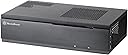
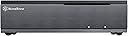
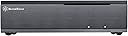
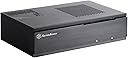
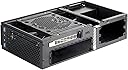
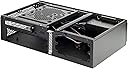
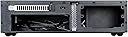
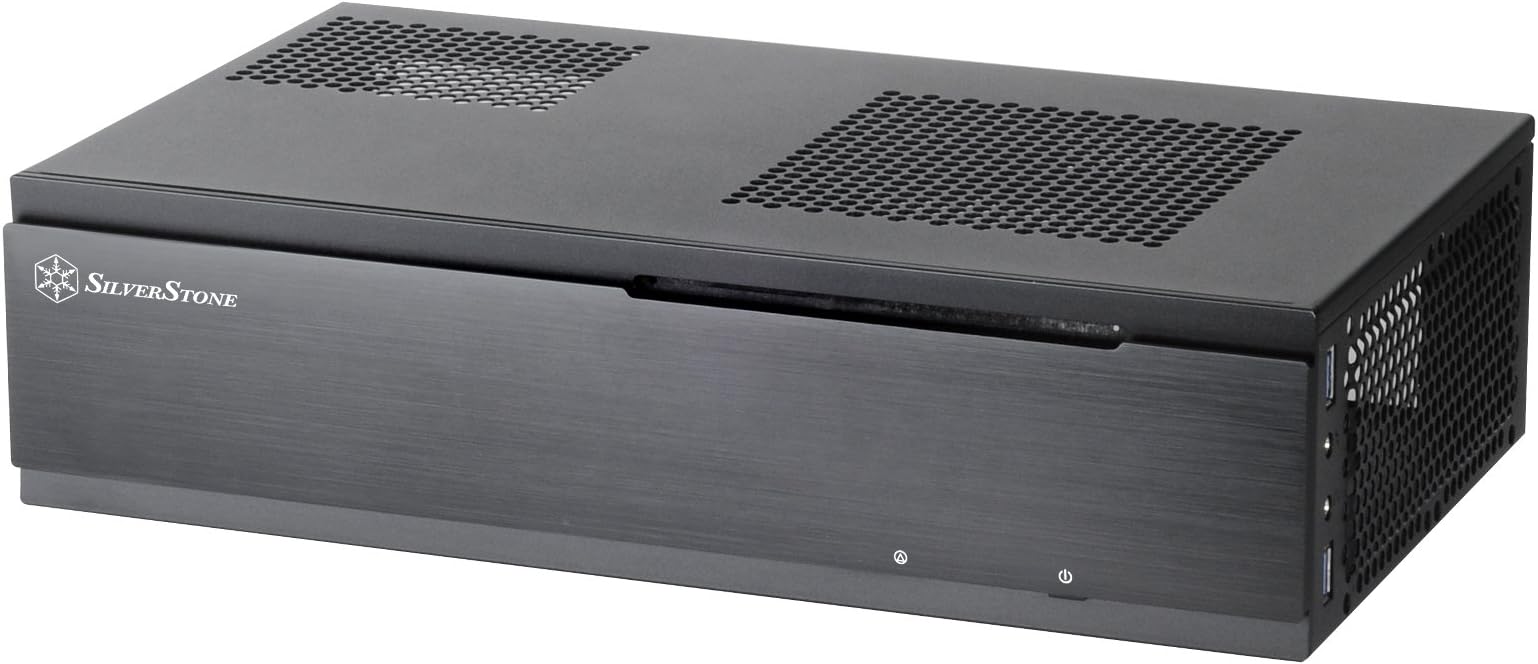
The Silverstone Tek ML06B is a premium 7-liter Mini-ITX HTPC case featuring a sleek aluminum front panel and versatile 4-in-1 drive bracket. Despite its ultra-compact size, it supports multiple storage configurations, dual 80mm fans for cooling, and modern Mini-ITX components, making it the perfect blend of style and functionality for media center enthusiasts.


| ASIN | B00HJOK6F4 |
| Antenna Location | Entertainment |
| Best Sellers Rank | #1,227 in Computer Cases |
| Brand | SilverStone |
| Case Type | Mini-Tower |
| Color | ML06B |
| Compatible Devices | Mini-ITX motherboard, SFX power supply, 2.5-inch hard drives, low-profile graphics card, air coolers up to 70mm in height |
| Cooling Method | Air |
| Customer Reviews | 4.4 out of 5 stars 600 Reviews |
| Enclosure Material | Aluminum |
| Fan Size | 80 Millimeters |
| Global Trade Identification Number | 00844761011017, 04710007221013 |
| Hard Disk Form Factor | 2.5 Inches |
| Internal Bays Quantity | 4 |
| Item Dimensions D x W x H | 8.07"D x 3.9"H |
| Item Weight | 2.49 Kilograms |
| Manufacturer | Silverstone |
| Material | Aluminum |
| Mfr Part Number | SST-ML06B |
| Model Name | CS-ML06B |
| Model Number | SST-ML06B |
| Motherboard Compatability | Mini ITX |
| Number of Fans | 2 |
| Other Special Features of the Product | Multipurpose 4-in-1 bracket, Premium aluminum front panel |
| Power Supply Maximum Output | 500 Watts |
| Power Supply Mounting Type | Bottom Mount |
| Recommended Uses For Product | Entertainment |
| Supported Motherboard | Mini ITX |
| Total Expansion Slots Quantity | 1 |
| Total USB 2.0 Ports | 2 |
| Total USB 3.0 Ports | 2 |
| Total Usb Ports | 2 |
| UPC | 844761011017 |
| Unit Count | 1.00 Count |
K**D
Small and Attractive
I like the small size of this case. That makes routing all of the cables a bit difficult, but I got the job done and that's just part of the game if you want a small case. I originally was planning to install one of my 3.5 inch hard drives above the CPU, but decided against it even though I had to buy a new 2.5 inch drive. I felt that it was far more important to keep the area above the CPU open for air flow purposes than to reuse my 3.5 inch drive. New 2.5 inch drives are cheap now anyway, so I picked up a 1TB drive and don't regret it. The 2.5 inch drive not only has more capacity, but also runs cooler and quieter. Total 2.5 inch drives installed = one SSD for OS and apps, one 250GB HDD for backing up the SSD, and one 1TB HDD for media storage. I still have one unused 2.5 inch bay. My i7-4771 CPU idles at about 42 degrees C and good air flow helps to achieve that. My CPU cooler is a Titan DC-155A915Z/RPW. This is a very low profile cooler. I wouldn't have needed one that low because of not installing the 3.5 inch drive, but as long as I already had it, I installed it and it seems to be working well. The case seems to be built to a high level of precision. Everything fits very nicely. The memory that I used has a heatsink with low profile, and that proved to be a good move because you will route several wires in the area of the memory, and tall heatsinks would interfere or possibly even cut the wiring that it comes in contact with. I did not install a DVD drive in this case. I had a 5.25 inch Bluray drive in my old computer, so I simply will be using that along with a SATA to USB 3.0 adapter as an external optical drive for the few times that I need it. That arrangement may not work for you if you use DVD's a lot, but I hardly ever need to use a DVD anymore. Again, by not having an internal DVD payer, the area above the CPU is kept open for good air flow. I did not install any system fans. The only fans I have are for the CPU cooler and the one inside of the Silverstone ST45SF power supply. For graphics, I am using the HD 4600 integrated graphics on the CPU, so there is no graphics card or fan. I installed a TV tuner card in the PCIe slot. I experienced one issue with this case and it may help others if I describe it. There is a cable for the two USB 3.0 front ports and audio ports that plugs into the motherboard. This cable is rather stiff and after plugging it into the motherboard, it protruded a bit above the case (without the cover on). When I put the cover on the case, the cover pushed this cable downward. This caused the cable connector (at the motherboard) to shift somewhat and lose connection. This resulted in a USB error as shown in device manager. I eventually traced the problem to the cable/connector and corrected it by pre-bending the cable to avoid interference with the cover. This is a very nice case and I am very happy with it.
M**W
I used both a modular power supply and a full blown 1000watt power supply (overkill I know) but the gaming power supply has a be
I've spent a considerable amount of time assembling and dissembling this HTPC box for various reasons, one in particular is the dimensions are awkward and make it difficult for fitting. The power supply cables will rub against the blueray drive and make it pop out of the case so you'll need to have a smaller (in length) power supply. I used both a modular power supply and a full blown 1000watt power supply (overkill I know) but the gaming power supply has a better fit than the modular one since the module connectors will not fit with the blueray. I did end up breaking the sata connector a little, but ended up fixing it with some handy diy. The Pros: - It looks good, and better than the rest seen on amazon for its price. (in my opinion) - It's built sturdy, and has a steel rod inside the top part of the case for added support (you can unscrew this easily) - The front-panel is incredible. You won't have a place for your LCD if you have one, but there's a nice dimmer switch, anti-child lock (with key), and the power button also locks mechanically. Did I mention it doesn't look like fake plastic? - There's room for 4 fans on the side, that's what I did, I splurged for the extra silent kind and I hardly can hear it. - There's plenty of ventilation everywhere - Works excellent for what I was aiming for (Media Center HTPC) The Cons: - It needs to be longer, like front-to-back an extra 2-3cm to support blueray + powersupply - Many people claimed that it can store a few hard drives, but let's be honest, even with a modular power supply, that's not going to happen. You can place a single full size hard drive and maybe a laptop size hard drive if you're lucky with your cables. - The case is a little warp at the front, so it's not perfectly aligned. You can manually fix this if it comes this way. It's not really noticeable however. Things to know: - You can use a regular size ATX power supply. I'm not sure how well other power supplies fit but the width is for ATX - Don't screw things in except for the motherboard until you're ready to plug everything together. For example, you'll need to put in the power supply before the blueray and then once you get the idea with the mounted hard drive you'll have to screw in the blueray and then you screw in the hard drive, otherwise you won't have room to maneuver. - If you have particular questions about the power supply sizing, you can probably contact their customer support to get help with your particular setup. - The USB 3.0 connector didn't come with an adapter for the motherborad, so it's a full-size connector, not the tiny one. You may have to buy one of these with the case. Lucky for me I had a spare. - Worth every penny!
N**L
Cramped but AWESOME!
I got the case because I had some PC parts I wanted to re-purpose into an HTPC upgrade and was tired of the chunky/desktop sized HTPC cases out there. I also didn't want anything tiny. Since I wanted to re-purpose my parts, I had very specific requirements. I needed a case that was Slim form factor, able to fit micro atx boards and able to fit larger PSUs. I also wanted something that looked really nice. I don't like them looking too plain and I don't like them looking gaudy. This case was perfect for my needs in every way. It's just an all-around great case. It's one of the nicest ones to look at that I've dealt with in a while. It's solid and nothing feels overly flimsy or wobbly. Since you get so much frame space, there's a bar to hold the frame so it doesn't become warped or bent when you load it up with your parts. The case is 105mm from top to bottom and 140mm of comfortable PSU room so you really must plan accordingly. Things get cramped fast. Here are a few tidbits of advice for your build experience. - You want to remove the frame bar and the nylon/rubber drive cage before you do any work in the case. This is in the instructions, which I recommend reading. - You have 140mm of PSU room before you cut off some of the 2.5" drive bay on the floor beside the PSU bay. Any longer and you'll also likely hinder your ability to install anything but 2.5" drives in the 5.25" bay (maybe you won't be able to install anything at all). - At 105mm top to bottom, make sure you get the right CPU fan. Depending on your build you may not need anything too big or powerful. I did, as my build is a re-purposing of my recently redundant system (Q6600, 8GB RAM, 750w Modular PSU, 3 1TB HD). I got a Cooler Master M4 GeminII Slim which worked perfectly for me. This fan is both powerful and very quiet. It keeps my Q6600 at 45c idle and 50c load while running at its minimum speed. - If you're placing a 3.5" under the 5.25" bay, install the cables to the drive before you place it. It will be very difficult to do it afterwards. Keep in mind that installation of this drive will involve turning the case upside down to secure the drive to the case. - If you're placing a 3.5" onto the Nylon drive case, be wary of whatever on your microatx board is close to it. If there's a mobo power connector or ram slots there, connect / install whatever needs to be before you put the drive in, as it will block whatever is under it. Not sure if these issues would be present with itx boards. - I highly recommend sourcing a PSU with the right dimensions. The case is pretty tight on space. Failing that, do yourself a favor and buy a modular PSU. For reference, my Ultra X4 750 is ~160mm and at that size, took up 1/2 of the 2.5" drive installation space on the base of the case as well as rendered the 5.25 useless for me, unless I install a 2.5" there (which I likely will when I decide to add an SSD to the system. The good news is that you're flexible IF you don't need anything installed to the 5.25" bay. My plan was to buy an external BR drive anyway so I didn't need the space. - My system is somewhat of a legacy system, so I don't expect others to have this issue but just in case, heads up - if you buy a USB 3/SATA add in card and it has a power connector of any kind, make sure the connector doesn't face the roof. I made the mistake and now the card is useless for me. There's almost no space between the edge of any cards installed to a board and the roof of the case. - There's no going around it, the case is cramped. It'll be really hard to route cables after the fact so if it's your thing to make it nice and need, pre-route as many cables as you can. - Ultimately, my recommendation would be to pre-build your system (put the mobo, cpu, fan, ram together) outside of the case and just drop that in when ready. - If this were a new build for me, I'd have skipped on using 3.5" drives and stuck to 2.5"s for ease of installation. I am using 3.5"s because I had them readily available and this is more of a revamp/retrofit than a brand new build. That's about all I can come up with. In terms of some nice features you may have missed: - Light has a dimmer, REALLY great feature - Front panel can be locked - Power button can be locked / Reset button is behind door so no accidental resets if you lock the power button and the door - Comes with a filter for the roof. The filter has magnets so you can just leave it on the top above the fan vent It's an amazing case. I have no regrets. Building wasn't too challenging but it definitely does take some work and planning if you want to get it right. It looks really nice among my entertainment center equipment. I will likely use this for many years. My next HTPC upgrade will probably be housed in this same chassis, that's how much I love it. I recommend it with flying colors for anyone who is looking for a SFF case that isn't tiny or an HTPC case that isn't big and chunky.
S**5
Like it alot, though may need customization
Some notes on my particular experience and a couple observations: - The weak magnetic latch on the front door: I wondered about this myself--why such a nice, well built case had a magnet with such a gentle pull on it. After all, the door is pretty solid (and has a nice brushed finish, btw). Then I realized it was intentional when I accidentally ejected the DVD-ROM drive and, not having 'locked' the front, there was enough push from the tray to actually open the otherwise heavy door without the tray automatically retracting. Although it would be preferred for the user to first swing the front down before popping the tray, somebody at Silverstone was actually thinking of this scenario, so kudos to them. - USB 3.0 front ports: Glad they are there. Since they are true 3.0, they terminate in a 20-pin female connector. That's good, but bad news if your mobo doesn't have an onboard 3.0 header. Initially I was going to add a card with the connector, but my mobo has 2 USB 3.0 'A' connectors in the I/O block. Since the USB 3.0 is handled by the Intel chipset (and isn't NEC Renesas, which I hate), I knew they were totally reliable. I just need to get that 20-pin connector back to 'A' connectors. There's a knockout in the back of the case for a DB-9/15 connector, so I intend to use that (or a slot cover) in conjunction with an adapter cable. If you need to do the same, search for "2 Ports USB 3.0 A Type Male to Motherboard 20 Pin Header Male Cable." - DVD-ROM drive mounting: Although the mounting holes for the drive are properly placed, none are oval/elongated, which would provide some minor room for adjusting the position of the drive. I found the bezel on my standard LG drive stuck out just enough to prevent the front door of the case from closing and making a magnetic latch (and we've already noted how weak the pull is on that). So, I had to take the bracket out and elongate 3 of the holes by about 1/8 of an inch using a small, fine-toothed file. Only took a few minutes and once done the tiny amount of sliding the drive backward solved the problem, without degrading the aesthetics. Would be nice if they had already made that allowance, though. It's pretty standard on most cases. - Tie-downs: There are a number of tie-down points. The case came with some adjustable cable straps that are meant to be used with these. I'm sure they're okay. My preference is to simply use cable ties as I feel they're faster to work with. However you go, I encourage you to use the tie-down points, since keeping cabling bundled and in place is key when working in the tight space afforded by this case. - PSU: One of the reasons I got this case was because I already had a standard Thermaltake 500W ATX PSU on-hand I wanted to use. It worked out fine and despite concerns, while there wasn't a huge amount of space between the rear of the PSU and DVD-ROM drive, there was enough to get cables in without too much fuss. Current ATX PSUs with 120mm fans on top will need to be inverted to work with the grating on the case bottom. Note that I didn't want to cross the mobo with any wiring, so I needed to use a Startech 8" extension on the 4-pin 12V connection (for graphics) to bring it around the mobo to the other side. - Fans: I think the 4-fan grill design is rather ingenious. I mounted 2 fans and that seems to be perfectly adequate for my system, which is running a Sandy bridge Core i5 CPU with stock cooler. The case also comes with a dust filter for the intake grating on top of the case that mounts via small magnets at the corners. The case top will need to be popped once in a while for cleaning, though a vacuum cleaner from the outside may also do the trick to pull dust off the filter. - Drives: If you need to install 3 drives, you'll have to put one in the DVD-ROM bay. Given the small space inside the case, mounting of the other 2 drives is well implemented. My boot drive is a 2.5" SSD I mounted on the plastic pedestal bracket near the front of the case. I think it's likely to be easier using a 2.5" drive at that position, although it could support a 3.5" drive as well. There are soft rubber/poly grommets for dampening the vibration of 3.5" drives when mounted to the case metal in the other two mounting points. A sensible feature. All in all, after researching a number of HTPC cases capable of handling a mATX mobo, I'm glad I chose this one. It's attractive, well-made and pretty well thought out. If you take your time and use the tie-down points where you can, it's possible to install a mATX mobo and organize your cables to still end up with an installation you'll feel good about, even in the tight space afforded by a compact case like this one.
N**K
Great case, no frills, Very good example of value for the price.
I had heard of this case awhile ago, and only recently got around to actually transferring my old server PC's components into it, to be used as an HTPC under my TV. For the price, I think it does everything it should do. It is a good form factor, not too large but still large enough to accommodate a modest collection of PC components. For those keeping tallies of such things, I'm using an Antec EarthWatts 380W PSU (the green one, non-modular). Fits fine. I don't think anyone going for this case should be expecting to have the levels of flexibility he or she would with normal tower-type cases, i.e. this case is very tight with the PSU fit, requires low-profile expansions cards, more specific cable management. Honestly, I was lazy. I'm running a core i3-4170 with stock cooler, no other fans in the system except the PSU's own fan, one single SSD, and using onboard graphics, and I didn't really bother much with the cable management. Given all of this, the thing is nearly silent (my Xbox One is noticeably louder), and it runs around 35 degrees C consistently. The quality of the case in terms of feel of the metal, cutouts being made correctly, etc. is very good, but about what you'd expect for a case at this price point (I paid $60, shipped and sold by Amazon). Meaning, you have to bend/flex the case metal a tiny bit to get a screw to thread correctly here and there, etc. All in all, can't complain. It does its job correctly and looks good doing it. One final note, if you're between this and the ML04, I was too. I got this because it was about $20 cheaper, and from what I can tell, the main difference is the front panel closing up on the ML04 to make a smoother front look. To me, if you're actually using the front USB2 ports on a regular basis at all, that makes the ML03 actually a better choice so you don't have a door flipped down a lot. Just a personal preference.
S**R
Very nice case with a few caveats
I've purchased a rather sizable number of Silverstone ML03Bs and overall I'm quite pleased with them. They're generally well-constructed, have very good options for drive mounting and can be built in to finished systems relatively quickly. I've never found a Silverstone case to have anything other than a beautiful interior and exterior finish and this one is no exception; cosmetically, it more than meets my expectation for a $60 chassis. I do, however, have a few small issues that keep me from giving it a 5-star rating. First, the back of the case, especially in the area around the I/O plate, is rather flimsy. I wish it were reinforced somehow, because it's fairly easy to de-form the back of the case while pushing the I/O plate, or to leave an improperly fitted I/O plate installed rather than risk such a deformation. This is far and away my biggest problem with the case. As other reviewers have noted, it's very important to verify optical drive and power supply lengths. My fleet build uses a Samsung DVD burner and an Antec Earthwatts 380 PSU; there is just enough room to connect standard SATA and power cables with both the drive and the power supply screwed in place. Someone with large hands might be reaching for needlenose pliers to get the connectors in or out. I did try to install an LG BD-burner that was somewhat longer than my Samsung drives. I had to use an angled SATA data cable and connect it prior to screwing down the drive to make it work with my Earthwatts PSU, but it did fit. The 3.5" drive bay underneath the 5.25" bay mounts on grommets that are accessed from the bottom of the case. This is actually a great design feature, but that bay is somewhat difficult to access in a populated chassis regardless. The other hard drive bay offers optional 2.5 or 3.5" mounting and I was somewhat puzzled that another set of screw holes weren't provided for the lower bay as well. There's a giant "Silverstone" logo on the front. Since I don't want my users thinking that their computers are Silverstone brand, I removed the logos with sugar cubes. I realize this might not bother some people, but I have a strong preference for logo and sticker free cases. Finally, the very similar Antec NSK2480 has absolutely ingenious cable routing. Silverstone includes a number of ties and belts for keeping cables bundled, but the ML03B did not have nearly as much attention paid to the matter of snaking cables through the chassis. Other than those few matters, I really think this is a great case. I was pleasantly surprised by the quality and value that were present in this particular design.
A**M
Excellent Media Center case!
I've been using this case for a few months now, and it is excellent! The quality is good for the price, the metal that the case is built from isn't the highest quality, but it certainly beats cheaper options. The paint of the case is good, the case is textured some on the outside, which I wasn't a fan of, but I would still purchased the case with the textured outside. The front panel is plastic with an aluminum "sticker" glued to the front. It's not as nice as a solid aluminum front, but it's probably significantly less expensive. I don't have a problem with it, but I wasn't expecting a solid aluminum front either. It has two blue LEDs, one for HDD and power, they're fairly bright. In my implementation the PC is near the floor so they're irrelevant, but if the PC was at eye level they would be distracting. The USB Ports seem to work fine, however I am only using their USB 2.0 functionality, Silverstone included an adapter so you can use the ports as USB 2.0. The hard drive mounting is a little odd, and it does get cramped around the optical drive. But this is a slim sized media center case, so that is to be expected. I wouldn't recommend using this case if you want to use lots of hard drives in your media center. Anything over two is out. If you're doing two I would recommend a single SSD and a larger capacity 3.5" drive. The wiring and installation of that configuration shouldn't be too difficult. In my installation I am using a Micro ATX Motherboard(LGA 775), with a stock Intel fan, Antec Basiq 350W Power Supply, 60GB SSD, DVD Burner, and a Low Profile Radeon HD5570. All of the components fit perfectly into the case. I specifically mention the power supply because not ALL power supplies will fit into this case, you also MUST have low profile expansion cards (eg: video, sound, if you're going to use them.) Bottom Line - This is an inexpensive media center case that is fully functional, without any of the less needed features.
M**A
Decent entry-level HTPC case with a few issues to consider...
In the past decade, I've built at least 300 media center PCs-- some for personal use, some for friends, and many for clients (I used to own a home theater installation business). I've purchased a few of the more high-end SilverStone cases and have always been happy with the build quality, ease of use, and overall feature set. I bought this case for a low-level build, made from spare parts I had laying around for an HTPC to put in the shed on my deck-- I certainly didn't want to go overboard on a case for this system, so I opted for this one mainly because it was cheap and it fit into the space I needed it to fit into. This particular case is advertised as "the entry-level HTPC benchmark" (says so right on the box), and that description isn't at all deceptive, but if you're an actual entry-level user, there are a number of things you should definitely be aware of. First of all, it doesn't fit most standard power supplies. I tried three modular 500-600 watt PSUs that are what I consider to be the standard size, but all of them were too deep to fit into the space provided, so I had to use a 380 watt, non-modular Antec EA-380D Green power supply that fit the smaller dimensions. Unfortunately, a non-modular power supply isn't really ideal for this case-- one of its strengths is its small form-factor, but the mass of unused PSU wires is a real hindrance to the airflow here. I'm sure there are modular PSUs available in this smaller size, but I can't find one. The majority of the power supplies that will fit into this case are of the cheaper variety, and one thing I try not to skimp on is the PSU. Secondly, the space between the PSU and the optical drive is so small that you can't fit a larger optical drive all the way into the provided slot because the PSU depth keeps you from being able to plug in the SATA power cable from the PSU. Right now, most optical drives are 6.7" deep, so this won't really be a huge issue for most new builds, but many older drives (especially those of the blu-ray variety) are 7.5" deep, which just won't fit into this case. This is particularly frustrating for me, because I had to drop $60 on a new blu-ray drive for this build-- if I had purchased the case I really wanted to get (the Fractal NODE 605), it would've cost me slightly more than twice as much as this case, but I wouldn't have had to buy a smaller blu-ray drive, so I ended up spending nearly the same amount to use this SilverStone case than I would have if I had purchased the much nicer case from Fractal. Obviously, that scenario is YMMV, but be sure to buy an optical drive that is no deeper than 6.7". Anything bigger than that just won't fit. Additionally, and I knew this going into it, the case is only made for low-profile PCI/PCIe expansion cards-- most high-end graphics cards don't come in low-profile varieties (though I had a few decent ones with low-profile brackets), and my PCIe HDTV tuner card didn't come with a low-profile bracket either. I'm not knocking SilverStone for this, because there's a market for low-profile HTPCs, but you should take this into consideration when selecting your components. My last beef with this case is the overall look of it-- don't get me wrong, it looks OKAY, but SilverStone has basically cheated a little bit on this one... it's advertised as an "aluminum/steel" case, which might give you the false impression that the front bezel is brushed aluminum. It's not, although the product pictures make it look like it is. I won't fault SilverStone for this, because they're not advertising it as a high-end case, nor do they claim that any part of it is brushed aluminum, but they have cleverly used a plastic material for the front bezel overlay that photographs a lot better than it looks in person. The material is similar to what you would find on those pictures that change when you move them back and forth (I know there's a name for this, but I can't remember what it is). Kind of a ridged plastic that has a certain sheen to it because of the texture. It doesn't look nearly as nice as brushed aluminum, but for the price, it's about as good as you can expect. One other small thing to note is that the internal cables on this case that connect to your motherboard (front USB, front audio, HD led, power switch, etc.) are insanely long-- usually this would be a good thing so they're sure to reach the connectors on a variety of motherboards, but given the fact that the case is so small, it's obviously not necessary for them to be the length that they are, and it only adds to the already cramped space for your system's airflow. The wires are literally four times longer than they need to be-- if they were only 8" long, there would be ample length for them to reach my mobo connectors, but they're approximately 24" long. I had to zip-tie the excess and stuff it under the optical drive, which is already cramped for space since none of my modular power supplies would fit inside this case (I've got three or four unused PSU cables stuffed into the same area). All that said, this is about the best case you can expect for the money that doesn't look super-cheap next to your other home theater components. It's a solidly-built HTPC case that will suit the needs of an experienced builder who understands exactly which components will fit properly inside of it. If you don't care whether or not your case looks high-end and you want to use the built-in graphics on your motherboard with no standard-sized PCI cards, go ahead and pull the trigger on this, but the space limitations are going to keep it from being a super-easy build. If you're new to building PCs, I'd opt for something with a little more room inside so you have more options when it comes to power supply, optical drive, motherboard, and expansion card selection. I wouldn't go so far as to not recommend this product to the right user, but it has some definite shortcomings that might make for a frustrating experience for its target market of entry-level HTPC builders.
B**E
Slightly too big for real GPUs
Despite PCPartPicker saying this is fine, it was still way too small for my gpu
J**G
Excellent HTPC case
An excellent little HTPC case that fits well in an existing entertainment cabinet where a VCR or DVD player would have once occupied. The internal layout as great, allowing for a discrete low profile video card to get fresh air from the ventilated side panel. The option for a slim optical drive is also great if you have a sizeable collection of DVDs that you'd still like to watch. Just keep in mind that it is designed for a 12.8cm drive, and while a face plate is provided if you have a 9.5cm tray load drive, a 9.5cm slot loading drive would not be compatible as it will leave gap. Also of note is that slim optical drives will require a slimline SATA to SATA adapter to plug into most motherboards.
B**S
Tolles Gehäuse für lautlosen Wohnzimmer-/Media-PC (Systemaufbau im Bewertungstext)
Auf Basis des Gehäuses habe ich einen perfekten Wohnzimmer-PC für Multimedia-Anwendungen konfigurieren können. Ziel war ein (fast) lautloses System mit modernen Komponenten und optisch ansprechendem Gehäuse welches nicht zum Spielen genutzt werden soll. Das SilverStone SST-ML06B kommt gut verpackt und mit vollständigem Montagematerial. Das Gehäuse ist robust und gut verarbeitet. Die Dimensionen und der interne Aufbau des Gehäuses stellen für mich einen optimalen Kompromiss zwischen Kompaktheit und Einbauplatz dar. Der Einbau einer zusätzlichen Low-Profile Grafikkarte ist möglich, bei der Leistungsfähigkeit der heutigen CPU-GPUs für mich nicht sinnvoll. Die u.g. Komponenten konnten alle problemlos verbaut werden. Besonderheiten: Den SSD-Käfig habe ich nicht verbaut, um mehr Platz für die Kabelführung und Netzteilstecker zu gewinnen. Eine zusätzlich vorhandene SSD wurde an die Gehäusewand gegenüber vom Netzteil geklebt. Bei mehreren SSDs (im Käfig) könnte es hier (zu) eng werden. Die SilverStone FF123B - 140 mm Lüfterabdeckung mit ultra-feinem Staubfilter magnetisch unter den Einlass oberhalb des Motherboards befestigt. Das beiliegende Filter oberhalb des Netzteils (hier musste etwas angepasst werden. Die NVME SSD wird auf der Unterseite des Mainboards eingesteckt. Das Netzteil hat einen lüfterlosen Betrieb im unteren Lastbereich und bleibt damit bei mir praktisch immer aus. Eine zusätzlich vorhandene SSD wurde an die Gehäusewand gegenüber vom Netzteil geklebt. Seitlich habe ich zwei regelbare Lüfter montiert (Luftauslass). Den beiliegenden AMD Kühler habe ich durch u.g. Noctua NH-L9a-AM4 chromax.Black ersetzt. Hier auf den richtigen AM4 Typ achten! Die SilverStone SST-ES02-USB habe ich als Fernbedienung zum Einschalten installiert und eine Bluetooth 4.0 Maus zur Steuerung. Hier kann man alternativ auch sein Handy verwenden z.B. mit der APP Serverlose Bluetooth Tastatur und Maus Premium (3€). Im Benchmark blieben die Komponenten alle weit unterhalb der Temperaturgrenzwerte. Im Bios habe ich alle Einstellungen auf Standard, auch die Lüfterkurven. Insgesamt hat der Aufbau mit Installation von WIN10 & Treibern rund 3 Stunden gedauert. * SilverStone SST-ML06B - Milo Mini-ITX kompaktes HTPC Desktop Gehäuse, schwarz https://www.amazon.de/gp/product/B00HJOK6F4/ref=ppx_yo_dt_b_asin_title_o05_s03?ie=UTF8&psc=1 * 2 x be quiet! Gehäuse Lüfter Pure Wings 2 PWM 80mm https://www.amazon.de/gp/product/B016XWZ5CQ/ref=ppx_yo_dt_b_asin_title_o05_s01?ie=UTF8&psc=1 * Corsair Vengeance LPX 16GB (2x8GB) DDR4 3200MHz C16 XMP 2.0 High Performance Desktop Arbeitsspeicher Kit (für AMD Ryzen) schwarz https://www.amazon.de/gp/product/B072LX99L9/ref=ppx_yo_dt_b_asin_title_o05_s01?ie=UTF8&psc=1 * Corsair Force MP510 240 GB NVMe PCIe Gen3 x4 M.2-SSD (bis zu 3100 MB/s) https://www.amazon.de/gp/product/B07JW49VZD/ref=ppx_od_dt_b_asin_title_s01?ie=UTF8&psc=1 * AMD Ryzen 3 3200G 4,2GHz AM4 6MB Cache Wraith Spire https://www.amazon.de/gp/product/B07STGHZK8/ref=ppx_yo_dt_b_asin_title_o05_s01?ie=UTF8&psc=1 * MB ASRock B450 Gaming-ITX/ac AM4 M-ITX HDMI/DP DDR4 Retail - AMD Sockel AM4 (Ryzen) - ITX, B450 Gaming-ITX/AC https://www.amazon.de/gp/product/B07FVVNDFX/ref=ppx_yo_dt_b_asin_title_o05_s01?ie=UTF8&psc=1 * Noctua NH-L9a-AM4 chromax.Black, Low-Profile CPU Kühler für AMD Ryzen (Schwarz) https://www.amazon.de/gp/product/B083LQVX5W/ref=ppx_od_dt_b_asin_title_s01?ie=UTF8&psc=1 SilverStone SST-FF143B - 140 mm Lüfterabdeckung mit ultra-feinem Staubfilter, Magnet-Montage, schwarz https://www.amazon.de/gp/product/B00B69JAOQ/ref=ppx_yo_dt_b_asin_title_o05_s02?ie=UTF8&psc=1 * SilverStone SST-ES02-USB - 2.4G Funk-Fernbedienung für PC Power / Reset, USB 2.0 9-Pin https://www.amazon.de/gp/product/B01N2NA86O/ref=ppx_yo_dt_b_asin_title_o04_s00?ie=UTF8&psc=1
A**ー
自分の用途にぴったりでした。
大きさ、機能、色、すべて自分の用途にぴったりでした。 部品の設置もしやすく、すぐに組み立てることができました。 もっと高価であってもよかったと思います。
W**N
Excellent form factor
This chassis is the perfect size for building a great office PC. Using a fully modular SFX power supply made it extremely easy for cable management. I used a Z690i Motherboard with an M.2 SSD for a very clean install. Easily fit the Noctua NH-L9x65 low profile CPU cooler and aligned well with the airflow openings on the chassis. The mirrored front gives this PC an sleek modern look.
Trustpilot
2 weeks ago
2 weeks ago