


🌈 Cool your rig, light your vibe — RGB fans that mean business.
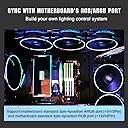
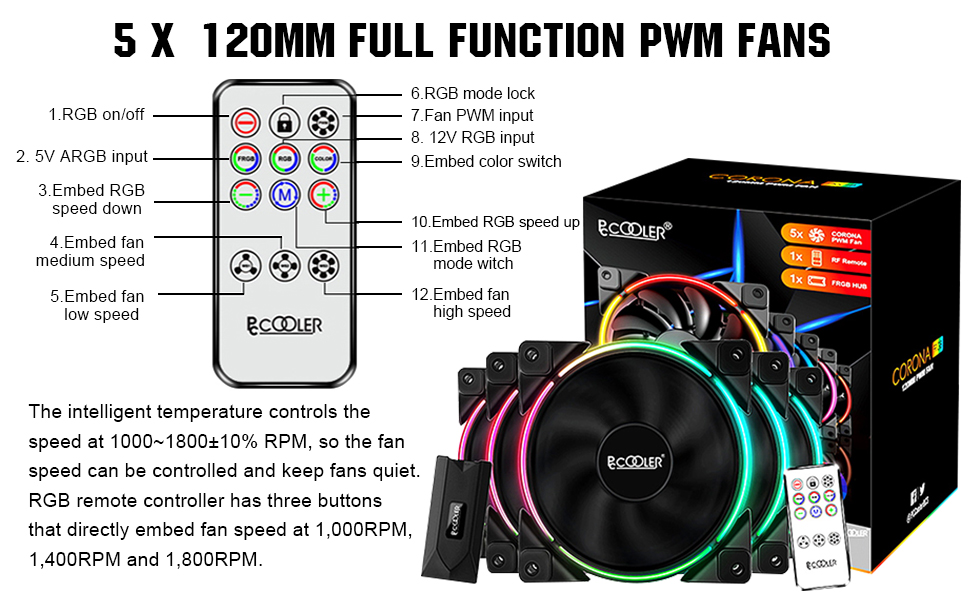
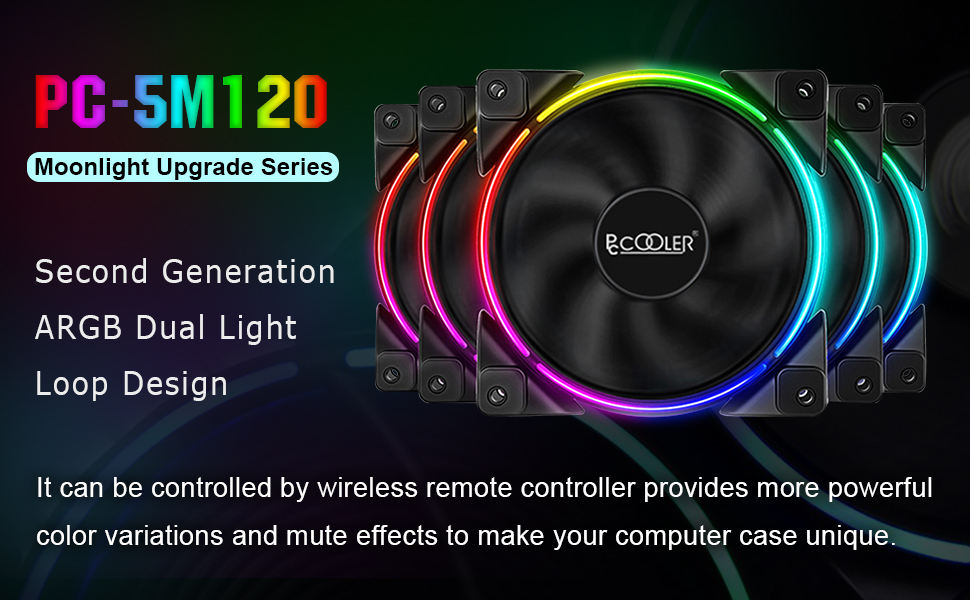
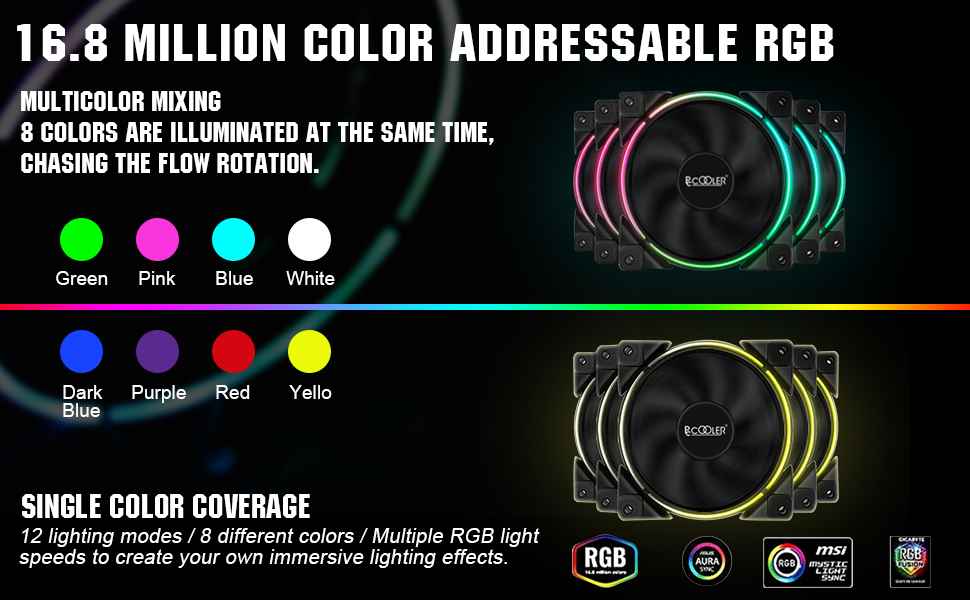
The PCCOOLER 120mm 5-pack case fans deliver high-performance PWM cooling with intelligent speed control from 1000 to 1800 RPM, ensuring efficient airflow at 54.51 CFM while maintaining a quiet 28-31.4 dBA noise level. Featuring dual light loop addressable RGB LEDs with 12 modes and 8 colors, these fans come with a wireless controller for effortless lighting customization. Shock-absorbing rubber pads minimize vibration, and compatibility with motherboard RGB sync systems makes them ideal for professional-grade PC builds seeking both performance and style.






| ASIN | B07QFX1RV1 |
| Air Flow Capacity | 54.51 cfm |
| Best Sellers Rank | #18,308 in Computer Case Fans |
| Brand | PCCOOLER |
| Brand Name | PCCOOLER |
| Compatible Devices | Desktop |
| Cooling Method | Air |
| Customer Reviews | 4.4 out of 5 stars 1,212 Reviews |
| Item Dimensions L x W x H | 4.72"L x 4.72"W x 0.98"H |
| Item Weight | 2.1 pounds |
| Manufacturer | PCCOOLER |
| Material Type | PBT Engineering Plastic |
| Maximum Rotational Speed | 1800 rpm |
| Model | 5in1 KIT |
| Noise Level | 28 db |
| Number of Items | 5 |
| Part Number | 5in1 KIT |
| Power Connector Type | 4-Pin |
| Product Dimensions | 4.72"L x 4.72"W x 0.98"H |
| UPC | 749390629353 |
| Unit Count | 1 Count |
| Voltage | 12 volts |
| Wattage | 2.4 watts |
J**O
Really good fans for the price. Bright RGB. Low noise. Zero vibration.
These fans are beefy. They feel very sturdy and well made. The 3 fan speed modes make it nearly silent on the low RPM mode. Medium and high speeds can be a bit noisy but with headphones on you can barely hear them. So far they have nearly zero vibration with all 5 installed in my Thermaltake N21 Snow Edition. They definitely move some air on even the lowest RPM mode. The cable management was a nightmare in my case but thats hardly the fan/RGB controllers fault. Set up was super easy just make sure you pay attention to where you plugging cables into. Also I noticed that some of my RGB lights were not working when I set it all up. It turned out I had to flip over the RGB cables that went into the RGB controller. It doesn't have any markings to show how they should be oriented so keep that in mind if you have RGB lights not working. Just flip the cable over. So far I am very happy with these fans. The lighting is pretty bright my only con is you cant adjust the brightness of the LED. On to the MSI Mystic Light Sync: So when I hooked up the 4pin 12v RGB connector to my MSI Tomahawk B450m 12v RGB Header. Things got a bit weird. The LED lights began to spaz out and randomly flicker. But I updated the mystic light software and did some tweaking and WAS ABLE TO GET THESE FANS TO SYNC TO MYSTIC LIGHT. However I can only get them to sync with solid colors. And they seem to be a few milliseconds behind. For example if I set the RGB to breathing. The rest of my RGB will go from red to blue for example. Then then these fans will go to blue about a second after the rest. Then the rest have already moved on to a different color before these RGB fans. So I kind of gave up on getting them to sync correctly and just decided to use the included remote. Luckily my CPU Heatsink RGB is Synapse 3 compatible so I used that to sync everything up. And set the case fans to match. All in all I like these fans. I just wish everyone would decide to get together and make a decision on what RGB header everyone will use.
A**R
Great RGB LEDs, good airflow
Great kit. In the 5-pack (but not the 3-pack) the fans use the normal 5v ARGB addressable "3-pin" SIGNAL type. BUT they actually use a 4-pin connector like the old 12v RGB system. This sounds bad and proprietary at first, but this is really cool though, because with 4-pins you get data-in and data-out on the LED signal lines, so you can run multiple fans in serial instead of parallel. Each fan LED in the line is actually uniquely addressable. All these 5v "3-pin" RBG devices are really just WS2812B devices under the hood, just like the common 5v addressable LED strips that are 5v 4-pin ARGB. So you can use much more exotic effects if you wire up your fans in serial, which you can do if you have all 4-pins available. Do note that this requires some custom wiring and associated skills, but its great that these fans include all 4-pins so you can connect them in serial. Otherwise, like most motherboard "5v 3-pin" all the fans do the same effect, which is fine, but already dated compared to what you can do if each LED on each fan is uniquely addressable down the line. It makes sense they force the "3-pin" paradigm to try to help people from accidentally plugging in an older 12v 4-pin RGB fan into the newer 5v 3pin standard. But the 5v 3-pin standard actually SHOULD have that 4th pin to connect these things in serial; just like the RGB led light strips they are built with. Great fans too, high pressure, high CFM ratings. The included controller is a little intimidating to figure out the wiring for novices, but is simple enough. The FAN controller is great too. It passes through the motherboards PWM signal to all attached fans, but the power comes from the SATA connector to avoid over-loading the single motherboard output. The RPM reading is read only from the 1st fan in the chain, but since all these fans are identical, the reading the motherboard gets will reflect all the attached fans. This is the right way to wire up multiple fans to a single header, good to see they've done it right in the controller. You can also bypass the PWM entirely, and just use the High-Med-Low control on the remote. This is a high-end fan kit at a great price. I highly suggest the 5-pack for advanced usage and possibilities with the 4-pin fans connections for the ARGB (which is technically seen as proprietary in the PC world, but is actually the standard for 5v ARGB LED light strips). And I suggest the 3-pack for beginner and normal ARGB usage because of the normal "standard PC 3-pin 5v ARGB" connections on all the included fans. But note these will forever be limited to parralel wiring where each fan's LEDS will always be doing the same thing relative to each other. No option for individual addressing across fans. You can convert the 5-pack's 4-pin connector to a 3-pin connector just fine, but not vice-versa, so the 5-pack would be recommended if you think you'll ever want to start doing more advanced ARGB setups and effects. Take note the controller by default starts up each time with its internal default settings. You can override this and "lock" your settings for each startup. Hold the Lock button on the remote for 5 seconds, then set your settings how you like, then press "lock" again on the remote. Now it will retain your desired boot-up settings. In my final setup I'm actually bypassing the motherboard and this ARGB controller entirely, and controlling these with custom ARGB wiring in serial, which was easy to do since all 4-pins are available at each fans 5v ARGB connector. The 5v ARGB input connects to an ESP32 running WLED software which uses the FastLED library for TONS of advanced effects compared to what motherboard software lets you do. This custom controller combined with custom wiring, allows for 100% unique RGB layouts, and no modifications to the actual fans was needed either. Just how they all wire up. ESP32's are about $10, and the WLED software is opensource/free. So go to town and do something unique with all these addressable LEDs!
L**N
Good customer service
Comprehensive review below, if you want it short - good performance and appearance for a reasonable cost, along with a good customer service team. Recommended. Had to contact seller to get a replacement controller box and cable - turned out to be the cable not the box. It did take them a about a week to get a replacement to me, but they did and everything works great now. The email support was helpful, responded quickly when contacted and solved my issue without any problems. Really, what more can you ask for when it comes to customer service. A+ As for the fans themselves they are quite good for the cost. They have a quality feeling to them, heavy, well made, have some type of nylon around the cables, thats a nice touch. The controller on the other hand is a bit cheap feeling but it does the job. They blow a reasonable amount of air, especially considering the cfm most argb fans have, which is the most important part. I'm using them on an air cooler without any issue. They can unfortunately get a bit loud at higher rpms. At lower speeds they are pretty quiet while still doing a fine job. aesthetically they look fantastic and work great with asrocks argb utility. The stock settings using the controller are actually pretty good too surprisingly. They have a bit of a unique look that I really like personally over the full ring from other brands. The transitions aren't as good as say corsairs, but they're also half the cost so there's that. Cost is what it really comes down to with these fans. They are very reasonable for what you get. They aren't the quietest fans, but they aren't annoyingly loud even at full speed. Along with customer service that actually responds and tries to rectify issues I can absolutely recommend getting these. The box is a bit cheap but considering the quality of the fans and the fact that it does work pretty well its not difficult to overlook that flaw. Original review : Well the controller box on the 5 pack of mine is busted. 2 of the ports cause flickering and two don't work. Tried contacting seller to see if they'll send me a new controller box, if not I'll be returning. I'll say the ones that do work look good, but pretty pointless if they don't all work...
S**H
good product, inconvenient setup
-review for the 5in1 kit- connected 4pin 12v to mobo rgb. used in-box controller/hub. pros: these are really good for the price. the lighting is good and pairs really well with others (in photo I have an AMD wraith fan, and trident z neo memory). the fans are well-built. some people say it's noisy but that's when you run it @ the highest setting. if you installed via the controller, the remote has 3 fan settings. It's near silent on the lowest, but sounds like a jet plane on the highest. cons: 1. you can't daisy chain. the fans are bound to the controller and can't be configured otherwise else you won't be able to control them via remote. the controller has input for 7 fans, so technically you can have up to 7 but you cannot buy individuals and other reviews say the individual fans will not plug into the controller, so you would have to purchase another 5in1 kit. I like the fans enough and they're priced low enough that i'd probably do this but if you account for the controller and the wires it's A LOT of wires to add to the mix. I will likely fill out the rest of my build with non-rgb 2. not sure how this happened, but only 4/5 fans lighting is synced; light modes with movement they go counter clockwise, and flash modes they blink/breathe together. 1 of them goes clockwise, and lights up opposite the others. I don't know why, perhaps I plugged the 5v ping into the controller upside down, it doesn't seem like it would matter though. on static modes and the color change modes the lights are synced, looks great. only a problem with rotational/flash modes. if the setup could be expanded on with more fans, and if lighting would sync up on all modes i'd give it 5 stars.
A**T
AMAZING fan set for the cost
The build quality on these is surprisingly good. They are heavier than I expected and the blades appear to be of good quality. The cords are braided, which is a nice touch. There are anti-vibration pads on all sides so you can mount in a push or pull setup. The LEDs look clean and the light is dispersed enough that you cannot see individual LEDs, but they still appear bright. These fans come with a hub and a remote. This allows you to do all the things you would expect, like changing fan speeds, or LED colors and patterns. Where these fans really shine is the option to allow software to control them. First, you have the option to plug these into a fan header on the motherboard. At the very least, this allows you to get the fan speed readout in bios and other system monitoring software. What this really allows you to do is enable PWM mode on the remote. This lets your computer's software (usually in the BIOS) to control the fan speed based on the demands of your computer. This is important for noise, it allows it to get slower and less noisy when you're not using the computer as much, but when it gets demand the fans will speed up (theoretically... see cons) cooling the system more. Secondly, the fan hub has a plug for either a 12v OR 5v RGB header (I guess you could do both? I wouldn't recommend it...). This allows you to control the fans LEDs using software. The 5v header needs to be an Addressable RGB(ARGB) header. The advantage to ARGB is that it can control each LED individually. This is what gives effects like colors spinning around the fan. If you go with a 12v RGB header, you will only be able to change the fan colors as a whole, but it still looks great. PROS: - LEDs are clean and bright - Solid build quality - Braided Cables - Ability to control Speed through BIOS PWM settings - Ability to control lighting with software CONS: - No way to adjust brightness with the remote (on/off only) - Bad/No documentation, and a few gotchas - Speed doesn't really effect temperatures much (2c difference between high/low fan speeds in CPU stress test, 1c on GPU. . . It is possible that is not a fault of these fans, that difference may be all that ANY fan would give) GOTCHAS: - To save your lighting settings, you have to press the LOCK button on the remote. - To use PWM mode, I had to manually set my fan header to PWM mode in BIOS, it wasn't automatically detecting it Overall, these are great options to sync with the other RGB in your system without breaking the bank. The cooling is sufficient for my completely aircooled system. My setup: - ASUS ROG STRIX X470-f gaming Motherboard - Ryzen 7 1700 OC'ed to 3.7GHz (65c under load) - Zotac 1060 6GB AMP graphics card, stock clockspeed (78c under load) - 16GB DDR4 Corsair Vengence PRO Memory - ASUS AuraSync + iCUE RGB software controlling the lights
A**N
Beautiful Fan - Design creates installation challenges
I ordered the pccooler fans based on all of the great product reviews and price. Overall the fans are pretty decent, however, the manufacturer chose to combine both RGB and PWM cables into a single cable that break out into two, 1/2" in length individual cables at the end. The RGB is 5v, however, they use 4 pins as opposed to the 3 pin standard. This all works fine if you stick with their Controller Hub, however, if your build includes other RGB components or fans you can't connect them to this hub unless per the manufacturer you cut the 4th pin on RGB6 and or RGB7 ports. My case already included an RGB controller so I plugged the fans into it and then the PWM connectors into a splitter and then the motherboard fan header. Overall the fans work and look great. Their hub works great as well. Due to the design and installation challenges, I am giving them 3 stars. I would give them 5 stars if the fans had two separate cables for PWM and RGB.
P**F
Excellent halo effect ARGB fans
Found these after hours of searching for reasonably priced addressable rgb fans (5v 3 pin). Pros: 1. they work flawlessly with Asus Aura on my Asus x570 TUF motherboard. Aura isn't the most straightforward app, but I figured it out. 2. they look awesome. Colors are saturated, there is a nice opaque white housing over the LEDs that makes the colors very smooth. I was looking for the halo effect and these are exactly that. 3. I am new to RGB case accessories, and one thing that wasn't clear but that I am thankful for is that brightness is controllable. 4. they are true PWM fans and are quiet 5. Install was straightforward, but there are some caveats which I will get into below. Cons 1. all of the fans have both the PWM connector and the ARGB connector bound together until they split about 2 inches from termination. This means you cannot easily connect fans to different PWM connectors on your motherboard - they assume you want to controll ALL case off of one, presumably the CPU, PWM connector to control all case fans. This is a BIG assumption to make. I like to run with negative pressure (top and back case fans set to higher fan speed than front intake fans, and the CPU cooler fans controlled completely independently). 2. the controller box defaults to running in independent mode - ignoring the motherboard argb signals. I understand that not everyone is using these as ARGB and instead as standalone rgb controller, but they are an ARGB set, so I'd like the control signal input to be honored by default. Either way, it's a simple fix and is well documented int he manual. Use the remote to set the controller to ARGB mode then hit the lock button. Overall I'm extremely happy with these fans. They are half as expensive as some big name brands on the market (corsair, nzxt, thermaltake) it comes with enough fans to fill an entire build. I'm ordering one more so I can have a push+pull fan setup on my cooler master hyper 212 CPU cooler. I wish there was a 140mm size available from pccooler that was otherwise exactly the same. I love the ring/halo LED ring and would like to be able to put bigger fans in that spin slower for same amount of air flow.
D**D
Waaaay better than I expected... 😳
Quality is better than my Corsair fans as far as feel, weight and cables. I felt confident screwing into them, where with other brands it feels like it will strip out the plastic too easily. RGB button lets you switch to ARGB controlled by my Asus ROG Strix B450-f gaming motherboard via 12vGRB(RGB) header. This board has 2 12vGRB headers, 1 I used for the Wraith Prism. Still trying to get iCue to controll it all properly, but my problems rn are with Corsair's and Asus's softwares, not the fans themself. As for noise, it has Low, Medium and High fan settings and the low settings is pretty friggin quiet, while the upper 2 are pretty noisy. Granted, I'd only turn it up if I was doing heavy loads like gaming or overclocking. If gaming, I'd likely have headphones on anyways, listening to music so not an issue for me. Fin quality seems far sturdier, granted they are on Hydrolic bearings so they won't last as long as the nice brands usualy will. Overall feels nicer than my other ones. As for the RGB itself, it doesn't have that many RGB LEDs so on slower settings it's obvious they cheaped out there a little as it sorta stutters (choppy movement) on some lighting modes. Still looks very nice mostly though, and for a decent price. Remote comes with spare battery too.(although I doubt I'll use it enough to matter) Comes with 3-pin and 4-pin ARGB connector and instructions are fine, comes in English and I think also Chinese. Comes with velcro sticky pads, making it easy to adjust or remove the controller box. Wires are plenty long and of decent quality. Fans barely cleared a few spots but fit well enough, even in a smaller case like NZXT H510. Wiring can get confusing and tedious to cable manage but that comes with the territory of this kind of setup, and in the end was mostly painless. Overall: 5-star for cheap fan standards, 4-star compared to $30/each fans but what do you expect. Will buy again, and will update if anything goes wrong. ***UPDATE*** It's 6/12/2024 and they're still working great and look awesome, matching my other RGB lights. No issues as of now.
思**ン
思ってたより明るいかな
中々リング状で色変え出来るお安い物が無くこちらを購入 リングと言っても4箇所は切れてますが… 実際取り付けてみたらまぁ色が綺麗! 思って以上でしたね、細いから期待はして無かったけど良い意味で裏切られました(笑) 取り付けは楽 確かにコントロールユニットとの接続が緩い ファンのコードが硬く先だけ二股なのでユニットとマザボの指す所が遠い場合厳しい リモコン押すと反応して白LEDが光る ファンの音はMAXだと流石に聞こえますが普通ならそこまで気になりません まぁ色々有りますが、そんな事を吹き飛ばすくらい個人的には綺麗で満足ですね 控えめにケース内を光らせたい方は持って来いじゃあないでしょうか! リング状で色変え風量変更出来る商品もっと増えれば良いの、何故少ないのだろうか? 選択肢が少なすぎる…
C**R
Awesome fans, would buy again. Poor instructions.
These Fans come with a lot of connectivity options which is great for different boards, this also means it's confusing once you open the box. The instructions are almost useless at first. Rest assured it's doable, at least it was for me. There was some YouTube review I watched which helped get some understanding of what it looks like wired. I connected these to an Msi B550 A-Pro board via ARGB. Worked great I must say and all fans worked well, great air flow, and completely silent. Awesome colours and patterns using the remote and included controller. I would recommend using the daisy chain setup/cord that is included. (it looks like spaghetti once all hooked up but it seems to work great). Just choose the cord for your board, read your board manual (ARGB or RGB), connect this from board to controller. Connect power from PSU to Controller. Fan connection on board to controller. Then just connect the daisy chain to all the fans starting at 1-5 marked on controller. The controller ports are clearly marked and only fit one size so not hard to figure it out after you look at it for a few minutes. Now that I know how these are wired, function, and look; I wouldn't hesitate to buy for a future build.
F**D
نفس ما هو بالوصف كامل انصح فيه
J**Y
Amazing fan.
These fans are amazing. I have tested these on radiators against other similar styles and more well known brands like noctua and these win out big time time. Ths air they push out at such low dB is amazing to me. Best fan I have tried for rads and case. The leds aren't as noticeable thanks to good diffusion and the colors are nice and vibrant. I did have an issue where one controller of the three I purchased was not registering on the motherboard so I could use pwm mode. Hopefully the replacement works fine. Edit: turns out the pwm fan cable that comes with the controller was the issue. new cable fixed it. Other then that that these are amazing fans. Well built, solid, heavy and a great value.
A**督
マザーやケースにFRGB12v端子、ARGB端子がなくても光ります
必要なのはSATA電源コネクタの空き、ファンの取り付け場所、配線スペースです コントローラーにさすARGB端子が割と抜けやすいのと、ケーブルが長い&ちょっと硬めなので取り回しが若干面倒でした 商品説明を読むとかなり香ばしいので、耐久度などはわかりません ファン全体ではなくリングで光らせたいなら、かなりおすすめ出来ます
Trustpilot
2 weeks ago
2 months ago