Buy anything from 5,000+ international stores. One checkout price. No surprise fees. Join 2M+ shoppers on Desertcart.
Desertcart purchases this item on your behalf and handles shipping, customs, and support to Vietnam.
🚀 Triple your workspace, not your clutter!
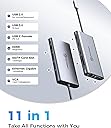
The UtechSmart 11-in-1 USB C Docking Station is a compact powerhouse designed for multitasking millennials. It supports triple monitor setups (up to 4K dual HDMI or 1080p triple display), delivers fast 100W power delivery charging, and offers ultra-fast data transfer with USB 3.0 and gigabit Ethernet. Crafted from durable aluminum, it combines portability with robust connectivity, including VGA, SD/TF card slots, and multiple USB ports. Compatible across major OS and laptop brands, it’s engineered to streamline your professional workflow while ensuring device safety with intelligent protection features.


| ASIN | B07PRJJNGF |
| Best Sellers Rank | #20,225 in Electronics ( See Top 100 in Electronics ) #282 in Laptop Docking Stations |
| Brand | UtechSmart |
| Built-In Media | 1 * Traval Pouch, 1 * Triple Display 11 in 1 USB C Hub, 1 * User Manual |
| Color | Gray |
| Compatible Devices | Windows&Mac OS |
| Customer Reviews | 4.3 out of 5 stars 4,220 Reviews |
| Hardware Interface | Ethernet, HDMI , SDHC, USB 3.0, USB Docking Station , USB Type C, VGA |
| Item Dimensions L x W x H | 6.7"L x 3.7"W x 1"H |
| Manufacturer | UtechSmart Technology |
| Mfr Part Number | UtechSmart |
| Model Number | UCN3270 |
| Number of Ports | 11 |
| Product Dimensions | 6.7"L x 3.7"W x 1"H |
| Total Number of HDMI Ports | 2 |
| Total USB Ports | 4 |
| Total Usb Ports | 4 |
| UPC | 850004875094 |
| Warranty Description | 18-month warranty by refund or replacement |
| Wattage | 100 watts |
T**G
Full featured USB-C travel hub
DISCLAIMER: I had bought a USB-C hub from UtechSmart in the past and they offered me this device for free if I would write a review of the device. So you can take my review with a 'grain of salt' if you wish, but I'm being completely honest in my review (if it was a piece of junk I would say so). With that disclaimer out of the way. This is a nice USB-C hub. The other version I bought was UCN3273. That version has 3 USB3 ports, 1 USB-C port (also Power Delivery), 1 HDMI port, and one Gigabyte NIC. This version, UCN3270 has 2 USB3 ports, 2 USB2 ports (marked with mouse/keyboard so you aren't using up the USB3 ports for peripherals), 2 HDMI ports, 1 VGA port, 1 USB-C port (also Power Delivery), one Gigabyte NIC, and microSD/SD slots. There is a note in the User Manual that you cannot use BOTH SD slots at the same time. Probably not a big deal for most people and I should note that the cards stick out so you would not want to transport cards in this hub. There are also limitations on using all 3 video ports that are explained in the User Guide, suffice it today that you would only want to use this hub for dual monitors (besides your laptop monitor). There are also some notes in the User Guide about incompatibility with a few devices. I plugged the hub into a Microsoft Surface Go computer using this neat little device: https://www.amazon.com/dp/B0816PV1YZ/ If your USB-C port is on the base of your laptop you probably wouldn't need such a device, but the Surface Go has the port on the screen since it's technically a table also (keyboard disconnects). Using that device allows the hub to sit flat on a desktop. I saw now performance degradation from using the connector. NOTE that a Microsoft Surface Go has ONLY 1 USB-C port, no other USB ports. So a hub like this is really nice to have if you are doing anyone 'real' work on the computer. Performance: I plugged in a network cable and disabled my wireless connection, then plugged in a USB3 flash drive and an HDMI monitor. I did not use the Power Delivery feature on this hub, but I have on the lessor hub and it works flawlessly, so I have no doubt it would on this hub also. You WILL need to use the Power Delivery port if you are running 2 monitors. I think I was pushing the limit of USB-C with what I had hooked up, but if functioned well. I then proceeded to fire up a couple Bitorrent downloads, a couple of LARGE file downloads, and playing a streaming video on YouTube. AND while all that was going on, I transferred a couple large files (more than 30GB) from the Surface to my local network storage. So about 2Mb/sec download plus video streaming and an average of 110Mb/sec upload over an extended period. Results? Everything worked fine. I did notice very-very-small 'hiccups' in the streaming video playback from YouTube (almost unnoticeable) while the large files were moving out to my network storage, but once that file transfer completed, the hiccups were no longer present. Probably one of the best considerations of this hub over the lessor hub is heat generation. The lessor hub becomes extremely warm, enough so that I wouldn't set it down on my wooden desktop, but instead would make sure it was sitting on something metal to allow heat dissipation. This newer/better hub gets warm, but not to the point where I would worry about it burning either a wooden desk or the hands of a small child that might pick it up out of curiosity. This hub (UCN3270) is larger than the UCN3273 hub, obviously because it has more connections, which may be a negative in some people's minds. It also costs more. BUT it has better thermal management AND gives you the option to run 2 monitors. I also like that it has 2 USB2 ports if you need to plug in a mouse or keyboard that won't take up precious USB3 ports. So this hub will be the one I keep in my Surface Go bag for traveling, just not sure what I will do with the smaller/lesser hub. :-)
G**G
Pretty good, feels a bit pricy
I got this as an Ipad/Desktop add-on. For my desktop, My Wacom Cintiq 16 has USB-c ports which are more useful with different ports. more USB-A ports are nice and are useful and the Micro SD/ SD slots work well. I don't have a need for the Ethernet port BUT when plugged into my Ipad Pro 2018 it does pop up as 10/100/1000 possible connection. Officially, it does NOT support Ipad Pros, but it kind of does. the ports all work for the Ipad, plug in a micro sd/SD card and it will open up the photos app to import pictures. If you plug in a keyboard to the USB- A ports (normal USB ports) the keyboard will work. If you plug in any USB hard drive/ flash drive it will not work correctly but that is an apple issue. My two complaints are minor, I wish it had an AUX port. More Apple devices are ditching AUX and adding that in somewhere would have been a better move than a micro sd slot since most micro SD cards come with an adapter to SD. It also seems to require additional power when connecting the Ipad to a monitor, which is fine since it has USB-C power in, but you need to plug it in this order: HDMI, USB-C Power, USB-C to the device. Edit/Update: After talking to their support we discovered that a setting on the ipad needed to be turned on and then it would support 4k. Works great just wish it was a little cheaper. Pros: Works well Fast connections Easy to use Nice/ Simple Design 4k Support Cons: No Aux port too many video output options (and using VGA downgrades the HDMI to only 1080p option for all monitors) Gets fairly warm when used for long periods of time under heavy workloads.
L**A
Works smoothly for the price but short USB-C cord and slow ports cause minor inconveniences
I purchased this docking station to be able to connect my Surface Book laptop to two additional external monitors. This allowed me to use a total of three screens (laptop included) at once (I haven't tested to see if it supports four). My laptop uses a USB-C port for transmitting visual output. Pros For the price, you pay you get a variety of USB ports and features. If you are like me and have a laptop that doesn't carry many ports this can be useful. Overall the station doesn't really heat up much at all when just using it for long periods of time and it transitions smoothly once I plug my laptop in. USB-C cord feels solid and not flimsy. No lag between screens. Cons The material is lightweight and easily slides around on a surface. I used velcro strips to keep it in place on my desk but I assume you could also use another antislip material. The USB-C cord is short measuring at just over 6 inches. This created some issues for me when trying to position the station on my desk since it had to always be close to the laptop. Additionally, you have to be careful to not bend the cord excessively since it is short and built into the station. If you were to break this cord I'm not sure how much use the rest of the station would be if your laptop uses a USB-C for visual output. (Potentially a USB-C to HDMI might work to resolve this issue or add extra length, however, I haven't tested this theory). Some of the USB ports experience lag when connecting a mouse or keyboard to them. I found that just plugging in directly to my laptop experienced no delay. Summary: Overall for the price you pay the station works smoothly for extending your screen. The lag on some of the ports makes them almost useless at times so if the additional features aren't essential I'd go with a more simplified docking station. If you don't want your station to be right next to your laptop (USB-C input) I might recommend looking for a more solid docking station and just buying a longer USB-C cord.
S**W
VERY impressive product, throwing away all my other dongles!
I was skeptical about this product at first, given the seemingly complex nature of all the functions they put into it (dual HDMI, networking, fast charging, USB ports, card readers, YIKES!) - but, after a few days of HEAVY use and testing, I can verify that this hub is, in fact, the real deal. So much so that I am tossing my SD card reader, old USB hub, HDMI splitter, network adapter, AND charger for my HP spectre 360 and switching to just this. PROS: 1. Small. It's VERY small, particularly impressive given everything that's crammed into it. 2. Quality feel. It has a high quality feel, too, nice and solid without the usual cheap plastic feel of similiar products being sold these days. The ports are all rock solid, no wiggle, and plugs & memory cards click firmly into place. 3. Speeds are verified. USB 2.0 and 3.0 speeds match specs. This is actually quite rare in USB hubs, even high-priced models from more recognized brands. The speeds even seem to hold up during multi-card transfers (IE, copying data from an SD card, USB 2.0 stick, AND USB 3.0 external HDD simultaneously - something I do pretty frequently). As a professional photographer, this kind of speed actually makes a difference in my workflow, and enables me to simultaneously copy photos off my card and back them up to an external HDD at full speed. 4. Warranty. This little wonder has a 12-month warranty, and I actually know from experience that utechsmart stands behind their warranties (they will usually just ship you a new one, very few questions asked). 5. HDMI outs. I plug my HP Spectre 360 into this, and BAM, I am outputting on two monitors. SO COOL. I cannot verify the 4K nature of the HDMI ports, but it definitely works at 1080P without a problem. CONS: 1. Price. It is a little expensive for what, at first, appears to be "just" a USB hub - BUT, if you use this as intended (to replace a docking station for something like a HP Spectre 360), you will see that it is SO much more than just a USB hub and also VERY reasonably priced. If you are looking for just a USB hub, there are definitely cheaper options. 2. Temperature. It gets pretty hot during use, especially when charging the laptop and using 2 monitors simultaneously. Not sure if this will affect the long term effectiveness of the unit. 3. SD card speed. While the USB ports definitely transfer files at full spec speed, the SD card reader is linked to the USB 2.0 bus and is therefore slower than you might expect. If you need faster SD card transfers, find a USB 3.0 SD card dongle and plug it into this unit's USB 3.0 port. So that's about it. Great little unit! Highly recommended, if you are in a position to use all the features. Of course, they also make smaller units with less/different features, so check out their full lineup to find something that might meet your needs a little better (if this one doesn't).
D**A
So Far, So Good. Easily Handles All My Peripherals
I recently purchased the UtechSmart USB C Hub, and I couldn’t be happier with my choice! This 11-in-1 docking station has been a fantastic addition to my setup. With dual HDMI, VGA, and PD3.0, it easily handles all my peripherals without a hitch. The setup was straightforward, and I love how affordable it is for the features it offers. So far, everything has worked seamlessly—from connecting multiple displays to charging my devices. The triple display functionality is a game changer for my productivity. Overall, I highly recommend the UtechSmart USB C Hub for anyone in need of a reliable and versatile docking solution. It’s exceeded my expectations and has become an essential part of my workspace
A**C
Solid performer, good value, but be aware of what resolutions and displays it can support.
[Updated 2021/10/02 to reflect a possible product change: I bought another of this exact model for someone else to use. It works just as well as the original, but the ethernet adapter chip is now an ASIX AX88179. It works just fine, and neither I nor the user have noticed any problems with it, but I wanted to make that info available just in case it is important to a potential purchaser. I'm assuming the reason for the change was a lack of component availability, but I have no way of knowing for certain. ] I'm going to go into a fair bit of detail in this review. I get questions about Type C hubs generally, and about a UTechSmart 6-in-1 that I bought last year (when people see me using it with my Pocket 2). I use that hub just about every day and it has been very reliable. So like that one, I thought if I put everything into a review I can just point people to it in the future. TL;DR: This hub packs a lot of features into a small package. As a result this is a complex device composed of multiple chips from different vendors, and it may not behave as you initially expect. Any device like this is going to have this characteristic. If you need two separate 4k displays, or a 4k display and any other display, then you may want to consider the newer version of this item instead. It does dual (extended) 1080p60 well. If your needs fit within its capabilities, it is a good choice. Personally, I'm really happy with it, and will probably keep it connected in my office. Design and Use Philosophy: This is also a class of device that can be described as 'jack of all trades, master of none.' Whether you take it with you or leave it on a desk, it is very useful to have only one cable that handles everything. But the trade off for that capability is that a single cable has to handle all of the power and data requirements for those functions. Personally, I think this is a worthy trade-off for having all these features in a single device with a single (non proprietary!) cable. I also think it's a good value at this price. Construction: It is of the same design as the previous 6 in 1 hub, though about 50% larger. It has a seamless extruded aluminum shell that has either been anodized or has some kind of light PVD coating. I'm not expert enough to be confident that I can tell the difference by feel. I can say that it doesn't scratch easily. Over the last 8 months I haven't exactly babied the previous hub from this manufacturer, and it still looks brand new. It comes with a simple fabric carry bag, which seems kinda pointless unless you really care about scratches. I doubt I'll bother using the bag for the new hub. The aluminum shell seems to do a good job of conducting heat. It stays at about 38-40 C without any noticeable hot spots. I haven't tried to open it. The cable insulation seems to strike a good balance between flexibility and stiffness. It bends well enough that cable tension doesn't pull the hub around. I'm not worried that the cable will be damaged from kinking when I just toss it into a bag with other stuff. This was initially a concern since the cable is permanently attached. USB Type C has many optional features and interconnections with other standards (USB 3.2, Thunderbolt 3, Power Delivery, DisplayPort, upcoming USB 4) to the point that trying to figure out compatibility and capability can be intimidating. Many parts of the spec are optional. The extra hardware added to this device can have its own issues or interactions with the above-mentioned standards. A Type C connection has four high-speed serial links, or 'lanes' plus a legacy USB 2.0 connection. The lanes can be used for different functions. USB 3.1 Gen 1 requires two lanes. Faster modes (not supported by this hub) use all four. Some other video output devices use all four lanes, leaving only USB 2.0 for everything else. There are other pins in the connector for power, etc. This is a USB 3.1 Gen 1 (Via Labs VL817) device, so 5 Gb/s bandwidth is shared between the USB ports, the Ethernet port (Realtek RTL8153), and the SD card reader (USB 2.0). Some Type C hubs will use the dedicated USB 2.0 channel for the USB 2 ports instead of just hanging them off the internal USB 3.1 hub. I don't know if this device does that, and if it can it may require host device support to do it. The device uses the remaining two lanes for video out via Multi-Stream Transport (MST). MST is a DisplayPort standard that allows multiple displays to be multiplexed into one DP data stream. So each display is driven by your GPU. There are no DisplayLink chips in this hub. Ignore the graphic on the product page showing the display chip is a LX9823. I contacted the manufacturer, and they told me that it uses a Synaptics VMM3332BJG. This chip takes in a DisplayPort 1.2a MST signal and can output one DP 1.2/DP++, one HDMI 1.4b, and one VGA port (mirrored). DP++ (aka dual-mode) is a DisplayPort mode that basically changes the output pins to match the HDMI spec. DP++ ver. 1.1 can output up to 4k30. So I think that this one chip is handling all three outputs without any other intermediaries. Only having two lanes for video means that the available bandwidth is half what it would normally be for a given data rate. DisplayPort has different data rates in the spec. When two DP devices are connected, they attempt to connect at the fastest speed they can both support over the cable between them, and fall back to slower ones if needed. The fastest data rate supported by DisplayPort 1.2 is HBR2. Testing: Laptops (year, cpu, gpu, os)(OS up to date, latest drivers, etc.): GPD Pocket 2 (2018, m3-8100y, uhd 615, Win10 LTSC 1809) LG Gram 15 (2016, i7-6500u, hd 520, Win 10 Home 1909) Lenovo Thinkpad E495 (2019, Ryzen 7 3700u, Vega 10, Win 10 Pro 1909) Displays (native res): Dell W3706MC (768p) Dell S2240L(1080p) Dell U2713HM (1440p) Samsung UN50NU6950 (4K) Display Testing (tl;dr:Cannot have two 4k30 displays in extend mode): According to the DisplayPort spec, MST allows the displays to have different resolutions. Testing with the above laptops on the above monitors, I could connect one display at 4k30, or one display at 1440p60, or two displays at 1080p60, or two displays with one 1080p60 and one 768p60. When I connected one display at 4k or 1440 and plugged in a second 1080 display, the first display dropped down to 1080p60. This behavior is consistent across all three laptops. This limitation is documented in both the product page and the manual where they state the it supports single or duplicate 4k30 on Macbooks but only a single 4k30 on Windows. While both HDMI ports can technically output 4k30, you will not be able to have a true dual 4k30 display (i.e. in extended mode). Warning, math: The DP alt-mode on this hub only has two lanes, since the hub reserves the other two high-speed lanes for USB 3.1. So with HBR2 there is 8.64 Gb/s throughput after overhead is removed. This is enough for one 4k30 (6.2 Gb/s), one 1440p60 (5.6 Gb/s) or two 1080p60 (2x3.2 Gb/s). This matches the behavior I have observed: I can plug in one display and get full resolution, but as soon as I plug in the second (1080p) the first display drops to 1080p as well. At least it falls back gracefully and doesn't just stop working or something. One of the laptops I have tested it with is an AMD Ryzen with a Vega iGPU, and the AMD driver software reports the link speed as 5.4 Gbps x 2 lanes. This matches HBR2's raw data rate (incl. overhead). I don't know how to see the DisplayPort link speed when using an intel iGPU (Intel Graphics Command Center, latest version), so I can't check those. I don't have any computers with both a nvidia gpu and a Type C port. Testing this is difficult, since I'm not sure how to monitor the link speed. The hub would need to be able to connect at HBR3 to support 2x4k30 displays in extended mode (12.96 Gb/s throughput to support 2x6.2 Gb/s displays). I assume that this link rate is only between the laptop's type C port and the hub's MST chip. I'm assuming that once the chip demuxes the datastream and converts it to HDMI, the link rate is no longer a concern. I'm making several assumptions here, and could easily be wrong. I'm learning as I go. Another way one might generally get higher performance over DisplayPort is to use ver 1.4 or higher devices that support Display Stream Compression. Since this hub is a DP 1.2 device, it doesn't support that. DisplayPort alt-mode over USB Type C is part of the 1.4 spec, so one might assume that it should support the HBR3 data rate. But this is an optional part of the specification, and it not required. Everything else about the hub performs as advertised, and the various video capabilities are well documented for a device at this price point. VGA: VGA output was as good as can be expected when pushed to 1080p. It was crisp and readable, but not as sharp as a digital signal (it never is). If the vga cable housing is oversize it may block the Ethernet port, but most cables won't do so. Ethernet (RTL8153): The latest drivers from Realtek really help with stability under max load. Don't just use whatever driver Windows auto-installs for you. With the right drivers, this chip is a solid performer, saturating a gigabit connection under Windows. USB ports: It has two USB 3.1 gen 1 and two USB 2.0 ports. All testing was done while the hub was also connected to one or more displays. I ran speed tests on usb3 with a couple different sata3 ssds in a generic USB adapter. Each disk performed as fast when connected to the hub as when directly connected to a laptop's usb port. Since the hub's USB controller always has two lanes assigned to it, I'd expect full performance at all times, regardless of how many displays are also connected. SD card reader test (USB 2.0) I tested a Sandisk SDSQXA1-256G-GN6MA, which can do 161 MB/s read and 76 MB/s write when using a Sandisk Mobilemate reader. (Some Sandisk readers will run at a faster speed than the standard UHS104 if the card supports it.) I need not have bothered using my fastest card to test, as the reader seems to only use USB 2.0. It tested at 30MB/s write and 40 MB/s read. The reader reports that it is USB 3 capable, but doesn't connect at that speed. I have another card that I like to test readers with, as for some reason half the card readers I own refuse to see it. It is a Sandisk Extreme 60MB/s SD card. The hub's reader saw it every time. Documentation: The included manual is actually pretty good, and is up front about the hub's capabilities and limitations incl. device incompatibilities. Triple display is kind of a stretch here, since the third output is a mirror. But I don't consider it deceptive, since the Mfr. is very up front about this limitation and includes examples in the manual, product page, and product images for all different video output configurations. Power consumption: The manual states 8W is consumed by the hub, with a max of 87W input, leaving up to 75W for pass-through @14.5-20V. I couldn't test this part, I don't have a laptop that charges faster than 60w over USB C. I tested the hub's consumption with a Type C in-line power meter while powering the hub from the laptop. 1.8W with one display connected. 3.3W with one display and ethernet. There was a negligible power increase with a second display or while transferring files over ethernet. So I think the 8W official power consumption is including the max power available to USB devices plugged into the hub. So be careful with how much you plug in at once, just as with a regular un-powered USB hub. Even while there is a power adapter plugged in to the hub. I also tested how much power it would pass through to the host laptop. I tested this using the Lenovo laptop listed above and the factory power adapter. When plugged directly into the laptop, it charged at 60W. When the hub was used, total power drawn from the adapter fell to 55W. Odd. Here's the layout: AC adapter -> power meter -> hub -> laptop. I don't have the equipment to test further, and a sample size of one isn't exactly definitive. Conclusion (Congrats to you if you actually read this far!): It's a good value for the price, if you need the features it provides. It can work well as a desk-bound docking station or as a travel adapter. Make sure that the feature set will match your needs, as there are other hubs out there with different capabilities. If you need fewer features and more portability, this manufacturer's 6 in 1 hub is both smaller and cheaper. If you need more or higher resolution video output you may want to look for a device that uses a newer version of the DisplayPort spec, such as the updated version mentioned below. Updated version: Ironically, as I was writing this review I noticed that the manufacturer has just introduced an updated version (12-in-1) with 3 HDMI outputs. One of the graphics shows a VMM5310 and a VMM3332. The VMM5310 is a newer Synaptics video interface chip that supports a DP 1.4 (HBR3) input, a DP 1.4/DP++ output, and two HDMI 2.0b outputs. I'm assuming the DP output is connected to the input of the VMM3332, and that chip just converts it to HDMI. That design could also work without the VMM3332 at all if the third HDMI port is run using the DP++ mode of the VMM5310. So there may be a limitation with designing it that way. If the laptop or other device that you plan to use with this hub only supports DP 1.2, there is less reason to buy the updated hub, since you won't be able to use the higher data rates anyway. Your best bet at that point would be to buy a hub that uses all four lanes for video, instead of just two.
P**M
Very disappointing
I'm honestly surprised that this hub has 60% 5-star reviews. I (IT guy) bought this to go along with a brand new Dell Latitude 5520 (Win 10x64) for my boss, so as to give him additional ports and fewer things to plug/unplug every day. It has not performed as expected. 1. It has two HDMI ports, but if you plug a monitor into both of them, the computer locks up (not a BSoD; simply frozen and unresponsive). The only way to unfreeze it when this happens is to unplug the hub itself, i.e. even unplugging the second monitor from the hub does not unfreeze it. Note that having one monitor plugged into the hub and one monitor plugged into the laptop's onboard HDMI port is fine; it's just two on the hub simultaneously that doesn't seem to work. 2. The RJ-45 Ethernet port loses connection for a minute or two multiple times per day. This problem doesn't happen when using the laptop's on-board RJ-45 port. And there's nothing in the network's DHCP logs suggesting lease renegotiation issues or anything like that; the port on the hub is simply losing connectivity for unknown reasons. Price was one of the determining factors when I made the purchase, and clearly we got what we paid for. Edit (2024-Jan-02): A coworker bought one of these also, in late 2022, and also had trouble with the network connection dropping. He told me at that time that he had contacted the manufacturer, and they sent him a replacement free of charge. I happened to stop by his office last month, and noticed that he was VPNed into the network via wi-fi, and not connected to Ethernet; when I asked him about it, he said that the Ethernet port on the replacement hub was also unable to maintain a reliable, consistent connection. So that's three separate hubs with a bad Ethernet port, folks. Make of that what you will.
M**S
It works well, mostly, but it's quirky
I bought this to use with my work-issued Dell Latitude 7400 (instead of paying hundreds for the port replicator that Dell makes specifically for their laptops) and a dual monitor setup. It works great, except for when it doesn't, but that's only in a few instances: - By default, when I plug the replicator into my laptop, I get the Windows 10 desktop across both screens (which is what I want), however if have it plugged in prior to starting up the laptop or the laptop is awaking from sleep, it goes to screen mirroring mode, where both screens are the same and is not what I want. - There is occasionally a situation which causes my screens to both go blank, and it is definitely tied to a condition on some web pages/sites, because when I close those tabs, the screens return to normal. This has happened in both Chrome and Firefox, so it's not tied to one browser, either. I haven't been able to nail down exactly what those conditions are, but if I can, I'll update this review. Other than the above, it's fine, although I find a couple things lacking that would make it a better product: - Supply power through the USB-C port. As it is now, I have to separately power the laptop using the Dell adapter. - Make the USB-C cable longer or provide an extension cable. I would prefer to hide the port replicator unit (and all the cords going into it) under my desk and just have a single cord coming from it, but this isn't possible as it currently is since it's so short (6 to 7 inches, I'd say)
J**A
Very versatile little usb hub
Love this device. Small, reliable and much cheaper than the main brands.
K**A
Does the job
Good strong cable
A**Y
Monitor(es) Instável(is)
Produto apresenta instabilidade após algum tempo de uso com o monitor ligado com conexão via cabo HDMI. Ressalto que é um cabo direto conectando o monitor através da porta HDMI até o hub na porta HDMI (sem utilização de conversores). O mesmo ocorre com monitor ligado através da conexão VGA. O monitor começa a ficar instável apresentando falha, desligando e ligando a tela de forma intermitente com intervalos de segundos. Impossível usar na dockstation. Quando ligo os monitores diretamente na placa do notebook, os mesmos funcionam ligado direto por longo tempo sem qualquer instabilidade. Pena que só veio apresentar esse "defeito" após o prazo de troca pois, tive que aguardar para fazer uso do produto devido problemas particulares.
R**E
prodotto soddisfacente
ottimo lavoro
J**.
Excelente producto
Tenia dudas de como realmente iba a funcionar. Fue tan solo conectarlo al portátil y booom 3 monitores, una verdadera locura. Así de sencillo. También tengo contado varios cables USB y va de lujo. Estoy muy contento con el producto.
Trustpilot
2 weeks ago
4 days ago