Buy anything from 5,000+ international stores. One checkout price. No surprise fees. Join 2M+ shoppers on Desertcart.
Desertcart purchases this item on your behalf and handles shipping, customs, and support to Vietnam.
🔥 Stay cool, save smart — control comfort from anywhere! 📲
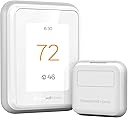
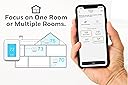
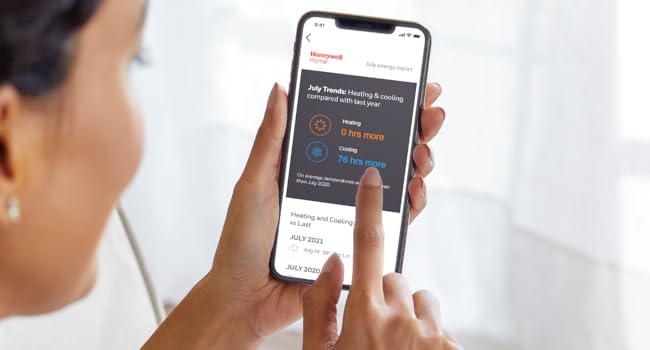
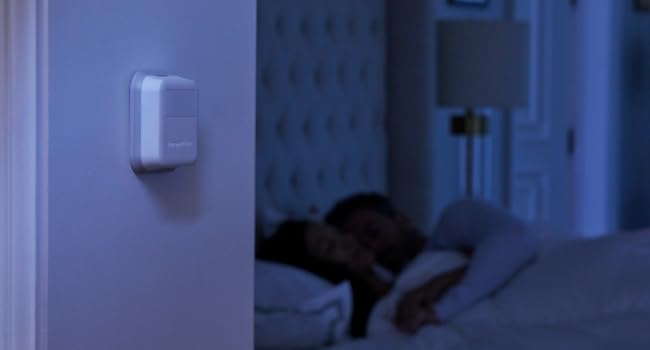
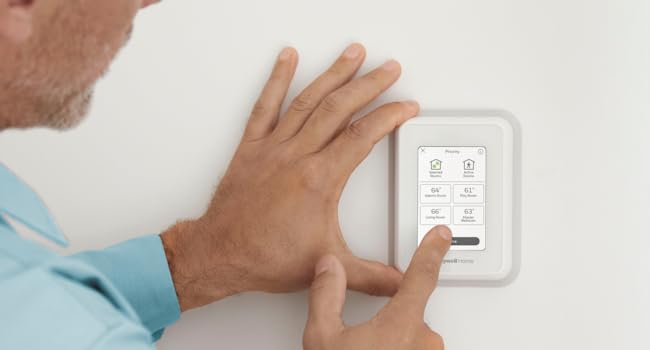
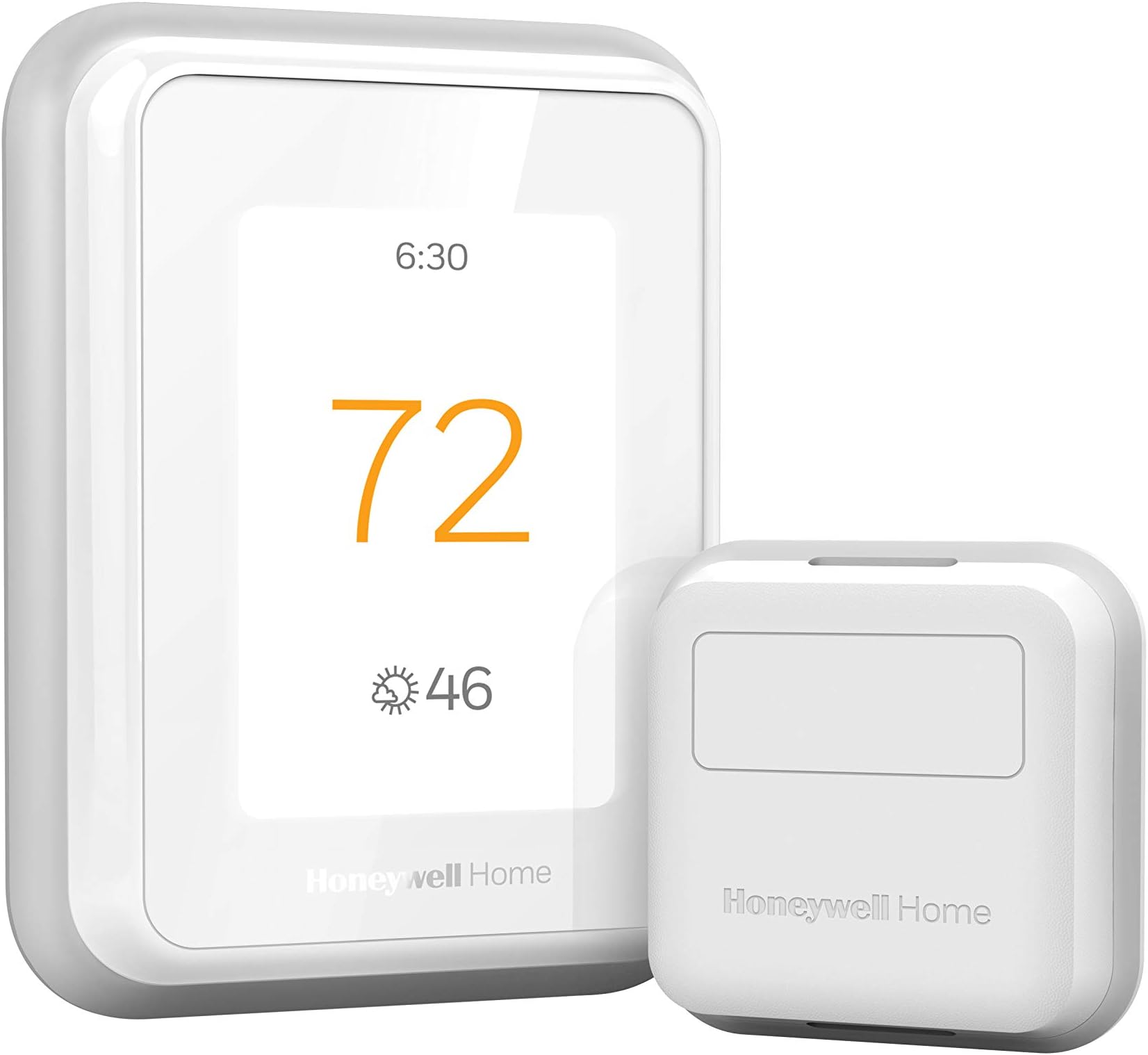
The Honeywell Home T9 WiFi Smart Thermostat with Smart Room Sensor delivers precise, multi-room temperature control through advanced sensors with up to 200 ft range. Compatible with major voice assistants and featuring Energy Star certification, it offers remote control, customizable scheduling, and energy-saving automation. Easy to install with a touchscreen interface, the T9 adapts to your lifestyle for smarter, more efficient home climate management.


| ASIN | B07N849J21 |
| Additional Features | Built-In Speaker |
| Backlight | Yes |
| Best Sellers Rank | #12,738 in Tools & Home Improvement ( See Top 100 in Tools & Home Improvement ) #19 in Home Programmable Thermostats |
| Brand | Honeywell Home |
| Brand Name | Honeywell Home |
| Color | White |
| Connectivity Protocol | Wi-Fi |
| Connectivity Technology | Wi-Fi |
| Control Method | Voice |
| Control Type | Touch |
| Controller Type | Amazon Alexa, Google Assistant, SmartThings, Vera |
| Customer Reviews | 4.3 out of 5 stars 2,959 Reviews |
| Display Type | LCD |
| Finish Types | Glossy |
| Global Trade Identification Number | 00085267723534 |
| Included Components | Thermostat, Mounting Hardware, Sensor |
| Item Dimensions D x W x H | 0.94"D x 3.7"W x 4.92"H |
| Item Type Name | WiFi Thermostat with 1 Smart Room Sensor, Touchscreen Display, Alexa and Google Assist |
| Item Weight | 1.32 Pounds |
| Manufacturer | Honeywell Home |
| Manufacturer Part Number | RCHT9610WFSW2003 |
| Manufacturer Warranty Description | 2 year limited warranty. |
| Material Type | Plastic |
| Model Name | RCHT9610WFSW2003 T9 |
| Model Number | RCHT9610WFSW2003 T9 |
| Mounting Type | Wall Mount |
| Number of Batteries | 2 AAA batteries required. (included) |
| Power Source | Corded Electric |
| Product Dimensions | 0.94"D x 3.7"W x 4.92"H |
| Product Style | A. Wi-Fi Thermostat w/Sensor |
| Shape | Rectangular |
| Smart Home Compatibility | Smart Home Compatible |
| Special Feature | Built-In Speaker |
| Specific Uses For Product | Furnace |
| Specification Met | Energy Star |
| Temperature Control Type | Heating and Cooling |
| UPC | 085267723534 |
| Unit Count | 1.0 Count |
| Voltage | 240 Volts |
D**Z
Super easy install, works great!
(this review is long but detailed - hope it helps someone) I hesitate to review this thermostat too soon, as I bought a Honeywell RTH9585WF1004 ($200) 14 months ago, gave it a good review, then 13 months later it completely lost any accuracy of the actual temperature - and why I now have the T9. I also hesitated to continue with Honeywell, as the past 2 wi-fi thermostats from Honeywell were horrible (TH9320WF, returned within one month, and the RTH9585, worked for 13 months) - but I didn't like the other brands available. The T9 is brand new, and the remote sensors sounded awesome for my house - 2 story, 1 AC unit, terrible air circulation, temp varies between floors/rooms. INSTALL: I removed the inaccurate Honeywell RTH9585, and installed the T9 according to the very basic install instructions. I had one issue with installation which was my own fault - set the wrong type of HVAC unit in Setup, so the AC wouldn't turn on - then I caught my mistake. I'm still not entirely sure I have the correct type selected, as the T9 indicates my heat pump is 2-stage and I don't believe it is...I'll find out in Nov when I need heat in Arizona. SMART ROOM SENSORS: Bought a total of 4 Smart Room Sensors, 2 for upstairs (one in M Bed) and 2 for down. After installing the Base unit, went to Settings and simply followed the unit's displayed procedure for installing/naming the Smart Room Sensors (place one sensor, return to the Base, name it, then go on to the next sensor). SCHEDULING: This section was really easy setting up a "5+2" day schedule which allows for multiple Away/Stay cycles (vs the usual 2 On/Off, On/Off cycles on previous thermostats). It was also really easy choosing which Sensors to use in the programming. Example: WAKE time, I'm in the Loft on the computer, so that's the Sensor that the Temperature is based on. AWAY time is mid afternoon (Peak Pricing) so the temp is set higher. HOME is at evening (when Peak Pricing ends), I'm always downstairs in the Kitchen or Family Room, so the Temperature is based on those 2 Sensors, SLEEP at night the Temperature is based on the Sensor in the M Bed. More cycles can be added - I'm not sure if they can be named differently. I have the sensors set for times, but they can be used as motion detectors to detect Activity, making them active. If multiple sensors (that you selected) detect activity, the temperature is based on the average of the Active sensors. I don't know what happens if a sensor senses brief activity (like grabbing something from the kitchen then leaving that room, example) or what happens once one goes to bed, thus there is NO activity. For me, using set times is better. Geofencing is also an option but not one I need/use. It detects (via your cellphone) when you're in/out of range and adjusts the temp based on that. (how it works with a family, I don't know) I'm honestly not gone for more than several hours at a time, plus I have a zoo so can't let the house get too warm/cold. HONEYWELL HOME APP (Android): After a week using the Schedule I'd set, it needed a bit of tweaking with some temp changes and changes in renaming/moving a Sensor. I had already installed the Honeywell Home App on my phone but hadn't really messed with it - so I did my "tweaking" of the T9 programming through the App, not the Base unit. It was a bit confusing at first (it's not super intuitive) but, once I got the layout of the App, I was able to make temp changes, move a Sensor, rename a Sensor, adjust some minor details. Using the App (once I got the hang of it) was easier to program the T9 than using the Base unit - I was able to do it sitting down in another room vs standing, hunched over at the Base unit. The App can't be used for the Initial Setup of the Base unit, obviously. CONS: 1) Wi-Fi is supposed to be 2.4Gh or 5Gh. I tried to set the Base to my 5Gh signal...it found the signal but would not connect to it - I got an error message and told to contact Honeywell Support. I didn't want to mess with that (I've read it needs a Firmware update - I just haven't checked if that's true) so it's set to the 2.4Gh signal. Honestly, don't know what diff it makes, why would a thermostat need a faster signal? Only reason I can think of is that my phone is set to the 5Gh and the T9 to 2.4Gh - BUT I was still able to reprogram the Base using the App, so I don't know. 2) The instruction manual is very basic; it gives very brief install instructions, the pictures of the wiring could be a little bigger/clearer. There are no instructions for installing/setting up the Sensors (the Sensor box has a very brief install/program/pairing instruction). That's all described (fairly well) on the Base units display. 3) The Honeywell site has no more instructions than what's in the box. There are some VERY short (~2min) videos on how-to for a few basic things but I didn't watch them. An Online User/Help Forum would be a great addition, I'm sure most people have the same basic questions and some need more detailed instructions - forums are super helpful. It's possible they do have a Forum somewhere but I didn't see one or a link. 4) Alexa is supposed to work with the T9...and it does (once you add the Skill through Alexa - make sure to remove the app/skill for older thermostats) but it's rather confusing. The Alexa App did a search for new items and it found the T9 Base, as well as the 4 Sensors. I can use really basic commands BUT you have to use the name you gave to the Base and/or Sensors...I said, "Alexa, raise the temperature 1 degree" and it replied, "I found multiple items...". I haven't explored it enough to know whether I can say, "Raise the temperature of Kitchen 1 degree" or so on for the other Sensors - and again, Honeywell has NO online instructions for using Alexa or other voice apps. On the other hand, for now I have the programming/scheduling JUST right for all rooms and various times of day, so I've not needed to change it since my tweak. 5) The price is a bit high. Over $300 for the T9 and 4 Sensors (especially since I spent $200 last year for the previous Honeywell unit). So far, having the house a LOT more comfortable and NOT having to be changing the thermostat setting throughout the day, it seems to be worth the money. 6) The sensors are applied using double-sided tape. This is both a pro and a con. Even after cleaning the wall where one sensor was going, the sensor fell off the wall 5' to the tile floor. The tape is nice for not having to use screws and in that I decided to move one of the sensors, but I'd feel better using a screw. PROS: 1) It's only been 2 weeks, but the T9 is working great and it's nice having various rooms of the house at slightly different temps at different times. 2) Easy installation. For my HVAC unit (12 yo heat pump) the wiring was simple enough and I already have the C-wire. The T9 does come with an adapter for homes without a C-wire, I don't know how easy it is to use. 3) The Setup was actually very easy to use (aside from the 5Gh Wi-Fi not working). 4) The Honeywell Home App is also easy to use, once one understands the interface. 5) Multiple Home/Away cycles. I'm generally home all day so I don't need more than the usual 2 On/Off, On/Off cycles but I'm sure the additional cycles are convenient for some households. Final thoughts: I've read several other reviews complaining of needed firmware update and a hassle of needing to use 2 Wi-Fi phones to do the update. I couldn't get the 5Gh to function, but the 2.4Gh works just fine. I guess some people have their Wi-Fi set up so there aren't 2 separate signals? I'm not sure - but I might find out someday if I ever decide I really want the 5Gh signal. I've also read people complaining about the App not working. I've had no issue at all with the app. Also, I've seen people state that if the power goes out, the entire T9 configuration and schedule is lost. I haven't had power issues, I just hope that's not the case. One would think that the settings are saved either at Honeywell Cloud or on the phone, if not the unit itself (though it doesn't use batteries). I hated the previous Honeywell Wi-Fi thermostat, but it never lost it's programming so I can't comment. In my experience so far, even though the included instructions were very basic, the setup for the T9 was straightforward and easy to comprehend using the Base unit's displayed instructions. I only hope that I didn't spend $300+ on a Honeywell Thermostat that will only last 13 months, as my last $200 unit did. So far, I love it.
M**L
Excellent thermostat! No complaints.
I’ve tried a few popular thermostats like Nest, Ecobee, also the Amazon thermostat. So far I like this one the best. I’ve paired it with HomeKit which I believe is the key. I’ve learned that integrating my smart devices with HomeKit makes them function more efficiently. I also have an Apple HomePod, which has a built-in climate sensor. The sensor on the Apple HomePod is very accurate and helps the Honeywell T9 control temperature better. This Honeywell thermostat also comes with a great sensor. I live in a four-bedroom two-story house. I’m using this thermostat upstairs in the master bedroom and the Honeywell sensor is in the fourth bedroom across the house. The upstairs temperature is perfect. The thermostat I was using previously was not so great. It didn’t work with HomeKit and it didn’t have any sensors. So sometimes the AC would stay on too long or the AC would not come on when it should. I was constantly modifying the thermostat. I no longer have that problem since I purchased the Honeywell T9 thermostat. Now the indoor air upstairs is so comfortable, even at night. Even at high heat temperatures in the hundreds. I have no problems with it staying connected to WiFi. I’m currently using the Amazon thermostat downstairs, but I will also be replacing it with the Honeywell T9. Honeywell T9 has many functions and is easy to use. It was basically simple to install. The house already came with Honeywell thermostats so all I did was pulled off the previous one and popped on this one. I love having the ability to control the thermostat remotely from my phone, by voice with Siri, or Alexa. As long as you install this thermostat correctly and use sensors correctly, you shouldn’t have any issues. During installation, initially a message appeared that said, “factory test failure”. On the touchscreen of the thermostat below that message, if you touch the lower area of the screen, a menu will appear which will allow you to start the programming of the thermostat. Simple!
A**R
Great Thermostat, Easy Install especially with the Wall Plate Adapter
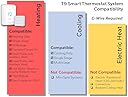
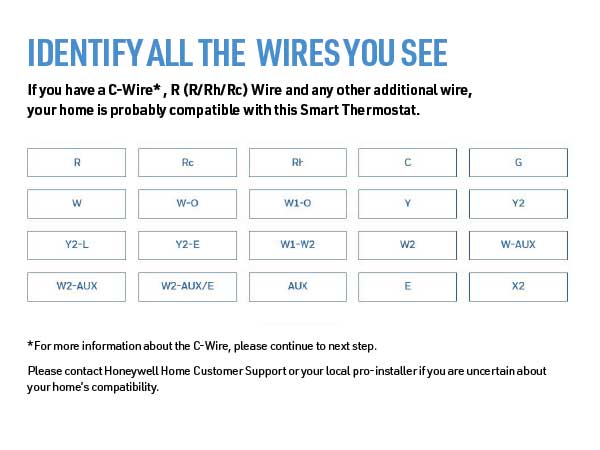
First the install is very easy if you are replacing an existing thermostat that has a C wire, a C wire adapter is included but I did not need that in my case. Secondly if you are replacing an existing thermostat, especially the traditional rectangular form factor, I HIGHLY RECOMMEND purchasing the THP2400A1080 wall plate adapter or the generic version which is much cheaper. It makes install of the T9 even easier. This thermostat has 3 holes you need to drill which are probably not in the location of the ones for your old thermostat. The wall adapter allows you to use the existing holes from your old thermostat then the UWP/mounting plate from the T9 (or any honeywell thermostat that uses the UWP) just clicks onto the adapter without new holes to drill. The cover plate from the wall adapter is then large enough to cover the area of your old thermostat. Now for a review of thermostat itself. My setup is a 2 story home with single stage forced air AC with a single stage gas furnace on a 2 zone system (upstairs and downstairs) so I bought 2 T9's that replaced 2 old smart thermostat (old honeywell with basic wifi and online scheduling capability). The old thermostats worked fine but I upgraded to the T9 to hopefully mitigate unbalanced temps between rooms on the same floor as well as between the 2 floors. It absolutely worked as I had hoped. It has only been a few days but I can immediately tell the difference in temperature balance between the rooms and the floors in over 100 degree weather. How are these thermostats helping balance the air temp? First the room sensors allow you to prioritize which rooms are being used for temp readings at different times of day or based on activity. This can be done by either specifying a single room (or group of rooms to average the temperature) or by activity (also individual room or averaging multiple rooms). During the day I can prioritize the living spaces and at night the bedrooms for temp readings. This combined with the auto recirculation mode of the fan allows the fan to recirc air about 20 minutes every hour even when the heating or cooling isn't actually running. Over the course of a day this really has helped balance the air between rooms and between the floors on my 2 zone system. Using the energy monitoring from my solar panel system I can already see a drop in energy usage as my AC has not had to run as much overall to make the occupied rooms comfortable. Also my thermostats are in stupid locations so the room sensors help with that. The UWP on the T9 is great as one of my thermostats is on the wall between the house and the garage which has a large hole for the thermostat wiring. The UWP for the T9 has a door that closes off that hole and the wiring before you attach the thermostat, so it is not reading any of that hot air coming from the wall. I confirmed this as my old thermostat use to read 2 degrees hotter than the rest of the hallway, verified with a separate thermometer, on a 100 degree day. The T9 now reads the same as the thermometer In terms of why I chose the T9 over a Ecobee or a Nest, basically the T9 generally is cheaper. The T9 thermostat with a room sensor can be had for as little as $143. The other popular options cost more. While the additional features of the others may be worth it to some I simply would not use those features. For example, I am not going to talk to my thermostat. I am just gonna set the schedules and let the thermostat do its think and it still has integration to those systems if I choose to have that functionality later. Overall, great value smart thermostat that does what it needs to do. If I had one complaint is that this thermostat, and Honeywell thermostats in general don't allow you to adjust the differential (the plus or minus above or below the setpoint the thermostat kicks on or off the air/heat) This seems to be set at a +/- of 1 degree and no way to change it. Some may prefer a differential of 1.5 to 2 degrees instead. This is somewhat mitigated by using multiple sensors to average the temperature but a differential setting adjustment would of made this thermostat almost perfect.
T**S
2021 and this Thermostat while standalone works great, the App integrations are awful
It's February 2021 and I'm here writing a review of my Honeywell T9 Thermostat purchased in March of 2019. I have multiple echo devices in my home and a Smart Things Hub. For the first 14 or so months the Honeywell app integration directly with my Echo devices worked fine until one day it lost the ability to connect or see any of my thermostats or sensors. After a month or so of waiting for Honeywell to remedy the issue, I read many reviews with same problem as me, I decided to switch to using the Smart Things integration of the Thermostats directly. Setup was quick and easy, problem solved! ...or so I thought. After less than a year of working fine with Smart Things, my thermostats started indicating they were offline, I would have to go into the Smart Things app and remove both my thermostats and individual sensors, then completely re-add them as a solution and that seemed to work for a few months but now here we are where I haven't been able to get them to work for more than a month. As of Today when I connected the Honeywell skill to my Echo devices, it pairs without issue but no amount of discovery will ever yield the devices showing available to my Echo Smart Devices. They Smart Things app now gives me an error when I try to add the devices to my account with the app. Inside the Honeywell App I can see a section called "Connected Services" under Account where I can clearly see "Amazon Alexa" and "SmartThings" as connected services and there is no way to remove them. I've changed passwords, even clicked "DENY" when being prompted to connect Honeywell skills to either devices and it changes nothing. As a last resort, I've opted to call Resideo Technologies directly to see if they can remove these "Connected Services" and while waiting on hold I also opted to write this review. At the time of this review, I'm still on hold hoping for a solution....for more than 20 minutes now. While I continue holding for a solution, perhaps after submitting this review, I'm going to go check out something from NEST or others, suggest you do the same. PS. Don't even get me started on the Geofencing problems, just go read the app store reviews to get a glimpse of what I'm talking about.
J**P
A smart thermostat that is also good at being a thermostat
Overall I am pleased with the upgrade from a "dummy" programmable thermostat that came with our HVAC system (which was a Honeywell) to this T9 Thermostat. I chose Honeywell because they have a long history of manufacturing residential and commercial equipment controls. They know how to make thermostats. I prefer this to some of the new kids on the block like Nest or Ecobee who are good at software apps and modern looking devices, but have no track record for controlling expensive HVAC equipment. I wanted a thermostat with additional internal and external sensors and purchased the 3 sensor bundle here. Setup was easy enough and I was able to pair all three sensors during setup. The setup screen includes a full screen keyboard which makes entering passwords to WiFi etc a breeze. The one mistake the setup made was misidentifying my HVAC unit as a heat only system. Once I discovered the advanced setting screen on the thermostat itself I was able to correct the mistake. Advanced setup allows you to indicate how many heat and cooling stages your HVAC unit has to maximize the energy savings of your HVAC unit. Advanced setup is only available directly on the thermostat, the mobile app shows some of the advanced settings but does not allow them to be modified in the app, just basic settings and schedules. I had an HVAC technician install te thermostat during a routine maintenance visit. He corrected wiring issues introduced when we had our home remodeled. Its worth getting a pro install, many commentators here complain the thermostat is no good, issues could well be an install mistake. I chose to manage the thermostat using traditional schedules wake, away, home and sleep rather than have it "learn" like some of the other thermostats. The big bonus with a system that has multiple sensors is that you can set the temperature you want in one or more rooms in your home during the scheduled times. If you select multiple sensors it will average them to provide the closest temperature to the set point for each room. Or you can select a single sensor to control just one room. I have the bedroom set as the only room at night but average between two or more rooms at other times. The thermostat does have a filter replacement reminder however it isn't as smart as the old thermostat it replaced. One can only specify replacement reminders in a number of months. My old thermostat would measure runtime and allow you to set a fixed amount of runtime between change reminders so the filter is replaced more or less often depending upon the season. The thermostat claims to track runtime on the HVAC unit so why it does not provide such an option is a disappointment. I don't see runtime accumulating in the app, something looks to be wrong there. The Alexa integration didn't work at first. I had to unlink the system from Alexa and relink. It has worked fine since. Teething troubles I suppose. I didn't realize that Honeywell no longer manufactures or supports this thermostat. They spun off a separate company Resideo to manage home devices such as this. It was originally designed by Honeywell so I am pleased about that, however I wish I had known this prior to purchase. Update: March 29th 2023 Correction to my comments regarding the filter replacement reminder. To get run time filter reminders you have to identify the filter as a "Media" filter, and the option appears. If you don't identify the filter type then the reminders are calendar based only. The Amazon brand Alexa thermostat is also made by Honeywell/Resideo and the wiring base used is identical. If you have an Amazon thermostat and are thinking of getting a more advanced unit the T9/T10 are good choice, there will be n wiring necessary.
G**E
AWESOME Thermostat - Difficult setup for ORBI Router users!
As part of my SmartThings Home Automation setup, I have used a NEST Thermostat for several years. Google recently announced they were ending support for 3rd Party Home Automation systems on NEST, so I replaced the NEST Thermostat with this Honeywell T9. Installation was very easy - I took a photo of the NEST wiring, moved wires to the new Honeywell connection block, attached the T9, turned power back on - up and running. (NOTE - this Thermostat requires a C wire to power it - I had a C wire connected to the NEST, so my install was VERY easy. If you do not have a C wire - Honeywell includes a converter block that needs to be installed INSIDE of your furnace - this may be daunting for some - so check to make sure you have a C wire, or are willing to perform the added work, or willing to pay an electrician to do the added work - before purchasing.) Once the T9 was powered on, the basic setup on the screen is also very easy - I didn't even consult the owners manual, just followed the instructions on screen. Problems started when I went to connect the HONEYWELL HOME app to the T9. During the "handshake" procedure between the T9 and the app, I got an error message that said my router did not allow PEER TO PEER connections, and I needed to make some changes to my router to allow the PEER TO PEER handshake. I quickly did an online search looking for configuration changes to my Netgear ORBI router for Honeywell T9 Thermostat and found out I was not the only one having this issue. As the ORBI is a tri-band router, the T9 gets confused between the 2.4GHz and 5GHz bands and won't work. The solution to the problem required accessing the root code via TELNET and Terminal (macOS) on my ORBI router to turn off the 5GHz radio for 10 minutes to complete the "handshake". I carefully followed the directions, and finally got the Honeywell Home and T9 to connect. I started setting up schedules, connecting the T9 to SmartThings and Alexa. The T9 would not hold the WiFi connection. Another quick online search found that even after the "handshake" the T9 continues to be confused by the ORBI 5GHz frequency causing the WiFi connection to be lost every 10 minutes or so. The solution was again to use TELNET and Terminal to change the SSID name on the 2.4GHz band width. Then connect the T9 to that 2.4GHz SSID. Once I completed that - the T9 is rock solid. (As a side note - I apparently have lots of devices that only use 2.4GHz radios - BLINK cameras, Netatmo, Rachio, Samsung Smart Home appliances - I needed to go to all of those devices and reset WiFi to the new 2.4GHz SSID in order them to work. All of those devices I would classify as "flaky" previously for Internet connection - after they were connected to the 2.4GHz only SSID - they too now seem rock solid!) For those that are not familiar with TELNET and Terminal - and I was not until yesterday - this is like an old DOS system - you have to add line code that changes or deactivates features on the router to get the connection setup. Again, this may be daunting to some - check your router to see if you can turn off 5GHz band, or set up a separate 2.4GHz band SSID before purchasing this Thermostat. ORBI Users Note - there is no option for turning off 5GHz or setting up only a 2.4GHz SSID from the ORBI app or ORBI Router Login page - you will need to use TELNET and Terminal to access the ROOT code on the router to setup a separate 2.4GHz SSID. Other than that - the T9 is a great thermostat, looks really nice, easy to use, the Honeywell Home app looks exactly like the touch screen so that's easy to use too, and the T9 connects easily to Alexa and SmartThings (set it up as a LYRIC from the Marketplace section of SmartThings Classic.) The only negative is the issues with my ORBI Router - which actually ended up being a positive because my other devices now seem to be more stable on the 2.4GHz only SSID.
D**.
Seems like an excellent thermostat. Less excited about the app.
UPDATE- after using the app more, I've decided to upgrade my rating on the app to a B+. The connection issues haven't been a problem, and it is quite capable and easy to use regardless of how it felt during installation. I THINK that when I'm on the same wifi connection as the thermostat that the app doesn't have to "phone home" to get info and update settings, which is a bonus. Hardware still running like a champ, love it. -------------- The instructions seem pretty thorough. They cover multiple scenarios to make sure that you understand how to get it working. In my case, I had a four wire connection to the HVAC with no C-wire. The system includes an "adapter" that you connect to the HVAC panel, then re-connect your thermostat wire to it, and then finally connect the thermostat. This process gives you a C-wire at the thermostat so the unit has power. Better and prettier but more complicated than a dedicated wall-wart transformer. I've not tried the heater yet (it's August!) but the A/C side is working flawlessly. Installation took about 45 minutes to do everything but the wire pre-labeling, and it worked the first time. Controlling the unit from the panel is easy. Connected to the remote sensor fine. Can set the time and schedule, use motion detection to determine active room, everything it's supposed to do. Scheduling options are great. BTW, the main unit and the remote sensor report humidity too! All good. And then, I turned on the wifi. First thing it did was reset the time, I think to UTC. Then you have to download/install the app (ok), register a new account with Honeywell (ok), and create a location (e.g. "home." Possible to use the app to control multiple thermostats at different locations.) NOTE: If you don't let your phone or tablet use location data, you apparently can't create a location and the app just spins, but the app doesn't tell you that. Then connect the app to your thermostat. Honeywell emails your account an activation code that you then enter at the thermostat (somewhere around here it figured out my timezone and fixed the clock). Eventually it's all set up and your problems are over, right? Nope. I'll be poking through the app and at random times it'll claim I have no internet, but I'm sitting right next to my wifi and using internet on other devices. Having said all that, the app does function, controls the HVAC fine, lets me do what I need to do. It's not hard to understand or use, but the drops might be really annoying if they got in the way. I've not tried geofence and don't plan to, but that might be a good app test. Also the app is designed to work with a lot of devices. Thermostats, security systems, and more. Great on one hand but possibly causing loss of focus. So, overall: Hardware: A+ Instructions, ease of installation: A+ Honeywell App: C+ Most desired improvements: Fix the internet connection issue. Offer more options for programming, like "if there is a difference of <configurable> degrees between sensors, turn on the fan," or allow the system to run based on humidity/heat index.
H**7
Easy Installation
I've had the nest (gen1) for several years and have generally enjoyed it until a power outtage appears to have burned out the wifi on it. After calling the Nest support, they indicated that was a problem with Nest and they were susceptible to power outtages (at least the first gen). Given such a basic flaw in the nest design I decided to look for a different thermostat. For some time I had considered the Ecobee but had heard that while the sensors were great other areas just weren't as user friendly. When I saw the Honeywell T9 thermostat that seemed to have everything I could want feature wise, and previous generations were generally very well thought of despite the lack of features in the earlier generations compared to the nest and Ecobee. Given the rave reviews of previous generations of Honeywell thermostats and the newly added features I decided to pick up the T9. While the Honeywell thermostat is new and I can't tell you about the long term features (ie durability, AI, etc...) I can give you some information on the setup process... Physical Installation: This is the part that may catch the most flak from customers coming from Nest. The requirement for the "C-wire" could cause you have to install their adapter in your Air Conditioner Unit. While this isn't actually a horribly complicated process, people who are skittish of wiring and electronics are likely to be displeased by the need for this adapter if they don't already have a "C-wire". In my case I was in the middle of installing the adapter when I found that my "C-wire" simply wasn't used, I was able to simply connect my "C-wire" up without needing the adapter and I could now wire it up normally. But really, as long as you can follow some basic instructions setting up the adapter is not as scary as it may seem. Other than the requirement for the "C-wire" the physical installation is essentially the same as setting up a Nest thermostat. Simply plug the wires into the correct ports on the wall bracket and that's really it. Once physically connected, turn the power on and the thermostat will come up and start walking you through the setup process including joining the thermostat to the wifi and adding sensors (sensors are added through the thermostat not the app). The touchscreen was very responsive and worked great. I had zero problems with the installation once I worked out my missing "C-wire" issue. App Installation: - App installation was simple (though it does require creating an account (as does the nest)). - Pairing with the thermostat was very simple and you were automatically walked through this process. - Setting a schedule was extremely simple (much better than the nest), allowing you to simply set home, away, and sleep settings instead of having to schedule daily settings (though this is still an option if you want it). - Once everything is setup you can pair your sensors with your settings so it knows which sensors to prioritize for temperature control. For example my sleep setting is paired with my master bedroom sensor, while my home settings are paired with my office, hall, and living room sensors, and my away settings are paired with all sensors. So far I would highly recommend the Honeywell T9 Thermostat. The physical installation was as easy as any other thermostat with the exception of maybe having to install the "C-wire" adapter (a one time thing, which you really can do yourself). The software was even easier than the nest to setup and use, and the sensors all appear to be working as expected. So far the Honeywell T9 has delivered on all of its promises and is the best smart thermostat I have used to date. 5/5 If I were to make any recommendations for the manufacturer they would be as follows... - remove the requirement for the "C-wire", this is not required by nest and installing the adapter may be more than some people are willing to tackle even though it is really something that can be self-installed. - add the option to add sensors via the app instead of requiring that they be added through the thermostat. This is a minor gripe, but there is no reason this functionality couldn't be added to the application for ease of use.
E**I
great product!
great product!
S**D
Product voltage discrption is wrong
In the catalogue it is mention that thermostat will work only on 24 V
C**A
Excelente
Es bueno y fácil de usar, manejo todo desde la app en el celular
B**T
Not for normal domestic heating systems
This system only works with 24V control systems. IT is incompatible with live 240V controls as frequently used in the UK with timers for heating control. Otherwise it is a fine system, if only the sales info had been clear about it.
S**N
Works exactly as expected
Very happy with product, it works as expected and was easy to install.
Trustpilot
1 week ago
2 days ago