Buy anything from 5,000+ international stores. One checkout price. No surprise fees. Join 2M+ shoppers on Desertcart.
Desertcart purchases this item on your behalf and handles shipping, customs, and support to Vietnam.
๐ Scan smarter, work faster, anywhere you go!
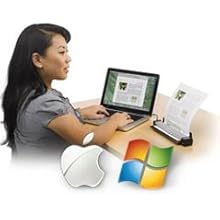
The Fujitsu ScanSnap S1100i is a lightweight, USB-powered mobile scanner designed for professionals on the move. It scans documents from as small as 1 inch up to 34 inches long, producing searchable PDFs and editable Word/Excel files. Compatible with both PC and Mac, it includes specialized software for business card and receipt management, making it an essential tool for efficient document digitization anywhere.


| ASIN | B00Q8IN9GA |
| Best Sellers Rank | #530,195 in Office Products ( See Top 100 in Office Products ) #610 in Document Scanners |
| Brand | Fujitsu |
| Color Depth | 1 bits |
| Connection Type | USB |
| Connectivity Technology | USB |
| Customer Reviews | 4.4 out of 5 stars 430 Reviews |
| Global Trade Identification Number | 00097564308451 |
| Item Weight | 1.6 Pounds |
| Manufacturer | FUJITSU IMAGING (SCANNERS) |
| Media Type | Business Card, Paper, Receipt |
| Minimum System Requirements | Windows 7 |
| Model Name | SCANSNAP S1100i |
| Optical Sensor Technology | CIS |
| Paper Size | Business Card |
| Resolution | 600 |
| Scanner Type | Document |
| Standard Sheet Capacity | 1 |
| UPC | 097564308451 |
| Unit Count | 1.0 Count |
| Wattage | 2.5 watts |
T**Z
best scanner ever purchased. hands down.
5 stars is exactly what this product is. I am a scan aholic. I scan EVERYTHING for my business. invoices, pay stubs, estimates, checks, everything. I have not had 1 single problem with this product. I used to use a printer/scanner/fax but that got old quick. took to long. lift the cover up and down. this is a product that is compact and AWESOME. ive scanned easily over 2000 pieces of paper. from 8x1/2 x 11, business cards and pay stubs, and not 1 single problem. its so easy to use. open the scan folder, open your scanner and away you go. I'm VERY meticulous on what I buy and how the product works so im not just ranting and raving on some product I purchased on amazon. this is worth every penny. you get what you pay for. you pay for less, you will get less. if you need to scan a bunch of papers, business, personal, whatever... this is a great product. portable. small. perfect. I really can't say much else. nothing bad to say. and it takes a great product for me to give it a 5 star rating. well done Fujitsu. very surprised but blown away. if you need a scanner this is perfect. the one detail you need to know is that it only scans paper that's no wider then 8-1/2". nothing wider. big deal. great product.
B**E
Absolutely superb portable scanner with very few flaws.
Outstanding little scanner and supporting software ecosystem. I purchased this for my wife to scan the thousands of small family and historical photographs she's accumulated over the years, and to digitize them for use with her online genealogy system (Ancestry). The software installation on to her iMac 27" running Yosemite (OS X 10.10.1) was flawless, albeit quite long (it took about 10 minutes beginning to end). The scanner and software worked perfectly from the moment we opened it, placed a photograph in it, and pushed the blue "scan" button. The S1100i appears to be the updated (late-2014) version of the venerable SnapScan 1100, but after a cursory 15-minute glance online, I wasn't able to locate any further information on the differences. I noticed that the sale price on Amazon for the older (ca. 2011) SnapScan 1100 is actually ~ $60 more than what I paid, yet all the information I can gather is that the 1100i is the newest model. So, I can't explain why so many people continue to buy the old unit at a premium... What I can state is that the 1100i scanner is solidly built and feels of quality in the hand. The software suite is well-designed for the "push" operation that Fujitsu has determined to be the norm for this product (and, frankly, after using it for an hour, I have to agree with them on this operational workflow mode). You'll see quite a few people complaining about lack of a TWAIN driver for the 1100/1100i, but you really don't need any software application to "pull" images via this low-volume scanner; you can establish direct push links to any software you wish to accomplish the very same effect. For instance, I setup the software to push to TechSmith's SnagIt image capture/editor, and it worked perfectly from the get-go. For those critics that won't consider this scanner simply due to the lack of a TWAIN driver, you are missing a great opportunity with this little guy. Others wonder about the inability to push mounds of paper through the 1100i; that's not what this minute scanner was intended to do. It is meant for quick, easy, carefree scanning of small documents, photographs, and receipts. Anything more than 10-20 pages (fed manually), and you will probably want to consider a larger dedicated high-volume scanner for that purpose. Pros: 1. Very small size, low weight. 2. Stout build quality. 3. USB-powered, quiet operation. 4. Dirt simple to operate and use; you don't even require a manual as it all just works and makes sense. 5. Simple, specific use, purpose-built scanner for small documents and ease of operation. 6. Excellent software suite that appears to be coded specifically for Mac / OS X. Huge marks on the software. 7. Nice, long USB cord so that the scanner stays out of the way when not needed. 8. Very simple mechanicals, and intuitive operation. You just "know" how to open the scanner to clear a paper jam. 9. Typical Fujitsu high-quality product. Cons: 1. Simplex scanning only. I knew this going in, but it would still be nice to retain this form factor and have duplex scanning. 2. No case; despite the steep price there is no carrying case included. 3. Software is a bit "weird" on installation as six different packages install simultaneously. But, they install without incident. 4. Price is a bit steep, especially when compared to Canon's similar products at a 40% lower price. But, I'm not dissatisfied with the SnapScan at all and feel I received great value for the price. Verdict: The Fujitsu SnapScan 1100i is a clear winner and deserving of a solid five-star rating. In fact, I am so impressed with this scanner that I'm purchasing a second one just for me to carry with me on the road so that I can continue my ongoing quest to become paperless.
M**S
Very clean and reliable imaging with really solid software.
In essence, if this little guy's performance is analogous to other larger capacity Fujitsu scanners, I'm going to switch completely to Fujitsu for all of my desktop sized document imaging/OCR'ing requirements. I use a Documate 262 (duplex sheet fed) at work, a Brother MFC (duplex sheet fed) at home and this one for when I'm away from home/office. I've had to use desktop scanners for projects that technically require much higher grade paper handling/imaging equipment, but it also allows me to really get a feel for things that work... or not. I pulled this out to see how it would do after getting Microsoft'd again with a recent primary computer upgrade which included Windows 10, which has caused all my other scanners to no longer work and trying this was a "Hail Mary" before risking a purchase of another desktop grade document scanner. Thanks to Microsoft, I'm now using it, for now, as my go-to general purpose scanner for receipts, bills, invoices, etc... although, sometimes it is a little painful that it's not duplex, but this thing is a life saver. Before that, I've had it on the side for about three years for trips & on-the-spot imaging tasks. Its image quality has ALWAYS performed well beyond my expectations and saved me countless hours of data cleaning. General Performance: Between the software and the hardware, everything I've put through this scanner images straight even when most other sheet-feed scanners would leave the images really crooked. The images are surprisingly good; in fact, if you don't have a well-defined requirement for high volume duplex imaging, you should give this some serious consideration. I thought, for sure, this thing would produce crooked images (especially with receipts), but the deskewing algorithms in the software are very good... and I'm extremely picky on image quality vs. OCR processes. Data Collection Performance: The pre-packaged software has performed very well for me. I initially purchased it to expedite data collection of materials that had to be destroyed immediately after analysis was complete. So only printed documents are provided. This scanner reduced a day and a half of 6 people manually collecting and double checking data to about 1 minute to get the data from paper to CSV (or XLXS), and about 10-15 minutes of cleaning and QA to get started on analysis. That is a HUGE benefit that allowed us to cut the number of people sent on the trip and the number of days we have to pay people to be there... and this is for data with a zero tolerance for error. I cannot attest to how well this scanner will work with other vendors' software such as an OCR data collection system (I use TeleForm, and InputExcel in the past), so my recommendation is to use the software from Fujitsu and use that get your images into whatever format you need, and then transfer into whatever specialized system you perform whatever other processing is needed. After all, this scanner is just insurance for situations like that. The receipt scanning software is very clean... minimal correction needed. The only corrections I've had to do so far is for novel receipt formats that have more than one tax lines (thank you Utah) that aren't just aggregated into a single number that can't be unpacked and accounted for without performing a regression analysis on every line item in every receipt. My only issue with the receipt scanning software is (and I've only just started using it, so this may already be possible), I would like to add columns for tips, and receipts that have more than one tax broken out. That way it'd be easier to account for what sales tax was actually paid. Such is the curse of being a quantitative analyst... I can't stop myself from analyzing things just... a... little... bit... more... accurately.
G**N
Great for Receipts...Especially Looooong Receipts
>>Update<< This is an update to my original review below. I've had this scanner for a few months, and it went from bad-to-worse. . . . Fortunately I found the support phone number today in the information included with the documentation. They answered quickly. . . the guy was nice. . . sounded like in the U.S. . . . and . . . eventually. . . he asked me if I had a different cable I could try. Though I had a few that wouldn't fit. . . I eventually found one in a box that would fit. . . and. . . TA-DA. . . Now it works like a charm!!! No "issues" at all. Previously it would take form 3 - 10 tries to get a receipt or any other paper to scan. There was a software update a couple of weeks ago, and I thought that might help. . . but. . . it made it worse. It stinks that I got a faulty cable with a new scanner.. . but that's what happened. Nonetheless. . . now I'm a "happy camper". ~~~~~~~~~~~~~~~~~~~~~~~~~~~~~~~~~~~~~~~~~~~~~~~~~~~~~~~~~~~~~~~~~~~~~~~~~~~~~~~ Several observations. . . . . First of all, I'm SO glad I just happened upon a website where I guy sells a .pdf "book" that's the "Unofficial ScanSnap Guide". (Google it) There is little documentation with this scanner, and you're kind of just "bumbling around" trying to find out how to use it. . . and this guide makes it SO much easier. One of my main reasons for purchasing this scanner was to be able to scan receipts. . . . especially from office supply stores, grocery stores and drug stores. I donate a lot to charity and need to keep all of these receipts. They fade over time, so I wanted to have something that would work with this. I did research and though there were other options. . . some of them a bit less expensive than this scanner. . . but they didn't have good reviews when it came to scanning receipts. . . especially LOOOOONG receipts. But the reviews were good for ScanSnap when it comes to this. I have found that indeed scanning receipts, even looooong receipts, is fairly "painless" but not completely. First of all, it will scan 34" only. So if you have a receipt which is longer (and some of mine are) then you will need to cut the receipt. Not too big of a deal as you can combine them in the software. Second, the scanner wouldn't always accept the receipt. I would try it a couple of times, and then finally unplug it. . . wait a few seconds. . . plug it back in. . . and then it would start working again. Personally, I'm really not surprised, and this isn't really much of a "negative" for me because thermal receipt paper is really thin, so if I have to unplug it every now-and-then. . . . so be it. Software that comes with the scanner. . . . The receipt software does a good. . . but not perfect. . . job of finding the information on the receipt and placing it into the right boxes. . . but again. . it's not perfect, so you have to go through and check each one. I'm not interested in the actual items purchased. I just need information like the name of the store. . . date. . and amount. . . If you want it to, then the software can try to read the items that you purchased, but as you know from looking at receipts, that's not really going to work very well. But again. . . not what I was looking for anyway. You have to check each receipt. Once you've checked it, then it "disappears" so you know that it's been checked. Of course you can always view all of your checked receipts as well. You can also "split" receipts if you made, for example, both a business purchase and a personal purchase on the same receipt. You can also combine receipts. For example if the receipt is longer than 34", and you have to cut it, then you will need to "combine" it in the receipt software. But it's quick-and-easy. One thing that I really love is that previously I was manually entering all of the information into a spreadsheet. Now it can simply be exported from the receipt software. For "documents" there is the "ScanSnap Organizer". This is separate software from the receipt software. It's a bit like a "filing cabinet". You create different "filing cabinets" and then different "folders". So you can sort everything. You don't have to use "ScanSnap Organizer" and can simply have scans go into whatever folder in Windows you want. But it just makes it a little easier, I think. The only "disadvantage" of using "ScanSnap Organizer" is if you want to be able to search the writing on your documents (OCR), then "ScanSnap Organizer" can only search documents that you scan through ScanSnap. You can add other documents from other sources to "Organizer", but you will not be able to search the content in those documents in "Organizer". Again, to me, at least right now, that's not an issue. I don't deal with a lot of business cards. . but if you do. . . there is software that comes with it called "CardMinder". You can scan business cards into it and then export the data to Outlook, or lots of other things. You can directly scan to email. . . . as well as other things such as Dropbox, Evernote, Sugar something-or-the-other, and so on. ScanSnap scanners are not "TWAIN" devices. This means that software can not directly access your scanner. For example, WinFax faxing software can not directly access your scanner. But the "unofficial guide" gives you a "work around" that is really about the same thing. It's just as quick-and-easy to do it the way the "unofficial guide" shows you as it would be if the software you're using had direct access to your scanner. This is kind of "funny". This scanner doesn't scan both sides at the same time (duplex scanning). The S1100 model does, but it's a little more expensive, and I don't really need it. I can turn the paper over if I need to. ;-) But the "unofficial guide" writer mentioned something that makes it easier . . . and I had NO idea that this scanner had this. He kept talking about "lifting the top". I didn't know there was a "TOP"! Well. . . . There is. Not one picture have I ever seen with the "top up". The "top" is the black "lid" where ScanSnap S1100i is written. Put your finger along the edge and it will pop open. When the top is "down", then the paper feeds straight through from one-side-to-the-other. When the top is "up" then it fees in-and-up. So you simply turn the page over and feed it back in. This does two things. #1, it makes it a bit easier if you need to scan both sides of a piece of paper. #2, it makes it nice if you have little space on your desk for paper to go in one side and out the other. The quality of the scans are good. Though you "can" scan pictures, it's really not the type of scanner you want to scan pictures. A flatbed scanner would probably do a better job. But it certainly can be used for scanning most pictures. The software is certainly not "pretty". But so far it does the job. As for the scanner itself. The only thing that I don't really like about it is the "door" along the front. If the "door" is closed, then it unit is off. If the "door" is open, then the unit is on, and the "door" acts as the page guide. But the "door" is very "flimsy" and there's no "latch" or high-powered magnet to keep it closed. If you're going to carry it around, then I can only assume that the "door" is going to "flap open" constantly. . . and you'll eventually break it off. You're going to have to keep a rubber band handy to keep it closed. . . which is ridiculous. . . but true. One last thing. . .If you're going to be scanning items which need to be folded (like paper which is too large to fit into the scanner) or paper that's perhaps torn. . . . anything that might not go through easily. . . . . then you're going to need a "carrier sheet". Fujitsu, the maker of ScanSnap, makes these (see link below). You can also find other brands of them as well if you search Amazon. Fujitsu PA03360-0013 SCANSNAP CARRIER SHEET 5PK
J**T
This scanner is fantastic..
This scanner is fantastic ... small size ... great price ... quick scans ... it does everything I want it to do. I especially like the ability to create different profiles for different needs. I mostly use this scanner to scan receipts ... once the receipt is scanned, it automatically opens a dialogue to allow me to give the pdf file a descriptive file name ... then it automatically opens the file in my pdf viewer for me to highlight items and add notes to the pdf receipt ... this is exactly what I was looking for! It's also great for scanning large documents and creating a pdf file for use on my iPad. Update - I just finished scanning a 200 page document and converting it to a pdf for use on my computer and ipad. Not a single problem. Scanning was quick and easy. Very impresses.
S**S
Mac Users BEWARE!! ScanSnap Home is either Malware or Full of Vulnerabilities - DO NOT INSTALL
DO NOT INSTALL THIS SOFTWARE ON A MAC FOR ANY REASON! STAY AWAY FROM THIS PRODUCT!! If you are a Mac user, BEWARE!!!! Under the latest Mac OS, Catalina, applications must be granted access to your file system. This was done by Apple to greatly increase security, preventing malicious software from accessing system files, even if you ran the application. The ScanSnap Home software will not even start unless granted access to the *entire file system*. It simply presents an error message demanding that the user grant it such access. There is absolutely no justifiable reason that a program which only needs to save a file to a folder the user directs it to needs access to the entire file system. It literally only needs access to the one folder you, the user, tell it to save to. To put it in perspective, not even anti-virus software needs this level of access. Fujitsu's tech support have been unhelpful, simply stating that they "need" this access. I've been working in cyber security since the early 1990s. They do not. There are only two reasons that their software needs access to the entire file system: 1) it contains extensive malware/spyware and is therefore malicious software 2) it is written by incompetent and lazy developers, who do not care about the quality of the software they produce, have zero knowledge or care about the security of their software, which likely means that the software is rampant with vulnerabilities that can be exploited by malicious users If you are a Mac user, do not buy this product. If you already own it, delete ScanSnap Home software immediately. Demand that Fujitsu either fix their software, or refund your money.
R**S
Excellent portable scanner
Got this to replace the Brother Dsmobile 600 model, which was still mechanically functional but due to greedy Brother's "planned obsolescence" policy was not compatible with Windows 10 anymore (their software/drivers refused to properly work with Win10 and Brother had no plans to release any new OS compatibility updates). Unlike the Brother's model, this Fujitsu's model seems to work properly and is officially compatible with Windows 10 - all I had to do is download a single "ScanSnap Installer" package directly from Fujitsu's support site (don't use any included software on CD's, it's already outdated) and it walked me through automatic installation and updating of ALL of the available software packages (ScanSnap Organizer, CardMinder, ScanSnap Receipt, etc.) for this scanner. Afterwards I just tested out scanning different items - the quality was perfectly acceptable (especially for scanned documents), the document feeder was "feeding" the paper in perfectly straight way and the scanning software was pretty user-friendly and self-explanatory (I didn't have to read any manuals/guides). All in all, it's a pretty nice product for its price, with easy-to-use software which is being updated at an appropriate times (instead of being completely abandoned, like with some of the Brother's products) and good scanning quality. If you need a portable or small-size scanner like this - don't hesitate to try it out, and do it before considering any alternatives from Brother ;-)
S**N
Too many running processes, even when device is not connected.
The scanner works for me. I use it for receipts only. I don't use it that often, and I never have trouble with it. One reviewer noted that the software could use a better Interface (GUI). This is true. My main gripe with this system is the amount of processes that are running *all the time* even when the scanner is not connected. There is the updater software, and some "service checker" thing. And two others that I have just killed and I can't remember their names. They don't use a lot of CPU, as far as I can see but they are using chunks of memory frequently. I haven't yet found the inclination to root these out and stop them from running at startup. They are an unnecessary annoyance. If they *are* necessary, then the software design for this plug and play device is very sloppy indeed.
Trustpilot
3 days ago
2 weeks ago