๐ Transform your mobile experience with power, style, and endurance!
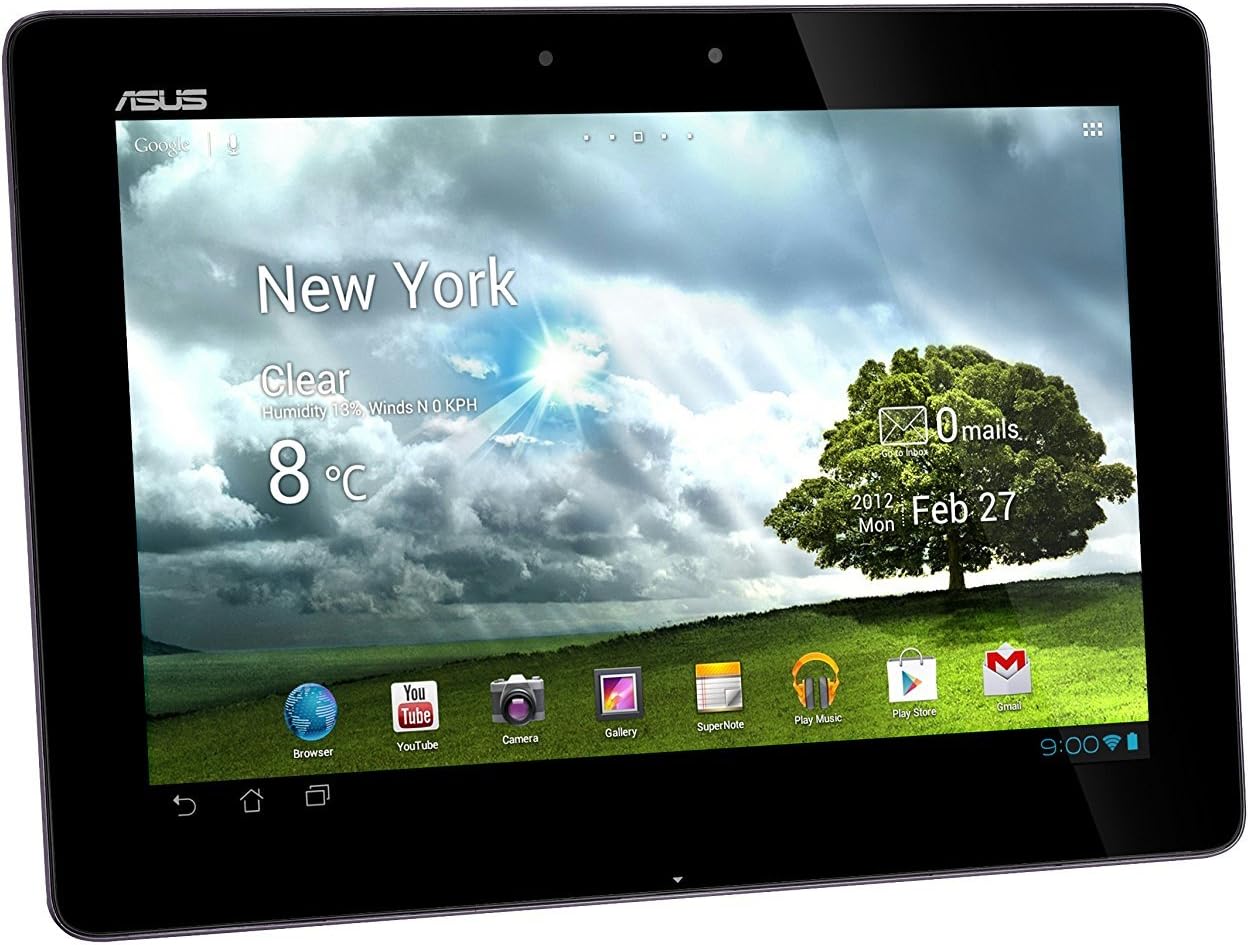
The Asus Transformer Pad Infinity TF700T-B1-GR is a premium 10.1-inch Android tablet featuring a vibrant 1920x1200 Full HD IPS display protected by Gorilla Glass 2. Powered by a 1.6GHz NVIDIA Tegra 3 quad-core processor and 1GB DDR3 RAM, it delivers smooth performance for work and play. With 32GB storage, dual cameras (8MP rear, 2MP front), and up to 9.5 hours battery life, this ultra-slim, lightweight tablet is designed for professionals seeking a reliable, stylish, and versatile device.
| ASIN | B008F4NL04 |
| Age Range Description | Adult |
| Aspect Ratio | 16:10 |
| Battery Average Life | 9.5 Hours |
| Battery Capacity | 9.5 Watt Hours |
| Battery Cell Type | Lithium Ion |
| Battery Power | 9.5 Watt Hours |
| Best Sellers Rank | #842,632 in Electronics ( See Top 100 in Electronics ) #7,405 in Computer Tablets |
| Brand | ASUS |
| Built-In Media | Tablet stand, MicroSD card, Bluetooth keyboard, HDMI cable, Stylus pen |
| Camera Description | Front (2MP), Rear (8MP) |
| Cellular Technology | 4G |
| Color | Gray |
| Compatible Devices | Tablet stand, MicroSD card, Bluetooth keyboard, HDMI cable, Stylus pen |
| Compatible Flash Memory Type | microSD |
| Connectivity Technology | Wireless |
| Customer Reviews | 3.8 out of 5 stars 1,545 Reviews |
| Display Resolution Maximum | 1920x1200 Pixels |
| Display Type | LED-lit |
| Front Photo Sensor Resolution | 2 MP |
| Generation | 4 |
| Global Trade Identification Number | 00886227217083 |
| Graphics Coprocessor | NVIDIAยฎ Tegraโข 3 |
| Graphics Description | Integrated |
| Hardware Interface | Bluetooth, Micro-HDMI, MicroSD |
| Human-Interface Input | Touchscreen with Stylus Support |
| Item Weight | 1.3 Pounds |
| Lithium-Battery Energy Content | 9.5 Watt Hours |
| Manufacturer | ASUS Computers |
| Memory Slots Available | 1 |
| Memory Storage Capacity | 32 GB |
| Mfr Part Number | TF700T-B1-GR |
| Model Name | Transformer Pad |
| Model Number | TF700T-B1-GR |
| Model Year | 2012 |
| Native Resolution | 1920 x 1200 pixels |
| Operating System | Android 4.0 Ice Cream Sandwich |
| Operating System Family | Android |
| Other Special Features of the Product | High Resolution Display |
| Photo Sensor Resolution | 8 MP |
| Processor Brand | NVIDIA |
| Processor Description | NVIDIA Quad Core |
| Processor Speed | 1.6 GHz |
| RAM Memory Installed | 1 GB |
| RAM Size | 1 GB |
| Rear Facing Camera Photo Sensor Resolution | 8 MP |
| Screen Size | 10.1 Inches |
| Sensor Type | Accelerometer, Ambient Light Sensor, Gyroscope |
| Set Name | Transformer Pad |
| Size | 32 GB |
| Specific Uses For Product | personal |
| Style Name | 32GB |
| Total Usb Ports | 1 |
| UPC | 785528608265 411378262431 886227217083 |
| Unit Count | 1.0 Count |
| Video Capture Resolution | 8MP |
| Video Processor | Nvidia |
| Warranty Description | 1YR North American Warranty |
| Warranty Type | Limited |
| Wireless Compability | 802.11bgn |
| Wireless Technology | Bluetooth |
T**S
Currently the best Android Tablet
UPDATE 9/27/2012 So I came back from Galaxy Note 10.1 because I just could not tolerate non-Full HD screen any more after using Infinity. I tried to convince myself it would be ok, but it wasn't. The biggest concern coming back to infinity were relatively frequent application not responding error (ANR) and random application crash/close especially on browser, and relatively but significantly slower speed of browser page loading compared to iPad 2 or Galaxy Note 10.1. However, with a little tweaks I am now very satisfied with infinity as those concerns are now significantly improved to almost completely fixed. - See Stability section for added Tips - Conclusion updated 8/31/2012 - Wifi related battery issue is not unit based, but through out the all unit (according to the quick survey at XDA) See battery life section - See new section on Quality Control Issue: In short, make sure to purchase infinity from a place where you can exchange/return. - Compare to upcoming Windows 8 Tablets 8/19/2012 Had to down grade score to 4 after using Galaxy Note 10.1. Please see - Stability/smoothness - Conclusion 8/15/2012 - Performance Boost Tip (see speed section) - Multitasking updated ===================== Compared to recently announced upcoming Windows 8 tablets ====================== Recently, multiple windows 8 tablets have been officially announced with their detailed specifications and prices. For some of you considering this vs. windows 8 tablet, based on the specifications, I concluded following: "No windows 8 tablet is completely superior to Transformer Infinity or Galaxy Note 10.1" Major players are followings: Samsung ativ series: The only one that has Full HD screen is Smart Pro version, which costs >$1000, and DVD play battery time is 5 hours. Infinity by tablet alone has documented video play time of 9.5 hours, which becomes mere 5 hours with web browsing and 3-4 hours with playing games. So what could the 5 hours really be. Such short battery life is not acceptable for me. Other ativ series do not have full HD, and priced higher. Asus vivo series: None of them actually has full HD screen. The benefit of Windows 8 only comes if you purchase Pro version as RT version will only run windows metro specific applications, which will likely to grow in number but won't be for a while to before catching up with Android (my guess). But Pro version tablets are much higher price, and heavier. So they are not necessary inferior, but for those of you like me was looking forward to see one "this is it!" system, that is not ready. Windows 8 tablets have their own drawbacks/design decision mainly weight, battery life, price, and lack of full HD screen. ==================== ORIGINAL REVIEW ===================== It is not my personal opinion, but if you search around the web for major review sites, pretty much it is unanimous that this tablet is the king of 10 inch Android Tablet at this moment (8/2012). As with no system is perfect; otherwise, nobody would ever make newer model again, this indeed has some room for improvement. Since I currently or previously own(ed) ipad2, Samsung galaxy 10.1 (both wifi only 4G LTE), and Xoom, I have decided to put a little comparison from my experience to indicate what aspect of this system I am truly impressed with but also what aspect can be further improved in the future models. ========= Why I chose Android Ecosystem ========== iOS vs. Android may be the one biggest question potential tablet buyer must answer first. The most popular tablet by far is indeed Apple's Ipad series. They are great. Very smooth and stable. For me coming from Android system, then to iOS, then back to Android system, followings were what I looked before coming back to Android ecosystem: ------------------ Android Ecosystem Pros ------------------------ 1. Storage expansion - I have relatively large collection of videos that I like to carry around. I would rather swap back and forth microSD than the transfer files from computer every time. So this was one big factor for me. 2. True Mutitask In iOS, multitasking is very limited and in my opinion there is no TRUE multitasking there. For instance, if I start download a file over the internet, and leave the application and do something else such as reading ebook, the file downloading quickly goes into frozen state i.e. not really downloading in background. On the other hand, Android will let you download things in background and you can do other things in the mean time. (8/15)Recently, I was a bit intrigued by the introduction of Samsung Galaxy Note 10.1, which offers split window capability (not for every applications but browser, polaris office, note taking application, video covers for me). With this news, one of forum poster actually referred me to multiple applications that are already out there on market that essentially does similar and perhaps better to certain degree. For instance, if you like to browse a web but do something else e.g. read ebook, use office of your choice, or perhaps even browse two different sites. The application is called "Oversckreen." This is type of things that I believe true multitasking and flexibility of the android shines. 3. Data Transfer - Transferring data using proprietary application (iTune) with USB connection became quickly very restrictive for me. We could bypass this by using cloud storage but that required uploading file first then download. On the contrary, in Android you can plug in the system via USB and transfer data by drag and drop using folder system on either Windows or Mac OS. Alternatively, you can use application such as AirDroid to transfer file over the WIFI with desktop like interface through browser. 4. Centralized File System - In android, it uses similar tree file system as desktops. So I can create my own folder organization, and any application can use the folder structure. This is handy for me. For example, I have many PDF and EPUB books. For me these are nothing but ebooks. So I like to organize them in the same folder(s). However, some application does better job opening PDF than the other, but for EPUB I use different application. But this won't affect storage for me as files are still single copy one location where I placed. Whereas in iOS, each application gets own copy. So for some reason I want to open PDF in one application but then reopen on the other application, I have to create two copies in the system. 5. User interface iOS has simple interface that nobody should have any difficulty with. This can be pros for many, but personally, I enjoy more customization. I like to see fancy widget like home screen quickly showing weather, news etc. People also frequently hear calling Android ecosystem is more "flexible." My take on this is that Android ecosystem allows you to change home screen not only with widgets but even whole interface i.e. launcher. So certainly not as simple as iOS, I prefer such on Android system. It just simply more fun for me. 6. FLASH support This will be going away entirely from mobile platform. However, it will take time. No new device be supported at this point, but existing devices including transformer infinity is still supported. When Jellybean update comes, though there is no official support, no doubt we will still see easy way to load FLASH on android device. In fact, Nexus device user with Jellybean update confirmed they can still use Flash on their devices. So some day everything will be HTML5, but until then I like Flash compatibility. ------------------ Android Ecosystem Cons ------------------------ So above are in strength of the android system (obviously in my personal opinion). The downside is 1. Stability/Smoothness Android had came quite far since the initial tablet optimized android OS Honeycomb introduction. The current version (Ice cream sandwich) is far more stable and smooth than the Honeycomb. However, applications still do crush on Infinity. Some are not too infrequent. Initially I wrote "one main reason may be due to so many hardware out there, developers have no control/way to test on every single device. In my experience, it is most of time finding the right application." Well, I guess I was blind. Recently I purchased Galaxy Note 10.1. After 20+ hours of use, I have yet to encounter single crush or ANR (application not responding). I basically do the exactly same with Galaxy Note and Infinity. Infinity give me at least one crush or ANR every hour or two. 2. Applications Overall, iOS has more applications optimized for tablet. Many games are initially released on iOS then later ported to Android. If gaming on tablet is primarily interest, iOS is undoubtedly the way to go. However, some applications are better on Android. For instance, application called "Anki", which is probably the best cross platform flashcard application, you can get it for FREE on android with WIFI sync of stats and cards. Whereas, iOS you have to pay $20+ to purchase the application. Android has easy 15 minutes trial and refund policy, so I don't have to waste money to find out whether an application is what I truly wanted. ========= Transformer Infinity ========== Once you made your mind with Android ecosystem, here are what's special about transformer infinity. ------------------ Pros ------------------------ 1. Speed I am not certain why some complains of smoothness/speed. But swiping home screen, launching applications on this device is extremely smooth and fast for me. One big sales point of the newest android OS Jellybean will be "Buttery smooth" interface; however, I am not sure if I will see any difference from what I already have here because it is already buttery smooth. Benchmarks are simply numbers, but check them out on google. You will see infinity indeed has the top notch benchmark scores across the board among all the existing android tablet. For instance, I use application called Mantano reader for my ebook. They have recently added page curl effect for epub book reading like iBook. It is so smooth on Infinity that I see no difference from iBook. But this may not be true for some older systems with lower specifications. [Tips] This is only true if you are running in balanced or performance mode. Battery save mode indeed sees a lag/stuttering. (8/15) I had not had an issue with original or replaced unit, but if your unit runs surprisingly slow. It sounds like "factory reset" had helped some. So try it out. But true performance boost was immediately noticed, and perhaps stability improvement as well after reading an article at XDA forum. If you are interested, try search "tweaks to sweeten your life with the Infinity." If not, this at least proves that ASUS can eventually with software update make this tablet even much faster. 2. HD Screen This is main advantage of this device over the other android tablet. Basically, you are paying for this feature. The upcoming Galaxy Note 10.1 has equivalent CPU benchmark and better GPU benchmark; however, it lacks HD screen. There is currently not much (if any) HD optimized application on android market but you don't really need them to see its effect on daily use. When you surf web, read ebooks, the texts are crystal clear. If HD screen is what you want, you only have two choice in Android market right now. Acer A500 and this machine. Every site that I saw basically puts Infinity over the A500 despite $50 more. 3. ASUS reputation ASUS does have its own problem. However, when comes to software update they are among the best. They have introduced Ice cream sandwitch before anybody else except google device e.g. xoom or nexus. People complained about poor I/O perfomance, they have already released firmware less than a month since the device release to fix this. There is no doubt aside from Xoom and Nexus 7, transformer series will be the first to see Jellybean update. *In comparison, Samsung makes great tablet but they customize the OS quite bit and resulting in extremely slow update. They have just recently updated to ice cream sandwich on their original Galaxy Tablet series, which is like 6 months behind that of ASUS. 4. Keyboard Dock You can use keyboard on any Android tablet whether bluetooth or USB. The key difference here is that transformer series keyboard will extend the battery life and attaches to tablet and makes the tablet like laptop. Since I have not purchased one yet, I cannot say much about this. [Rumor] Many rumors are floating around that transformer prime keyboard dock is indeed the same as that of transformer infinity except now priced higher. One most objective argument I have seen regarding to this is on the XDA forum. One user disassembled both and basically saw everything being the exactly the same. ASUS representative says otherwise, but no convincing proof has been provided so far. 5. Future Proof Tablet market is perhaps the most rapidly evolving field. If you wait 3-4 months, there will be better specification system on the market. However, Infinity being the top of notch at this point and similar but superior to the Nexus 7, we can safely say that this device will have relatively good future proof for a while before its gets obsolete. No doubt we will get newer OS even after Jellybean. Upcoming Galaxy Note 10.1 will have 2GB of memory, which is great and I wish we had it on Infinity; however, it being the only system with that, and many will be at 1GB we will not see any application that requires 2GB memory for awhile. Though larger memory will certainly help multitasking. ------------------ Cons ------------------------ 1. Battery Life Personally, this is one major downside of the system. The system has higher pixels to push compared to transformer prime, yet has the identical battery. In comparison, New iPad doubled its battery from iPad 2 to sustain its battery life. ASUS claims 9.5 hours of battery with tablet alone. In balanced mode with WIFI on but watching local video or reading ebook under 30% or so monitor setting, I get ~10%/hr battery loss. So it is possible to get the number. However, if you surf the web the battery life quickly goes down. With WiFi surfing and online streaming, the battery drain becomes ~20%/hr i.e. only lasts 5-6 hours. This seems a bit low. Couple tricks to save battery life exist including changing to Power Saving mode, which would add 1-2 hours extra, but system becomes overall laggy. Adding dock will bring up the battery life to top of its kind; however, I still prefer seeing 9-10 hours battery with constant web surf without dock. Note: These numbers are screen on time. I can easily get over a day if including the screen off time. I initially thought it was fault on my device as some claims phenomenal battery life, so I did got exchange but still the same. Those claiming over 10hours battery life is undoubtedly talking about "off charger but not on-screen" time. Those who claims on-screen time of >6 hours have minimal WIFI use (not it is on or off but actively browsing or not). I have sent an email to ASUS rep about this to see if they can potentially fix it as other tablet usually won't have this much difference in battery use just by using browser. [TIPS] For those of you getting too much drain from WIFI while screen is off, go to setting > WIFI > advanced and select WIFI on while sleep to "never". This way when your system is off, you won't see drain in battery. 2. USB File Transfer Speed When compared to my iPad 2, file transfer speed across the USB is slower on transformer infinity despite using the latest firmware .26. The time I transfer files are not so frequent and I can even download files in background and do something else, but it is certainly nice to have maximum speed when hooked on to USB as those are times I want to transfer big file as quickly as possible. 3. Sound It talks about Sonic System but sound on this machine is definitely weakness. Sometimes I have difficulty hearing via speaker. Fortunately, I use mostly with headphone but if someone wants to watch a movie on this device using a built in speaker and expecting high quality, you may be a bit disappointed on this regards. [Tips] You can potentially boost the sound beyond the manufacture's setting. But this shouldn't be necessary. 4. Quality Control (added 8/31) Based on my daily checking of forums on transformer infinity, I can confidently conclude that quality control on the transformer infinity have some major flaw. Some may try to defend saying that they got a perfect unit, which is great for them. Others may say every company has defective unit, which is true statement. However, if you look at forum such as XDA, you see so many people complains of issues. In contrast, if you check forum for Galaxy Note 10.1, you basically see 1/10th of hardware related complain. This overall make ASUS a huge loss in my opinion. Because we don't know if the system instability, slow speed etc. is actually from the system or simply faulty unit. Some may not even consider latter and instead just return. Because of relatively high prevalence of QC issue, I highly recommend buying infinity from a place where you can exchange/return. ------------------ Mixed ------------------------ 1. Build Quality Overall the unit looks phenomenal. Compared to my previous plastic made Galaxy 10.1 which port hinge cracked without any major physical damage and Samsung refused to replace... Solid metallic feeling, beautiful concentric design of ZEN. It definitely feels like high quality tablet. My original nor replacement unit had single dead pixel, so that's a good thing. However, if you become nit picky, you finds a few (minor) but noticeable issues including: - Light bleed: Only noticeable during boot up so should not affect actual use but they are there. Supposedly pretty common based on some forum. - Clicking sound: My initial tablet did have this and many others experience this according to XDA forum. Most likely due to slightly loose attachment around the screen. Again, this does not affect daily use but this one was certainly noticeable to me. Replaced unit did not have this but got more light bleed. - Soft button: Original unit had some asymmetric softness to the volume up button, and replaced unit has that on the power button. 2. Stability This may not be due to hardware but rather applications but applications do crash at least several times during my charge cycle. Particularly, noticeable is on the browser. It does not matter if stock, chrome, or other popular third party browsers. They still give me random close. Mainly with flash site though. I hope this will improve with Jellybean but it emphasizes "smoothness" not "stability" so who knows. (8/19) After using Galaxy Note 10.1, I am not sure if it is due to software or hardware. Because Galaxy note 10.1 also uses Ice cream sandwich but after 20+ hours of use, I have experience 0 crush or freeze. Even on the file I could not open (pdf on mantano reader), I can readily open with Galaxy Note 10.1. It is possible that Samsung did extensive customization/kernel design and ASUS did not so it is software related, but in any event when compared to the most stable systems i.e. iPad or Galaxy Note 10.1 (yes. so far that system is stable as iPad or could be even more.. who knows as I haven't experience single crush on this I don't know how good/bad it is), infinity definitely lacks stability. Though I don't think it is any worse than my old Samsung Galaxy 10.1 or Xoom. (9/27) I am not certain whether it was related due to defective hardware for my original units, firmware update improvement, or turning off the bloatware. But at this point, I have encountered only handful application random crash, and probably same or less number of ANR after two weeks. This is essentially compatible to my experience on Galaxy Note 10.1, and iPad 2. So from my side, only one special thing I did here, which is "turning off bloatware." ASUS includes many application that runs on background. These can be turned off without you rooting or unlocking the device. So I highly recommend doing this. For the exact list of which application can be turned off, see XDA forum. 3. Power Save Mode It is nice to have an option to extend battery a little as it is indeed the biggest weakness of this unit. However, noticeable lag by switching to it seems a bit of issue. I understand becoming laggy on demanding applications such as games but just swiping home screen, launching application should still be smooth. I wonder if Jellybean will fix this. ========= Conclusion ========== Overall, I now give 5/5. This is the best android table on market. Main advantage are full HD screen, ASUS's continuous support with timely updates, top notch hardware spec at the moment makes this is future proof device. However, battery life is sub-optimal for today's tablet standard when used tablet alone with WIFI on, and built in speaker is weakness. Also, quality control issue of ASUS product suffer, so be sure to get this from where you can exchange as you have relatively high chance receiving defective product. Out of box, this item may be slightly inferior in a few area compared to Galaxy Note 10.1. In particular, browser speed and overall smoothness and speed on ICS. These however, can be improved by simple fixes. 1. Turn of bloatware (no root/unlock needed). 2. If you still think browser is slow, then supposedly, you can install an application called browser2ram. However, for this you supposedly need to root the system. But with these modifications, you can make infinity true king of the android tablet at the moment.
B**N
Currently the best bang for your buck
When you are looking in the tablet world, you are basically looking at an iPad, a Samsung Galaxy Tab, a Nexus, or an Asus Transformer (there are some notable other devices out there, but for the most part this is what the main options are). If you want the best hardware, I believe the iPad 4 is the best thing walking. The problem I have with the iPad is the lack of options. There is no side loading apps, no easy expansion, and lack of customization to my desires. This is an Apple thing, and it puts me off. I'm not starting a debate, but I fall into the category that I prefer non-Apple devices. I have opted for an Android device because of this (for my phone as well) and then it came down to hardware. At one point, the TF700T was the best hardware out there by far. Now it is not. But it is still really darn good. Mind you, if you want to compare... apples to apples (I swear I didn't mean that pun) you would want to compare the Asus TF701 to the iPad 4 to make some comparisons. I would still opt for the Asus with the Tegra 4 processor and 2560x1600 display. But of course, I opted for the TF700 instead. Why? Because it was $200. With my dock it totaled $300. That's half the price of the best tablets out there and more than half the benefits. So my reasoning for choosing this tablet follows this line of thought: It's Android, and it is far less expensive (both as noted above) This is a full 1920x1200 resolution screen, and looks darn good (not as good as a retina display, but far better than anything else out there) The dock is a dock, not a mere keyboard (though having a physical keyboard is a big perk for me). It has a USB and SD slot for easy attachments of flash drives etc... and it contains it's own battery so it can actually charge the tablet if the tablet battery is low. While I feel the best sizing for a tablet is 8" (not the 7" or 10" which are typical) I felt the 10" gave a vast difference compared to my phone (5") and good screen real estate for working on "office" type documents and remote access to my desktop computers. (side note: the USB port on the dock actually comes in handy for a mouse connection for my remote desktop sessions, just plug in and it recognizes and works automatically) Things I wish were better: For the specs, the tablet seems laggy. When there are too many apps running in the background the whole thing starts to lag. Mind you, it is still usable, but slow. I tend to use a quick kill app to close background apps and fee up RAM. Ice Cream Sandwich is a good version of the OS, but it is outdated now. Having Kit Kat would add Trim support (so your flash memory doesn't clutter giving you performance degradation over time). There is no Delete key on the dock. Minor deal, but it's annoying. (and granted, this is more of a dock review item than for the tablet) Some other thoughts: Swiftkey works great on the tablet, but doesn't play well with TeamViewer and the dock. I've reverted to the stock Asus keyboard (which isn't bad) Office 365 does not natively load on tablets (it is not supported). However, you can side load it (I exported the apk from my phone) and it loads and runs well. The hitch...is that it doesn't recognize the dock, so you can't use the keyboard which sort of defeats the purpose of it. If you like to tinker and will root this (a friend of mine has rooted his) this thing won't ever lag like I have stated earlier. It will run smoothly and without issue. Overall I am happy with my purchase. I have used this for about 2 months now and love it. My primary uses have been media (netflix, various games, e-reader) and remote connecting to a PC (home and work).
S**6
Best Android Tablet for the money!
After months of comparison shopping and test driving all of the best Tabs on the market (thanks to Best Buy) I'm extremely happy with my TF700 and dock from Amazon. I now get to enjoy my TV episodes, movies, games, and yes, even my Excel and Word files I bring home from work. My previous Tablets were the Ipad2 & the ASUS TF101 which I also loved, but I wanted the Quad core and Hi-Res of the TF700. WOW! I'm in love all over again! For storage I'm using a 64gb microSDXC card for the Tab and a 64gb SDXC 133x card for the dock. It's not necessary to go that high or that fast for some users out there, but I find that it makes for quick access & response times when saving files to the removable SD cards and provides zero lag when playing back Hi-Res video as often as I do. To each his own. I have not experienced any crashes, reboots, black lines on the screen, or missing pixels, and only the rarest of force closures. By the way, I am rooted, which was super easy to do (less than 15min), but it's not unlocked. This is not an endorsement for rooting, nor does rooting violate the Mfr warranty when rooting can be easily reversed & restored via the Voodoo OTA RootKeeper app avail thru the play store. However, unlocking does violate the warranty & blocks you from receiving OTA updates. I have still received three OTA updates from ASUS in the last 5 wks since I have had this, all while being rooted. The latest was JB10.4.4.25. Thank you to ASUS for their continuous support & improvement of their products. The Wifi & GPS reception is full & strong from a distance of more than 50ft away from my ATT router when I'm outside lounging on the back patio. The battery drains & recharges differently on the TF700 when docked than it did with my TF101, which took a little getting used to for me, I admit. But it still recharges quickly. The TF700 has awesome features and settings for prolonging battery life between charges. When combined with Juice Defender it's even better. The battery life is at about 7-9hr undocked and an additional 5-6hr when docked depending on continuous use vs sporadic use and a prior clean full AC charge. And also depending upon your power saving settings. Explore the many options avail in the system settings to see what best suits your needs and usage. Because I use the Tab daily I recharge overnite. I program in the settings not to push email, app updates, or any notifications between the hrs of 11pm & 6am. But once 6am rolls around the Tab comes to life and starts sounding off like a happy R2D2 with all sorts of email downloads & app update notifications. It's like having my very own alarm clock, only better. So far I have never not made it thru a full day without plenty of charge left on the Tab. But then I keep it docked most of the time, where it recharges itself whenever it needs to. However, I did need to fully drain & recharge the Tab & dock 3x over the first few days, before experiencing the long battery life from each, like the user manual suggests. I also get great Blue Tooth reception for my hands-free BT device, & my DBEST PS4003 BT stereo speakers for extra volume when I'm watching videos, movies, or even games. And great tether reception and Internet connection thru my Inspire 4g phone for on-the-road Internet access. I just turn on both the Mobile network & Wifi Hotspot connections on the phone, I turn on the Tablets Wifi connection in settings, more, Tethering & portable hotspot, and you should see your phones device name there. Click on it, wait a few seconds till they sync with each other, enter the security access code into the Tablet that is displayed on the phone screen, hit OK on the phone to accept the connection, and you've got instant Internet access thru the Tablet via the phone. This only has to be done once, for the very first time. After that, anytime I need Internet access thru the Tablet when away from home, I just click on the phones Mobile network & Wifi Hotspot from the quick access Taskbar, the Tablets Wifi connection from the Tablets quick access taskbar, and they automatically pair up every time. Quick & easy. I transferred my 258 apps from the TF101 to the TF700 and all ported over flawlessly except 1 game, which was the app Mfr fault, not the Tablet. I wrote to the app Mfr and they said they are already in the process of updating the app to take advantage of the TF700's Higher Res. The app still works...it's just that it doesn't expand to the full screen size of the Tablet. (about 1/4" shy of the Lft & Rt edge) That is the only prob I've had with any app not running or displaying correctly. There were 4 games with large data files that I attempted to restore but would force close on me. The problem was that the data was originally downloaded from the Mfr website after the play store installed the app. I had to delete the app & data, then allow the play store to re-install the app, and allow the app to re-download the data from the Mfr website. Then I used Titanium Backup to restore only the data for that app, in order to get my saved history back. Voila! I only had to do that for the 4 games where the data exceeded 100mb. I think it is because the play store & the Mfr website can place the app & the data in diff storage locations on your device, which can be specific to the make & model of your device. Your backup software can't always get it right when backing up your apps & data from one device then restoring it to another device. That was of no fault of the TF700. I experienced the same prob when porting my phone apps over to my TF101. Some apps had to be re-installed directly from the app store because there was a diff ver avail for the Tab than for the phone. Same when porting apps & data from one Tab to another because of the diff make, model, & storage locations of each device. It happened to me when restoring apps from my TF101 to the TF700 because of the Quad core capabilities of the TF700. The app store has diff vers of some apps that specifically take advantage of Quad core devices capabilities. (Riptide, ShadowGun, FieldRunners, Anomaly Warzone, Sentinel3 for example) Just a heads up for those who already have an android phone or Tab and are wondering if their old files will work on the TF700. They will. But for those apps that were enhanced to take advantage of the Quad core, you WILL have to download the enhanced ver of the app from the app store, then download the additional Mfr data from the Mfr website. Then you can try restoring only the data from your backup software for that app to get back your saved progress. I've been lucky with Titanium & My Backup Pro so far. And I have not lost any data progress in the transfer. And wait until you see the stunning graphic details of these enhanced apps on the TF700. AMAZING! Even many of the apps that have not been enhanced look sharper & more detailed thru the 1080p Res. I've read other user reviews where they speak of the proprietary USB cable, the weak sound output, the lack of 5g network access, the slow response from ASUS tech support personnel, etc. But in my experience the USB cable was never an issue for me even with my TF101 other than its length, which I easily remedied by ordering two 6FT 3.0 USB aftermarket Transformer cables thru Amazon. Or the sound volume, which is a vast improvement over the TF101 & the 201 series in my opinion. The standard vol is sufficient for most of my needs. But when I need more, I use my DBEST PS4003 mini rechargeable duo Blue Tooth speaker pair that puts out Loud vol & deep Bass for such small & easily portable speakers. I take them with me whenever I'm out & about. I've never had bad or slow Wifi reception at home even tho I do have a 5ghz connection and the Tab defaults to the 2.4ghz it's still fast for my needs. I'm not downloading huge files or P2P data thru my Tab even if it was capable of faster speeds. But that's just me. Luckily I have not had to contact ASUS for support via phone or online for any problems across my two ASUS Tabs in the past two yrs, so I cannot attest to their response time or lack there of. I know this is a bit long winded for a review, but there are a lot of people out there who may be put off about getting this Tab. After all of my research on the TF700 I wanted to share what I've learned from others in hopes that it saves them from having to surf the web for this info like I had to. There is a lot of mis-information about this Tablet. Everything I've learned about this Tablet is thru my own daily use of the TF700, the user reviews like mine here, and much thanks to the many user forums and expert reviewers out there that I read thru before I purchased my TF700. Definitely check for yourself to see what others have to say. It took some time for me to type all of this out but I thought it was worth it if it helps anyone out there who may be on the fence about the TF700. I hope I've touched on the main points that may be of concern to most readers. If I've left out something important or got something wrong I apologize in advance. I highly recommend this device to anyone interested in taking advantage of not only todays apps, but also the future apps that are sure to take advantage of the TF700s superior speed and Hi-Res capabilities in the months & years to come. With its strong Wifi & GPS connections, HiRes screen output for videos & games, the Quad core speed, the awesome battery life, and ease of tethering Internet access I have no complaints with this device. It is an absolute joy to take back & forth to work, or to play with, and all around fun. I get loads of compliments from friends who at first assume it's an Ipad. My old Ipad2 was no match for this. Not even close. Update as of 6-22-2013 It's been 6 months now and I love this Tablet even more than I did at first glance. After re-reading everything here in my initial review, the only correction is that I have now unlocked the Tablet and installed a Custom ROM (CROMI-Xenogenesis) from xda developers website which adds customize-ability to the Tablet as well as many other bells & whistles for ease-of-use. My initial concern was about the Tablets output volume. I was able to increase it significantly with an app called Bass Booster. I still use my DBEST BT speakers alot because of the awesome sound quality and output. But with regular use the Bass Booster app is enuf for my needs. I also upgraded the SD card from 64gb to a Lexar 128gb 400x card for more video storage and backup space. I have not dropped it because it doesn't slip from my hand. I have not experienced any bad pixels or light bleeds or the glass pulling away or separating near the corners. Nothing of that sort at all. I have zero complaints. The compliments never end as my friends & acquaintances see the Tablet docked and think that it's a Netbook until I separate them. Battery life is still amazing with no need to ever recharge before the day is over. When they see the Hi-Res display and the snappy response moving from app to app or surfing the Net they are always impressed. I absolutely love this Tablet with no regrets.
E**E
You are warned! DO NOT BUY
4/6/13' I just deleted my original 5-star, glowing review (I was one of the first early adopters who bought the TF700T when it first came out last Summer).. I was eagerly waiting almost a year for a full-HD tablet and on paper everything looks good and should be good. This was my first tablet and of course I didn't know better so everything seemed nice and "fast" at the beginning, just like the 70% of people giving 5-star reviews here right after purchasing this tablet. Well, what an expensive mistake it turned out to be! After 8 months of daily use and having tried other TF700Ts (all with similar issues) and comparing it to other newer hi-res tablets, I'm *gladly* getting rid of it. Despite the quad-processor and all the nice on-paper-only-specs, what kills it is the slow NAND RAM memory (not the storage memory) and the ASUS GUI overlay on top of Jelly Bean. To make things worse and adding insult to injury, the RAM is limited to 1GB(!).. it's like having a PC with very slow non-upgradeable 512MB RAM after system overhead. It makes using the tablet feel "bloated", lagging and excruciatingly slow. Of course people who just bought it (including me then) are blinded by the shinny full-HD screen (pun intended) and excited by the on-paper-only potential but that wears off pretty soon once you put the tablet to heavy use and realize how other tablets handle the same load. Don't take me wrong, the tablet works relatively well doing passive stuff (like reading) and the screen is bright and nice but that's it. The first months I was hoping for a miraculous firmware update, many came but nothing really changed. This thing stutters while browsing or just using apps. Typing gets extremely annoying if you are used to fast computers, smartphones or newer tablets. It takes time for the tablet to catch up with you and sometimes freezes up or blanks out. No, not even cold re-booting or updating to the latest firmware will fix this (I just updated to ASUS's latest modified version of Android 4.2.1) and it's still slow and buggy. Yes, you could root the 700T (cleanrom, data2SD) but that misses the point. I should not be the one half-fixing a mediocre engineered tablet and on top of that losing my warranty doing it. Besides SD cards have limited read/write cycles. I bought a Nexus 10 directly from Google and the difference is like night and day, the Nexus is very snappy and you don't feel the "lag" time while typing, browsing or just interacting with the tablet. You don't feel like running faster than the tablet despite the fact that the Nexus pushes way more pixels than the TF700T. And yes, I'm using the same apps and browser. I also got an OTG micro-USB adapter to use my flash drives, micro-SD memory cards and hard drive with my N10. Pure Android is the way to go from now on. I want the Android experience the way Google designed it: clean, lean and fast. With Nexus devices you get quick updates directly from Google servers, which is the icing on the cake. Just in case you are wondering, devices in the Nexus series although produced by different OEM's, they are mainly designed and sold directly by Google to showcase it's Android operating system at it's best and of course do not have manufacturer (or wireless carrier) modifications and are also unlocked. OEM branded devices (Asus, Samsung, Sony, LG, HTC, etc) usually have heavily modified and bloated OS overlays on top of Android. Also, another reason not to buy this tablet is that the 700T is almost 1 year old (it was announced last Spring) so hopefully expect an improved model soon with fixed specs. Of course I would not get one because of the modified version of Android they use with ASUS bloatware and other crappola which is always running in the background bogging down everything. But that is just me.
J**L
Living up to the hype???
*** Update 11/3/13: So I decided to do an update to my review since there are still people buying this tablet. Just my two cents. I do like this tablet, but it has a major I/O bottleneck issue. You can research this yourself to find out what it really means, but what it comes down to is that the device will slow down and even become choppy. There are workarounds for it but from what I see it is only minimal performance increase. As I stated below, when you pay over $500.00 for something, you should be able to install as many apps that you want from the PlayStore and it shouldn't slow things down. I hear using different browsers helps and uninstalling some apps, but once again, why have a tablet if you can't have all these apps installed, especially when you get a 64 GB model like I did. I have not rooted, and have not unlocked. I'm over my year warranty but I'm not one to delve into modifying a device and risk bricking it. It is still usable, and games run smoothly. It just isn't up to par with my standards for being really slick. It started out smooth, but moved on to being jittery and unpredictable at times. I don't have any screen issues like others have reported. I have moved my star rating down yet another notch because of these consistent I/O bottleneck issues that haven't been fixed and not sure they can be fixed by OTA updates. I still like most of the things about this tablet, but I feel that today, there are probably better devices out there. Maybe they don't have the keyboard dock with the SD card slot, or the Micro SD card slot on the tablet, HDMI output and USB port that we all love to have, but when it comes down to it, I want a stable smooth product and this just isn't quite living up to my expectations and I am clearly not the only one who loved it at first then became disappointed after a while. *** Update 4/5/13: Jellybean 4.2 came out the other day, I updated and it works fine. Please note that Photosphere is not included, apparently this is only on Certain tablets like Nexus 10. I was hoping for it, but it isn't there. Also, my tablet is slowing down a good bit and hiccups more than I would like. I'm considering doing a clean slate format to see if that clears things up a bit. Overall I'm still happy, but for the specs and money we pay, you would think it would be consistently smooth and it just isn't. I'm dropping my rating by one star for this. Keep in mind this is just my experience. I hear other people say they have no problems at all. Maybe I have just too many apps installed, but isn't that the purpose of having a tablet? I have also installed some apps from Amazon's free app of the day, so those can slow it down too I suppose. I may just format it and only install the stuff I regularly use and see if there is a performance boost. If I get around to it, I will update to advise how the factory reset worked. At times there are no issues at all, so who knows what I will do. PS, mine is not rooted. I've only done the push notification updates from Asus. *** Update 1/21/13: Thought I would update to say that I still love my non-rooted Infinity. There have been a few updates since the Jellybean 4.1.1 came around, and so far everything is going pretty good. I still notice some hangups here and there when using certain websites on the stock browser. Many people prefer other browsers so you might want to try those out if the stock it sluggish for you. The current build number on mine is 10.4.4.25 which is supposed to improve MicroSD card compatibility, guarantees that the music played in the background will no longer have lag if the user is switching between tabs in the browser, and also fixes an issue where some exported videos cannot be played to the end, a few bugs for the camera, Mio map, and movie studio app are fixed. I have seen a few apps in the store that were not compatible with this tablet. At this time I don't recall which ones they were, games, or Live wallpapers, or what, but I was surprised. Most games run silky smooth, but there are some that have glitches. Facebook is horrible on this tablet, and I'm not sure why. Pictures are HUGE in your regular news feed. I wish those were reduced in size unless you click on it, but that is most likely the app, not the tablet. The latest Youtube app is no longer able to play full screen since it is missing that button, but I hear they may be working on that. Workaround is to uninstall the updates. Photos have been really smooth in transitions since the latest updates, so now when flipping thru, it is really snappy. I currently have about 349 apps installed overall. I'm sure things would run more smoothly if I uninstall some, but where is the fun in that. I have stuff there for me and other people. My TF201 keyboard dock works great. It used to be a tight fit, but now it works perfectly. I don't notice any other problems with the dock. GPS locks on lightning fast. I get over 31 Mbps on Speedtest.net's app. I do notice significant decrease in Wifi thru just a few walls, but it still works well. Mt favorite wallpaper, which I chose to buy the full version, is called GyroSpace 3D. But Planets Pack is great too. Battery life is great alone, and even better with the keyboard dock. I still highly recommend this table if you like customizable options. If you are a stickler for stability, then you may prefer the Apple line of products, but I am very content with my Infinity. Still waiting on the official Jellybean 4.2. Hope this helps everyone. ****Update 10/1/12: I just received my Jellybean update to version 4.1.1 and so far so smooth. I do notice a smoother experience while scrolling on the homescreen and in the default browser. There are a few enhancements to the lock screen and when you press the power button in for a few second you get a few different options. The upgrade did not delete any apps for those concerned about it. But it is usually recommended that you backup anything you are concerned about losing. The Gallery scrolls much more smoothly now. Very nice. They added Asus MyFrame in the Live Wallpaper. Just an overall improvement so far. And Adobe Flash seems to be working fine on mine. I will test out more of it tonight and report any odd findings or any cool features. I'm sure they will be posted somewhere though. Have fun everyone!!! ****Update 8/29/12: Sorry for the constant updates, but I forgot to include in yesterday's update that I have been experiencing an odd behavior with my Infinity. I usually use the keyboard-docked Infinity and when done, I just close it to put it to sleep, then when I open it later, all is fine... I may do this a few times, then suddently, here and there when I open it, I get a blank black screen and I have to press and hold the power button for about 10 seconds and it restarts. This is a little annoying when you want to open it quickly to do something, so I have no idea why it does this. I always have it docked to the keyboard, so I don't know if that is the underlying problem or if it is something else. Thought it was worth noting, but not enough to cause me to drop a star rating. ****Update 8/28/12: Time for a much needed update. So first I'd like to start by saying that I'm very satisfied with the tablet. It isn't perfect, but it suits my needs. I have no regrets getting the Infinity. I will let you know that a new problem that I have noticed is sometimes, during some web browsing, the default browser will freeze up and then just close by itself. The good thing is that when I reopen it, it takes me right back to where I was. Some sites that I use with a login have quirks that make it annoying, but not enough to make me mad. Another thing I noticed is when playing videos that are at 720p, I notice a little stutter now and then, as if it pauses for a millisecond, but the audio stays in sync. Doesn't happen all the time, but still happens even when on the Performance mode setting. I haven't read anything about anyone else having this issue, so maybe I have to adjust something or turn off other apps running in the background. I thought it was worth mentioning. Games run smoothly, most web browsing is smooth, Youtube plays nicely. I'm Still happy. ****Update 7/27/12: First off there was an firmare update over the weekend. For those that don't know, Asus is very good at pushing out updates. This seems like a big one and it only stated that it was to improve performance, but I found an online comment of the changelog, and it was a lot of stuff. For info, look it up. firmware v9.4.5.26 should help you find the info. OK, regarding my comment below about Riptide, turns out that it only needed the options tweaked to higher graphics and now it looks a lot better. I guess the default is the lowest settings to improve performance. But the Infinity has no problem handling the graphics boosted all the way up to the highest setting. I'm sure we will still run into some problems with the apps not being enhanced for the 1920 ร 1200 screen. I'm still loving my Infinity. Hope everyone is having a good experience with their tablet as well, regardless of which brand or model you chose. There is something for everyone. ****Update 7/28/12: Sorry for the constant updates, but I figured some people would want to know any additional info as I find out more info. I loaded Draw Something app and it will not open on my Infinity 64GB. It loads the company logo then just closes. I've seen several apps in the Playstore that are not compatible with this device. Also just be careful with the case you order if you get one because several say they are for the Prime and Infinity, but the buttons are located in different places, so it won't work. I found a nice one which I will review as well. Fits nice and snug. It is the Poetic Infinity Case TF700 PU Leather Portfolio Stand for tablet and keyboard dock. All cameras are viewable without any blockage, just no magnet holding it closed. I ordered it here at Amazon. After several days playing with the Infinity, i can say that there are slight glitches, but I love it. I feel that it was well worth the money and the wait. Just my opinion. ****Update 7/26/12: So I purchased the full version of Riptide GP, and when I started it up, I was disappointed in the graphics this time around. It looked great on the Prime, very crisp and clean. But on the Infinity, the edges of everything are very jagged including the water splashes on the screen. I assume that this has to do with the HD screen, and the game wasn't designed for that 1920 ร 1200 full HD screen. It runs smoothly, but looks crappy. Hopefully an update will come out that fixes this. I also got the demo of Puddle, and it looks really bad too. Let me rephrase that, it doesn't look as good as I thought it would. Plus the physics of the liquid isn't as smooth as I think it should run. I'm mentioning these games because I think it has to do with the games not being enhanced for the 1920 ร 1200 screen. I don't blame the device itself, just the lack of support for now. ****Update 7/24/12: I've browsed some websites, played some games, played some lower res .avi clips, watched some Youtube videos at different qualities, and everything seems very nice and smooth. There were some minor hiccups in watching some videos at times, but could have been due to many other reasons, like the internet connection at the time, etc. I've seen that happen on the iPad 2 also. Also, when viewing high resolution photos that I've taken on my digital camera, as soon as you pull up the photo, it starts out looking kind of low resolution, but about 1 second later, it pops into really clear resolution. So if you flip through pictures quickly, you won't necessarily see them in their full glory, unless you allow it a second to fill in the detail. This is true even with the default sample photos on the Infinity. I believe my Prime (when I had it) did the exact same thing. No worries to me. I think when I viewed the photos on an iPad 2, they showed up straight away without having to redraw the details like that. I will check later tho about the iPad 2. I don't know anyone with the New iPad to compare there. And can anyone else download the Starlight Live Wallpaper Free version and let me know if it is all screwed up now? I think it has to do with the wallpapers showing the full image and remaining static vs. scrolling side to side as you swipe the main screens left and right. I really hope this gets an option to switch to either option in the Jellybean OS update, which JB has been confirmed for this tablet with no set release date as of yet. ****Update 7/22/12: So while typing on Amazon comments, I had some weird glitches happening where the cursor would jump suddenly to another part of the text field and it really was annoying. I will try another virtual keyboard other than the default one that I'm currently using. ****Update: I forgot to mention the charge time for the tablet. I charged it fully as recommended before using it initially. Then I let it run down to 1%. I timed it to see how long it would take to fully charge back to 100%. Time taken was 2 hours and 5 minutes. This is just the tablet, nothing to do with the docking keyboard. ___________________________ My initial review: So after many months of waiting since returning my Asus Transformer Prime, I finally received my Infinity. For the most part it looks similar, but there are some noticeable enhancements. I'll start with my pros and cons and will only mention things that matter to me, and I may miss some things that you find important. Just ask in the comments if you need any questions answered and I will do my best to get back to you. __________________________ Pros: *I opted for the Amethyst Grey color this time around, and although I really like it, I think I prefer the Champagne Gold. But regardless, both colors are very nice. I don't think you can really go wrong either way. *The screen is very nice and higher resolution to the previous Prime. I hear people complain about it being a fingerprint magnet, but I've used many tablets, and they ALL are fingerprint magnets. Using a good stylus can help here, and the cloth that comes with it works perfectly for cleaning those nasty fingerprints. *Asus did not load too much bloatware, and the stuff they did preload is mostly useful. Some people may not agree, but at least there aren't too many really large preloaded apps. *I got the 64 GB model, and that is plenty of storage, plus the MicroSD card slot adds to that, and the cloud storage. We should be good to go for a while. *Sound is excellent for being a single speaker. Using headphones sounds even better yet for music or games. *Power button is easier to use than the Prime, and the volume rocker is placed in a better location IMO. *So far apps have run smoothly. I'm sure there will be glitches but none yet. *Web browsing is smooth so far also. I'm using the default browser for now to test it out. *As most people know, it supports Flash. This was important to me. *Both cameras were upgraded and are very nice. I still have to play around more with it to get to know it better. *ICS OS runs pretty good. This can get better if and when we get JB. *GPS locks on really quickly for me. It took forever on my Prime when I had it, so this was nice to see that it works now. In less than 5 seconds I have 5 satellites, then a few seconds later, I have 14 in view per GPS Test app. And this is in my apartment on an overcast day. *WiFi Analyzer app shows that the antenna is working better this time around also. *Anything I bought previously on the Google Playstore shows purchased and ready for me to download again without buying again. Some people may not know that. ________________ Cons: *There can sometimes still be lag when scrolling, but nothing serious. And I hear JB OS will help that out too. *I think there are plenty of apps, free or paid, available for Android, but some people may prefer the Apple store for iPad since they have "more" apps. I do think Google Playstore should have a section exclusively for apps enhanced for tablets rather than having us rely on telling each other, or finding out for ourselves. But so far, no problems. *Sometimes I feel like the tablet can dig into my hand when holding it and can be uncomfortable. But it feels better than the Prime did due to the slight redesign. *Some random crashes here and there when closing the docked tablet to the keyboard when reopening it *Some random crashes while using the default browser. As well as some quirks while trying to click on data input fields on some websites and pulling down dropdown menus. *I noticed some slight stutter while playing back 720p videos out to my HDTV. Very slight though. _______________________________________________ I have to say that I am impressed with this tablet, however I don't notice a HUGE difference in the screen, since I don't have the old Prime any longer to compare against it. Yes it is very nice though. The redesign is very nice. I prefer the location of the volume rocker and headphone jack, and I like how the edge isn't as beveled as the Prime, so the plugs aren't as exposed, and the MicroSD card doesn't stick out at all now. I have read some people's reviews complaining about the plastic strip and the power/volume buttons looking and feeling cheap. I don't find this to be true. It fixes the problems that the Prime had, and I think they did a great job redesigning it to blend well with the color. It feels very solid to me. The one minor complaint that I had, which didn't change my rating, it that Amazon listed this as available for order and available for 2 day deliver, which they did not hold up to that quote. I have Amazon Prime and should get the 2 day delivery, however, I ordered mine Monday morning and received it Friday afternoon. According to my calculations, that is more than 2 days. Come on Amazon. Don't post what you can't deliver. Eagerly awaiting the availability of the keyboard dock. I will update my review as needed depending on my findings.
R**H
Amazing tablet
***UPDATE*** After charging and discharging the battery several times, I found the typical charge duration to be close to advertised, around 9 hours without the dock and close to 14 with. ***UPDATE 2: JELLY BEAN*** Installed Jelly Bean on this tablet yesterday (10/1/12), and I am quite pleased with the performance improvement. Everything seems smoother, and I haven't had any hangs that I occasionally experienced previously. After doing some research as to why there were hangs in the first place, I came across a chart of internal memory/storage I/O speed comparisons across many android devices. I was surprised to see that all the Asus transformers were at the very bottom of these speed tests. This would also explain the slower app launch time compared to my Galaxy Nexus phone, even after the Jelly Bean update. It pretty disappointing that Asus would cheap out on this aspect of the system, and it does seem like this is the root cause for all of the pauses and hangs in the system. A user over at XDA Developers created a modded kernel that mounts /data/ and /cache/ on an external SD card, and when using a high quality SD card (class 10), it seems to get rid of all of the problems completely. I am curious to see how this mod applied to the Jelly Bean kernel would perform. If I am successfully able to do this, I will post the results. ******** I've been wanting to purchase a tablet for a while now, but I held off on the iPads because I personally don't like iOS all that much. After playing around with a friend's original version Transformer, I did some research and decided to wait for this tablet to come out. It was definitely worth the wait. When used with a keyboard dock, the tablet essentially replaces my laptop. I still use my desktop for any intensive applications, but this tablet is able to provide all of the mobile productivity that I need. I can easily SSH and connect to my Linux server for any programming that I need to do. Functionality wise, it's everything that I needed. ***PROS*** The build quality is superb; the tablet feels very solid in my hands. It's also surprisingly thin and light, which makes it easy to hold the tablet in one hand and read in portrait mode. The screen is excellent as well. Although it has a slightly lower pixel density when compared to the new iPad's screen, I still prefer this screen. My friend owns the latest generation iPad, so I did a side-by-side comparison to see which screen was better. The brightness on this tablet beats that of the iPad screen by quite a bit, and the 16:10 aspect ratio makes it much better for watching HD movies than the iPad's 4:3 ratio. Overall, there's plenty of real estate which many of the tablet-optimized apps make use of. Android also seems to do a pretty good job of scaling the non-tablet apps as well, so there's not shortage of apps for the device. The performance in general is pretty snappy as well. I've been using Android 4.1 Jelly Bean on my Nexus phone for nearly two weeks now, and I remember that there was a noticeable difference when I switched over from ICS. I think the same can be said about ICS running on this tablet. There are a few places where it may seem to stutter or drop frames, but it's uncommon and doesn't seem to detract from the experience. ASUS did announce that they have plans to release Jelly Bean to their Transformer lineup in a few months, so I'm sure that the smoothness will improve dramatically with the update. Several reviewers have noted that since the speakers are located on the backside of the tablet, it may output a muffled sound when the tablet is placed on its back. Honestly, this isn't a deal for me. When laid on a flat surface like my desk, the sound is still rather clear. If I put the tablet on my bed, however, I start to notice some muffling. It's really not too bad, and I don't see where else they could have put the speakers without more people complaining. ***CONS*** Update: Jelly Bean now installed on the Transformer Infinity. Performance is great, but I/O speed still a slight bottleneck. The only real downside to me is that the performance isn't what it would be with Jelly Bean installed. It's still great - apps don't hang and it's generally very responsive - but I expect Jelly Bean to really showcase the speed of the Tegra 3. After playing around with a Nexus 7 which also uses a Tegra 3, I can see how amazingly fast the OS runs. Considering that this tablet uses a Tegra 3 with a higher clock speed, the device will be at least as fluid, most likely better. Asus has already announced that they plan to roll out Jelly Bean to this tablet within a couple of months, so it should be seeing an update pretty soon. As others have said, it seems that there is no 5GHz wireless support, which is a shame. The proprietary charger that this tablet requires is also a bit of a downer for me. I would have much preferred a micro-USB charger so that I don't need to use two different charges for my devices. Lastly, the decision to keep the amount of RAM at 1GB is a bit disappointing. I feel that doubling it to 2GB would have helped future-proof the device for a couple more years to come, but I'm pretty sure that this tablet will manage fine for the next few years.
D**G
So far, fantastic tablet
We have had the Infinity for 10 days. I bought this for my wife but we both use it. This review will have a follow up down the road, new stuff does not weigh in heavily. I won't bother with all the tech specs, benchmarks and stuff like that because there is enough of it already posted. I hesitated for two weeks due to the reviews about the glass / frame fit. Non existent here. This tablet arrived in perfect condition and appeared to be well constructed. Right out of the box it was a joy to behold and the software/hardware experience was excellent. My wife and I both have used this tablet a lot everyday and I have really tried to stress it. I am very familiar with the ipad3/ios. My kids have them and they are nice but I really like this baby. Smooth, fast and responsive. HD vids look great and I don't experience lag. I converted a HD video to MP4 and it was flawless. The resolution is stunning and the ipad is the only thing that can beat this screen but my eyes can't tell the difference between the two. The Infinity has so much more going for it in regard to upgradable memory on the tablet and the dock. GPS is excellent and I get a good signal indoors too. Wifi = excellent. I have used PDAnet / Foxfi to have wireless ( 3G ) connection via my cellphone when I am away from a Wifi connection. Works good as long as you have a good 3G/4G phone connections. Apps.... well they are coming and there are some good ones out there. I like the stock book reader and the Kindle app does just fine with mobie files. I like reading books on the Infinity better than our Kindle Fire because you have more page / text. But we still like the Fire too. The tapered edges take getting used to for book reading. The Fire handles like a small heavy book and this feels like a tapered glass slate. This is great for email, IM, talk apps and video calling much better than any phone. The cameras are the best of any tablet I've seen. I have been waiting on the Windows tablets and phones for over a year now and I think I might just get another Infinity since it will be the end of the year before they debut and I never buy anything that is new to the market. I always give it some upgrade time as I did with this. The first transformers were crap but this Infinity is just great right now. I will give this tab some more abuse time and tell all. By then I will have two Infinity tablets to compare and give everyone our findings. Most everything ASUS says about this tablet is true. I've got 3 ASUS laptops (new to 3 yrs old) and now this. So far I've had very good luck with my ASUS technology. I had one bump with an early EeePC. The screen pixilated and to my surprise ASUS fixed and returned it fast. I had read where ASUS support was lacking at times. My gripes so far: You have to use a usb dock adapter on the tablet specific to ASUS. Speakers are sort of lacking. You can hear fine as long as you cup your right hand behind the right side where the speaker is. You need externals or a good set of ear-buds if you are watching a movie. Alive time is great. I've pulled 7 busy hours with a 1.5 hr HD movie mixed in and still had plenty of time left for emails and general browser stuff. I would like to know about how long the LI battery will last and how much of a hassle it will be to have another one put in. I say if you want a good tablet and you want to chance it on a 10 day simple review then get this thing. I am very happy with it and I am rather critical about equipment. This thing rocks, holds its own to the ipad3, AND you get much more versatility with this Infinity. Just edited this for easier reading (had someone complain) and I ordered another Infinity. No sharing now! The one coming in tomorrow will be 64GB. I'll let you know how it all works out.
P**K
So much potential, so much more pain when it failed.
When I unboxed the Infinity on Monday, I was impressed by its build quality and design. At first glance, the screen looked a little smaller than I expected, but that was mainly because it has a decent border around it. When I booted up the device, everything ran smoothly. Apps where launching instantly, swapping between different screens was smooth, and overall everything was working fine. On Tuesday, I got a notification to update the OS to the newest version. I was going to get Jelly Bean! So I went ahead and started the update process. After everything finished and the device rebooted, I immediately noticed hiccups. However, I had installed a bunch of apps, so it did not concern me that much. On Wednesday I ran a small game I am developing and I saw the screen flicker. "OK", I said, "This is probably my fault. There must be something in the code". So I didn't give it much attention either. On Thursday, while holding the device I noticed that there was space between the glass and the back casing, on the bottom side. I had just ordered a case for it, so again, I was not that much concerned about it. On Friday the device froze completely while I was browsing the web. I held the power button down until it rebooted. When the OS came up again, a message informed me that it installed an update. Weird; I did not remember reading anything about an update. Now I'm concerned. I noticed the flickering in another game, the space between the glass was becoming annoying and the hiccups were becoming more and more obvious. But I was willing to put up with all of this until the device froze completely again. Unfortunately, this time when I rebooted I got an "Encryption Unsuccessful" error screen while the OS was booting. It clearly stated that I had to factory reset the device and loose everything. I was speechless. This is just the 5th day of using the device. It did not fell, I did not root it, I did not do anything out of the ordinary, and yet, it was completely useless in less than a full week of use. Wow. The device felt like it had so much potential. I search the Internet to find out what happened and it turned out that this is quite a common problem after the OS update. I did not find any website on how to fix this permanently, but did find a bunch of articles that tried to fix it and had them see similar problems later. I wasn't going to risk keeping this device and finding out it can't be fixed after my return window goes away. Especially when a very good competing Android tablet just became available. The only reason this is not a 1 star review is because the device looks and feels very good, the specs are amazing, and, if you happen to buy this device with none of the problems mentioned above, it is a very good choice. Personally, I'm not going to risk this much money for a replacement unit that might break again.
Trustpilot
2 weeks ago
4 days ago