Buy anything from 5,000+ international stores. One checkout price. No surprise fees. Join 2M+ shoppers on Desertcart.
Desertcart purchases this item on your behalf and handles shipping, customs, and support to Vietnam.
๐จ Print Bold, Print Smart โ Your Portable Color Studio Awaits!
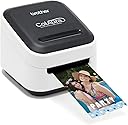
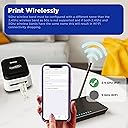
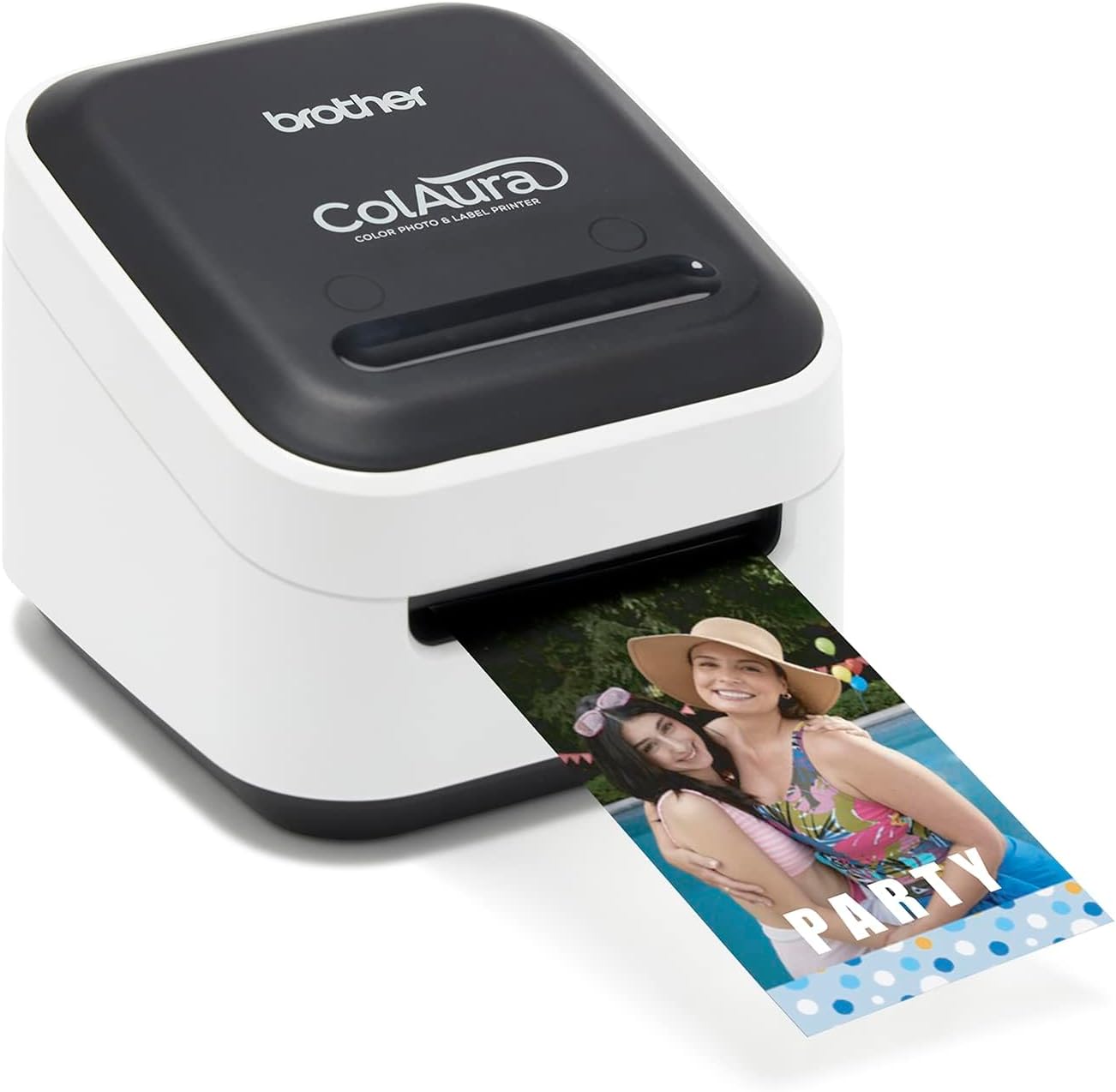
The Brother VC-500W ColAura is a compact, wireless color label and photo printer featuring ZINK Zero Ink Technology that prints vivid, smudge-proof, adhesive-backed labels and photos up to 17 inches long without ink cartridges. Compatible with iOS, Windows, and Mac devices, it offers seamless mobile and desktop printing with an automatic cutter for customizable lengths, making it ideal for creative professionals and organizers seeking high-quality, on-demand color printing.


| ASIN | B07KWW7RH6 |
| Additional Printer Functions | Print Only |
| Best Sellers Rank | #22,384 in Electronics ( See Top 100 in Electronics ) #51 in Portable Photo Printers |
| Brand | Brother |
| Built-In Media | USB (Micro) Cable, Starter Rolls: CZ-1004 โ 1โ (25mm) x 16.4โ (5m) CK-1000 Cleaning roll - ~2โ(1.97โ) (50mm) x 6.5โ (2m)16.4ft (5m), Cleaning Cassette CK-1000 6.5ft (2m) |
| Color | White |
| Color Depth | 24 bpp |
| Color Pages per Minute | 1.0 |
| Compatible Devices | Supports Apple AirPrint wireless printing technology plus Windows and Mac compatible โ print directly from iPhone, iPad and iPod touch. Mac OS X 10.11.x, Mac OS X 10.12.x, Mac OS X 10.13.x, Windows 7, Windows 8/8.1, Windows 10 |
| Connectivity Technology | Wi-Fi |
| Control Method | App |
| Controller Type | iOS |
| Customer Reviews | 3.8 out of 5 stars 2,138 Reviews |
| Display Type | LCD |
| Dual-sided printing | No |
| Duplex | Simplex |
| Global Trade Identification Number | 00012502649342 |
| Hardware Interface | USB |
| Ink Color | White |
| Item Dimensions D x W x H | 4.4"D x 4.6"W x 3.8"H |
| Item Type Name | VC500W |
| Item Weight | 1.45 Pounds |
| Manufacturer | Brother Printer |
| Maximum Copy Resolution Black and White | 313 dpi |
| Maximum Copy Resolution Color | 313 dpi |
| Maximum Media Size | 3 x 5 inch |
| Maximum Print Resolution Black and White | 313 |
| Maximum Sheet Capacity | 650 |
| Maximum print Resolution Color | 313 dpi |
| Model Name | VC500W |
| Model Number | VC500W |
| Model Series | VC |
| Number of Trays | 1 |
| Other Special Features of the Product | Auto Power On |
| Paper Size | 17 inch |
| Power Consumption | 500 Watts |
| Print media | Labels |
| Printer Connectivity Type | Wi-Fi |
| Printer Output Type | Color |
| Printer Type | Inkjet |
| Printing Technology | Inkjet |
| Processor Count | 1 |
| Resolution | 313 |
| Scanner Type | Photo |
| Special Feature | Auto Power On |
| Specific Uses For Product | Home, Office |
| Total USB 2.0 Ports | 1 |
| Total Usb Ports | 1 |
| UPC | 012502649342 |
| Unit Count | 1.0 Count |
| Warranty Description | 2 year manufacturer |
| Warranty Type | limited warranty |
| Wattage | 500 watts |
S**L
It's the very compact lovechild of Brother Labelers & ZINK Color Photo Printers ...And We Love It !
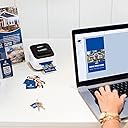
When we first heard about this--and saw the footprint, I felt like I was missing something, as between the comparatively small size (somewhere between the size of Big Mac & Double Big Mac) and lack of complicated control panel, this isnโt what comes to mind when you think โfull color, photo quality printerโ. Now that weโve spent the better part of today putting this through its paces, itโs all clear--and very cool. First, this is one of those ZINK photo printers so it prints photo quality without toner or ink. Unlike other color printers, with Zink all the โcolorโ is in the paper--not sure what that means or how it works, but I don't know how a 747 stays up in the air either and that doesn't stop me from getting on a plane. Anyway, in terms of easy both using it and getting it to work & play well with wifi etc, this reminded me a lot my Brother PC labeler, except; This prints full color, photo quality labels from my phone as well --which is great for on site tweaks as it means I don't have to boot up my laptop This prints those photo labels up to just about a foot and a half long (and depending which tape you use up to 2โ wide)--which comes in handy as we create experiential POS for retail and trade show exhibits--and as of 3 months ago, the on-premise โpresenceโ for certain liquor brands--all โhighly rectangularโ stuff (shelf talkers, table tents, booth signage) that needs lots of rounds of testing & (on location) fine tuning-- that always needs to look like the final finished printed piece. Until now weโve been spending a small fortune on getting this done -- and thatโs without the rush charges--This not only fits in my laptop messenger bag It even prints those ZINK labels pre-scored so peeling off the adhesive back is easy and doesn't take its toll on your nails, teeth...or the label. The PC interface also has pretty much the same options as our existing P-touch so multiple prints and all those other handy features are there. If youโre looking to print 8x10 or 5x7 or 3x5 prints--- stick with your whatever, though if youโre like us, and need a photo quality (aka โprofessionalโ quality) full color printer, between the VC500Wโs Zink-based, print quality, the compact size, and the same hassle-free easiness as our P-touch labeler, this is our new MVP Most Valuable Printer.
H**S
Frustrating printer
This printer is seriously frustrating. It wonโt connect at first, and when it finally does, it still refuses to print. The โno media in printerโ message just wonโt go away no matter what I do. Iโm using a genuine brother tape rollโฆ
B**D
TERRIBLE PRITNER AND BROTHER HAS TERRIBLE CUSTOMER SERVICE
I would not recommend this printer or this company to anyone. I ordered this label printer for work to print high-end, custom labels. But they print nowhere near as vibrant as advertised. Color wasn't as big as a deal to us as we simply needed a black background with our white logo layered overtop of that. However, the white logo and border keeps printing NEON BLUE NOT WHITE. I've tried printing with different label cassettes at different sizes, cleaning with the cleaning paper, messing with the Visibility and the Blue color scale. Nothing works. Better yet, I've been on and off the phone with the customer service since Thursday of last week, waiting over an 1 hour+ to speak with someone for them to go through all the same steps as the last person went over with me.. all for them to put me on another 1+ hold. When I hang up to "save my place in line" nobody calls back. Yesterday, I sat on hold for 1.5 hours, then went through all the same steps again with a guy for him to tell me he was going to have his supervisor call me because HE"S NOT SURE WHATS WRONG. AND THE "SUPERVISOR" NEVER CALLED BACK!!!! INSANE! I am now writing this review as I am on another hold. To probably get transferred or put on hold again. Oh, they also tell you to chat online with someone bc of high call volume, this person (or probably chat bot) literally just sends articles from their website rather than help. Truly a joke of a company.
Y**๏ฟฝ
I love
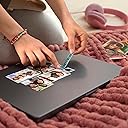
Iโm really impressed with this little printer. Itโs compact, easy to set up, and prints both photos and labels with great color quality. The images come out bright and sharp, and they dry instantly โ no smudging at all. I love how convenient it is for quick projects like journaling, scrapbooking, and organizing around the house. The best part is how portable it is. You donโt need big cartridges, and everything runs smoothly through the app. Labels stick well and photos have a nice glossy finish. If you like crafting, planning, or personalizing items, this printer is definitely worth it. Lightweight, useful, and fun โ I really enjoy using it.
B**Y
Brother ColAura: Innovative Crafting with Room for Growth
The Brother ColAura is a fascinating addition to my crafting arsenal, blending technology and creativity in a way that truly enhances my projects. Its innovative approach to crafting and the quality of output it produces deserves commendation. However, there's a slight caveat that prevents me from giving it a perfect score: the limited selection of templates available. The device itself is a marvel of engineering, offering crisp, vibrant colors and a user-friendly interface that makes crafting both enjoyable and efficient. Whether for personal projects or professional designs, the ColAura brings a level of precision and versatility that is hard to match. Its ability to seamlessly integrate into various crafting endeavors is a testament to Brother's commitment to quality and innovation. However, the area where the ColAura falls short is in its template library. For a device that holds so much potential, the limited range of templates feels like a missed opportunity. More diverse templates would not only enhance the user experience but also unlock new creative possibilities, catering to a wider range of styles and preferences. Despite this shortcoming, the Brother ColAura remains a standout product. Its performance is reliable, and the quality of work it produces is consistently high. The ease of use and the quality of the final product it delivers are commendable. It's a product that, with a few enhancements to its template library, could easily become indispensable to crafters of all levels. In conclusion, I award the Brother ColAura 4 stars. It's a product that offers a lot of promise and delivers on many fronts. With an expanded selection of templates, I believe it could easily become a 5-star staple in the crafting community. For anyone looking to elevate their crafting projects with a touch of technology, the ColAura is a worthy investment, albeit with a small area ripe for improvement.
R**T
Lacking a lot of capability
Labels are super expensive, and the printer will occasionally waste 2"+ of label for no reason at all. At one point I moved the printer so I had to unplug power, so when I plugged it back in, bam... 2" wasted. It was a 2" wide label, so how much does that 2" cost? About $0.37. That's without mentioning the 2"+ that it wastes when you first install the cartridge. Wireless printing works ONLY from your phone. Even though the printer connects to your local wifi network, windows can't detect it as a printer, nor can Brother's p-touch label software. It requires connection via USB. Label quality is just ok. I love the fact that I can print labels that are extremely configurable and will look the way I want because of WYSIWYG, but I tried to print a label with a company logo that is green. I tried several different shades of green and it never came out green. It was either a yellowish gray, or a very dark gray. I can't make it look green. Photos actually look really good on this printer. It's very surprising how good they look for inkless technology, so I have to give them that. I printed out their template that's for putting on a company ID badge, and it looks pretty darn good. The green of the company logo looks a bit better when printed large, but still not exactly the vivid green I was expecting. Text quality is really good though, and that's a large part of the reason I bought this printer. I was tired of my standalone brother label maker. Something that makes me extremely mad... I installed the windows software to see if I could use it with the printer wirelessly. Without the installer asking it just suddenly rebooted my computer. I lost hours worth of work because it did a forceful restart. So mad at Brother for doing this. I'm not entirely sure I will keep this printer, but it's a nice little package for what it does.
A**H
Worth it! Focus on your crafts and not working the printerโฆ because this thing just works!!
Wow! Donโt waste your money on any other sticker printer that you want to print in color! I bought a few different printers to do crafts with my daughters and I didnโt like any of them. I bought this as an upgrade, even though it wasnโt that much more expensive and I love it! Printer quality is top-notch. I have had no issues with connecting and printing from my cell phone and my tablet!!! That was a big issue with the other printers I had, they would they would freeze up. This one does not freeze up! I donโt write many reviews, but I felt I needed to for this device because it is so cool! Itโs making the crafting easy and fun and instead of focusing on trying to work the printer we are focusing on the crafts!! Worth it!!
Z**B
Impressive!! But update firmware!
I recently upgraded the firmware. It was complicated but the improvement is stunning. It works a lot better even iOS app almost perfect. I have many experiences with ZINK from many years back. No matter what it was a stunning achievement. Hoping in time that it would get better. It is better but not perfect yet. This is an affordable color label printer. The resolution is very high in my opinion. The typeface is smooth not jagged edged. The colors are nice and pleasing. It is not a replacement for a photo printer. I am using it on my iPhone XS with no problems. I would have preferred a Bluetooth 5.0 connection rather than WIFI as one has to switch to the Brother WIFI while using. One can set it up on a PC as well - have not tried yet. There are other color label printers out there but they are commercial use and are super expensive. ZINK sell this exact same printer under their name for several years now. I am hoping that Brother will help this product mature and get better with improved drivers and software. I think this a big deal for brother have this product. It makes it mainstream! Thank you both Brother and ZINK !!!
I**.
Works well
๐ฏ
K**S
Printer
Works well. Need to workout how to transfer from computer to phone for easier use
Z**D
I don't recommend
I don't like writing negative reviews, but given the name behind this product and its price, I felt I should provide my honest review: 1- I am returning it 2- Set up on your wireless network through your mobile is easy, but it is frustrating if you want to use on your laptop. I had to give it a static IP address, otherwise, it won't work. 3- Slow 4- Print quality is less than average 5- Colors are horrible 6- Tapes are very expensive, and they don't work as cable labels; label ends don't stay stuck. 7- every time you turn it off and on it will spit a blank 2" tape, just like that! 8- You have to swipe your finger to cut! why this brilliant gesture, I don't know. 9- Finally, it is not backed by Brother Canada, so you won't be able to register it on Brother Canada website, and now I understand why it is not there, it is a horrible product. The only one good thing about this device is its size. Small and looks good on the desk, but useless.
T**L
Really annoyed that it does not work
Product will not work at all why not print the business cards, all the stickers, really disappointed and annoyed
E**T
It doesn't work.
I bought this printer to use in my store. I tested it when I got it and it seemed ok but when I tried to use it the second time it wouldn't register that there was paper loaded. Waste of money and left me in a tight spot for a custom order.
Trustpilot
2 weeks ago
3 days ago